




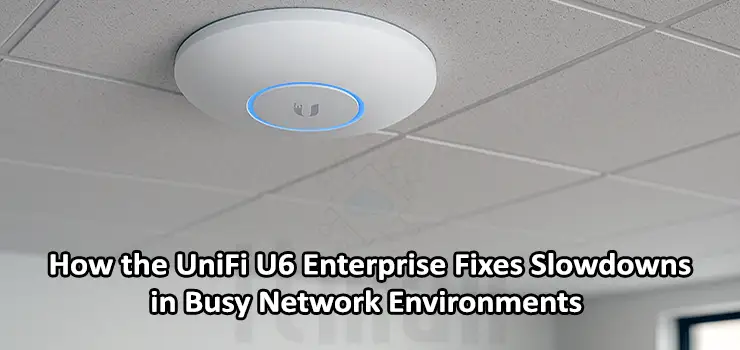
When a network begins to slow down, lag during video calls appears, file transfers take longer, and users complain about inconsistent Wi-Fi coverage, the first assumption is often that the internet connection is the problem. But in most cases—especially in offices, cafés, clinics, hotels, and co-working spaces—the main reason is Wi-Fi saturation. As more devices join a network, legacy access points simply cannot keep up. This is where the U6 Enterprise becomes a game-changing upgrade. Designed to deliver high-performance Wi-Fi 6 connectivity in dense environments, the U6 Enterprise addresses nearly all common causes of slow or unstable wireless networks.
The UniFi U6 Enterprise is not just another access point. It’s built with next-generation radio technology, a 2.5GbE interface, and real enterprise-grade throughput designed for modern high-density Wi-Fi environments. This article explains how the U6 Enterprise solves network slowdowns, why it performs better in busy environments, and how it compares to typical access points in the market. If you’re planning to upgrade your network to support more users, more devices, and more performance-intensive applications, this guide will help you understand why the U6 Enterprise is one of the best choices today.
Understanding Why Slowdowns Happen in Busy Wireless Networks
Before looking at how the U6 Enterprise solves the problem, it’s important to understand why network slowdowns occur in the first place. High-traffic Wi-Fi environments usually face several performance bottlenecks:
1. Too Many Devices Per Access Point
Traditional Wi-Fi 5 access points struggle when 50, 60, or even 100 devices attempt to connect simultaneously. Each device consumes airtime, causing delays in communication.
2. Interference in Crowded 2.4GHz and 5GHz Bands
Wi-Fi channels overlap, especially in the 2.4GHz range, leading to congestion and packet loss.
3. Limited Backhaul Speeds
Many older APs use standard 1GbE ports. Even if the radio can provide high throughput, the wired connection becomes a bottleneck.
4. Outdated Technologies
Access points without Wi-Fi 6 or OFDMA rely on inefficient communication methods. As a result, latency increases as networks grow.
These issues compound rapidly in spaces with many users—and this is exactly the challenge the U6 Enterprise was built to address.
How the U6 Enterprise Fixes Slowdowns in Busy Network Environments
1. Tri-Band Architecture Reduces Wireless Congestion
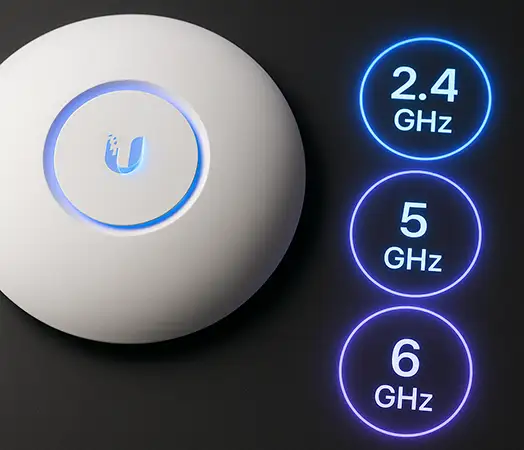
One of the biggest advantages of the U6 Enterprise is its tri-band design. Unlike dual-band access points that divide users between 2.4GHz and 5GHz, the U6 Enterprise adds a high-performance 6GHz radio.
How This Improves Speed
- The 6GHz band provides clean, low-interference channels.
- Devices that support Wi-Fi 6E can move entirely to the 6GHz spectrum.
- This offloads congestion from the 5GHz band.
- Real throughput increases because each band handles fewer devices.
In dense environments, separating traffic across three bands provides a dramatic performance boost.
2. 2.5GbE Ethernet Port Eliminates Wired Bottlenecks
Many network administrators overlook a major cause of slow Wi-Fi: a saturated Ethernet port.
Even if an access point can deliver over 1Gbps of wireless throughput, a 1GbE backhaul caps the performance. The U6 Enterprise solves this with its 2.5GbE port, ensuring the wired side can handle heavy traffic loads.
Practical Benefits
- Smooth handling of high traffic from dozens of users
- Support for gigabit+ speeds on the 6GHz radio
- Future-proofing for multi-gigabit networks
This is a major upgrade compared to older UniFi models that support only 1GbE.
3. OFDMA and MU-MIMO Improve Multi-User Performance
When networks become busy, airtime becomes the most valuable resource. The U6 Enterprise fully utilizes OFDMA and MU-MIMO—Wi-Fi 6 technologies that allow the AP to communicate with several devices at once instead of serving them one by one.
How These Technologies Help
- OFDMA breaks channels into smaller sub-channels, allowing simultaneous transmissions.
- MU-MIMO enables multiple streams in parallel.
- Latency is significantly reduced under load.
- High-density environments like schools or offices benefit the most.
Simply put: the U6 Enterprise manages multiple clients more efficiently than older UniFi APs, which eliminates the slowdowns commonly seen in peak hours.
4. High Transmit Power for Stronger Coverage
Weak signals lead to retransmissions, which slow down networks. The U6 Enterprise uses strong transmit power and optimized antennas to maintain stable throughput even at longer distances.
Why This Matters
- Clean and stable coverage reduces packet loss.
- Devices roam more smoothly between APs.
- The network stays responsive even for users on the edge of the coverage area.
This makes the U6 Enterprise ideal for hotels, open offices, restaurants, and warehouses.
5. Advanced Client Steering and Band Optimization
One of the standout features of the U6 Enterprise is its intelligent client steering. Instead of allowing devices to connect randomly, the AP actively directs them to the best band.
Benefits of Smart Steering
- Older devices can stay on 2.4GHz
- Most users move to 5GHz
- Wi-Fi 6E devices automatically shift to 6GHz
- Better load balancing across the network
This reduces congestion and ensures devices get the most suitable speed and performance.
6. Handles Over 600+ Concurrent Clients
While the U6 Enterprise is often used in offices, it’s capable of far more. It supports extremely high client counts thanks to its powerful CPU and next-generation radio architecture.
Real-world examples where this makes a difference:
- Events and conferences
- Large cafés
- University campuses
- High-traffic retail stores
- Clinics with many small connected devices
In environments where dozens of users connect simultaneously, the U6 Enterprise stays fast and responsive.
Practical Use Cases Where the U6 Enterprise Shines
- U6 Enterprise in Office Networks: Offices are one of the most demanding environments for Wi-Fi: video calls, file sharing, cloud apps, VoIP phones, and mobile devices all compete for bandwidth. The U6 Enterprise keeps performance stable even during peak usage.
- U6 Enterprise in Cafés and Restaurants: Public Wi-Fi often suffers from slow speeds due to many random clients connecting. The U6 Enterprise ensures smooth browsing, online ordering, and POS devices running without delay.
- U6 Enterprise in Hotels and Clinics: These environments need strong, stable Wi-Fi with lots of roaming. The 6GHz band offers clean channels that significantly improve guest and patient connectivity.
How to Deploy the U6 Enterprise for Maximum Performance
To get the most out of your U6 Enterprise installation:
- Place access points at ceiling height for optimal coverage
- Use 2.5GbE switches for true multi-gigabit throughput
- Enable Wi-Fi 6E for supported devices
- Keep APs at least 6–8 meters apart
- Avoid placing them near metal structures or HVAC ducting
A well-planned deployment amplifies the hardware’s capabilities.
Best Settings for Reducing Slowdowns
Inside UniFi Network Controller, enable:
- Band steering
- Minimum RSSI
- OFDMA
- TPC (Transmit Power Control)
- Client balancing
These features ensure devices connect efficiently and reduce interference.
Comparison
| Feature | U6 Enterprise | U6 LR | U6 Lite |
|---|---|---|---|
| Wi-Fi Standard | Wi-Fi 6E (Tri-Band) | Wi-Fi 6 (Dual-Band) | Wi-Fi 6 (Dual-Band) |
| 6GHz Support | Yes | No | No |
| Max Throughput | Very High | High | Medium |
| Target Use | High-density environments | Medium/large spaces | Small/medium spaces |
| Ethernet Port | 2.5GbE | 1GbE | 1GbE |
| Client Capacity | Highest | High | Moderate |
The U6 Enterprise is clearly the best option for speed, density, and future-proofing.
Frequently Asked Questions (FAQ)
1. Does the U6 Enterprise work without a UniFi controller?
It can be adopted temporarily, but for full features, you need a UniFi Network Controller.
2. Is the U6 Enterprise good for homes?
Yes, especially large homes or smart homes with many devices.
3. Does it support Wi-Fi 6E?
Yes—this is one of its biggest advantages.
4. Do older devices work with the 6GHz band?
No, only Wi-Fi 6E devices can connect to 6GHz. Others use 2.4 or 5GHz.
5. What PoE does the U6 Enterprise require?
It uses 802.3at PoE+.
6. How many clients can it handle?
Well over 600 clients in ideal conditions.
7. Does it improve roaming?
Yes, thanks to improved antennas and UniFi’s advanced roaming features.
8. Is the U6 Enterprise suitable for outdoor use?
No, it’s an indoor model.
9. Can it fix slow Wi-Fi in crowded cafés?
Absolutely—that’s one of its main strengths.
10. Does it support VLANs and guest networks?
Yes, fully supported through the UniFi interface.
Conclusion
The U6 Enterprise is one of the most capable and future-ready access points from UniFi. Its tri-band architecture, 6GHz support, multi-gig Ethernet, and advanced Wi-Fi 6 technologies make it a perfect solution for eliminating slowdowns in busy network environments. Whether you’re upgrading an office, café, hotel, or high-density public space, the U6 Enterprise delivers the performance, stability, and scalability that modern Wi-Fi demands.
If your current network is experiencing lag, congestion, or inconsistent coverage, upgrading to the U6 Enterprise is one of the most effective ways to boost speed, improve reliability, and prepare your infrastructure for the next generation of wireless devices.