






MikroTik RouterOS is widely recognized as one of the most flexible and cost-effective network operating systems in the world. From small home labs to enterprise-grade ISPs, MikroTik devices are deployed in thousands of real-world networks every day. One of the key concepts that often confuses users, especially those new to MikroTik, is RouterOS licensing. MikroTik uses a tiered licensing model that directly affects what features are available and how the device can be used in production.
Understanding MikroTik licensing levels is critical when choosing the right router, access point, or wireless backbone device. Selecting the wrong license level can limit performance, reduce scalability, or even make a device unsuitable for your intended network design. In this article, we will clearly and practically explain MikroTik Licensing Levels 3, 4, 5, and 6, focusing on real-world usage, limitations, and decision-making guidance.
What Is MikroTik RouterOS Licensing?
MikroTik RouterOS licensing defines the functional limits of a device. While all licenses share the same core RouterOS features such as routing, firewall, NAT, VPN, and VLANs, higher license levels unlock greater scalability and wireless capabilities.
Licensing primarily affects:
- Maximum number of interfaces
- Number of active users or PPP sessions
- Wireless access point functionality
- Client and hotspot limitations
- Suitability for enterprise or ISP deployments
RouterOS licenses are either preinstalled on MikroTik hardware or purchased separately for x86 or CHR (Cloud Hosted Router) installations. For most MikroTik hardware products, the license level is fixed and cannot be downgraded, though upgrades are possible in some scenarios.
Overview of MikroTik License Levels
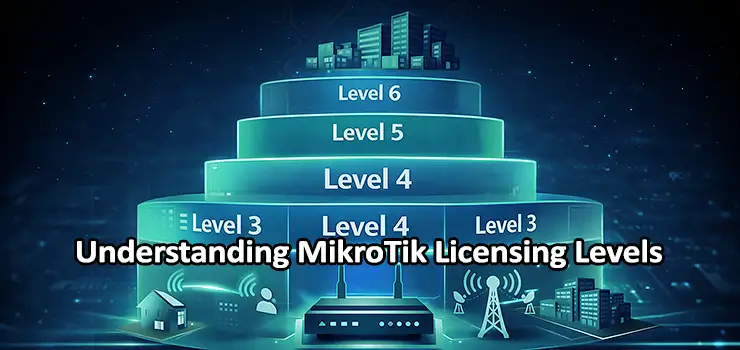
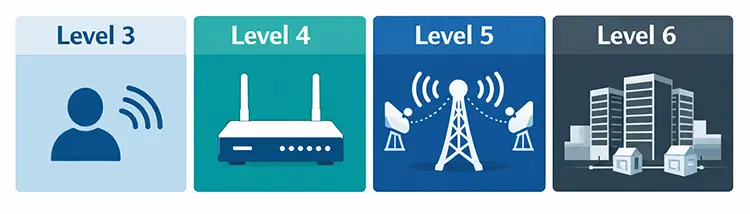
MikroTik RouterOS licenses range from Level 0 to Level 6. In practical deployments, Levels 3, 4, 5, and 6 are the most relevant. Each level is designed for a specific network scale and use case.
A simplified overview:
- Level 3: Entry-level wireless client or CPE devices
- Level 4: Standard routing and wireless access point deployments
- Level 5: Advanced wireless backhaul and higher client capacity
- Level 6: Unlimited enterprise and ISP-grade usage
Understanding these levels in detail allows network engineers and IT decision-makers to avoid under-licensing or overspending.
MikroTik License Level 3 Explained
Level 3 is commonly found on entry-level wireless devices, especially Customer Premises Equipment (CPE) units designed for point-to-point or client-side connections.
Key characteristics of Level 3 include:
- Designed mainly for wireless station mode
- Limited number of wireless clients
- No full access point functionality
- Suitable for client devices, not central APs
In practical terms, a Level 3 license is ideal for scenarios where the MikroTik device acts as a wireless client connecting to an upstream access point. For example, outdoor wireless receivers used to connect a remote building to a main network often run Level 3 licenses.
However, Level 3 is not suitable if you plan to deploy the device as a wireless access point serving multiple users. Hotspot scalability, user authentication, and AP functionality are limited compared to higher licenses.
Common use cases for Level 3:
- Wireless CPE devices
- Client-side radio units
- Simple routed links without heavy user load
MikroTik License Level 4 Explained
Level 4 is the most commonly used MikroTik license and is considered the standard for professional routing and wireless access point deployments. Most popular MikroTik routers and access points ship with Level 4 by default.
Key features of Level 4:
- Full wireless access point support
- Suitable for hotspot and PPPoE servers
- Higher number of active users compared to Level 3
- Balanced performance for SMB and enterprise networks
With Level 4, a MikroTik device can function as a central wireless AP, serve multiple wireless clients, and manage authentication systems like Hotspot, PPPoE, or User Manager integration.
Level 4 is typically enough for:
- Office networks
- Small to medium ISPs
- Hotels, cafés, and retail environments
- Corporate branch routing
From a licensing perspective, Level 4 strikes a balance between cost and functionality. It enables nearly all RouterOS features while maintaining reasonable limits that fit most professional deployments.
MikroTik License Level 5 Explained
Level 5 is less common than Level 4 but plays a critical role in advanced wireless networks, especially where higher client counts or wireless backhaul capacity are required.
Key advantages of Level 5:
- Higher number of supported wireless clients
- Better suited for point-to-multipoint (PtMP) deployments
- Improved scalability for wireless infrastructure
- Often used in WISP environments
Level 5 is typically used on higher-end wireless radios that serve as aggregation points rather than simple access points. For example, a central tower connecting dozens of remote CPEs may require Level 5 to avoid client limitations.
While routing and firewall features remain similar to Level 4, the real difference lies in wireless scalability. If your network design includes many wireless subscribers or multiple remote links, Level 5 becomes a strong candidate.
Typical use cases:
- Wireless distribution nodes
- ISP aggregation radios
- Large outdoor wireless coverage zones

MikroTik License Level 6 Explained
Level 6 is the highest RouterOS license level and removes almost all limitations. It is considered enterprise-grade and ISP-ready, offering maximum flexibility and scalability.
Core features of Level 6:
- Unlimited number of users
- No wireless client restrictions
- Full access point and routing capabilities
- Ideal for backbone and core routers
Level 6 is most commonly used in:
- ISP core routers
- Data center routing
- Large-scale hotspot systems
- Cloud Hosted Router (CHR) environments
For x86 installations or virtualized MikroTik deployments, Level 6 is often the preferred choice because it eliminates artificial constraints and allows the network to scale without licensing concerns.
While Level 6 is more expensive, it becomes cost-effective in large deployments where user growth, VPN tunnels, or dynamic routing sessions could exceed lower license limits.
Key Differences Between Levels 3, 4, 5, and 6
The primary differences between MikroTik licensing levels are not about routing protocols or firewall features, but about scale and role within the network.
Level 3 is client-oriented and limited.
Level 4 is access-point capable and versatile.
Level 5 is optimized for high-density wireless aggregation.
Level 6 is unrestricted and enterprise-ready.
Choosing the correct license level depends heavily on how the device will function within the topology, not just on raw performance or CPU power.
Licensing and Wireless Performance
It is important to note that licensing does not increase CPU speed, RAM, or raw throughput. Instead, it defines how many clients, interfaces, or sessions RouterOS will allow.
A powerful router with a low license can still become a bottleneck due to artificial limits. Conversely, a modest router with Level 6 may still struggle if hardware resources are insufficient.
For wireless networks, licensing directly affects:
- Maximum connected clients
- AP versus station functionality
- Scalability of PtMP deployments
This makes licensing particularly important in wireless ISP and campus-wide Wi-Fi scenarios.
Can MikroTik Licenses Be Upgraded?
In many cases, RouterOS licenses can be upgraded, especially for x86 and CHR installations. Hardware-based MikroTik devices often come with fixed licenses, but certain models support paid upgrades.
Before planning a license upgrade, it is essential to:
- Confirm hardware compatibility
- Evaluate real network requirements
- Consider whether replacing hardware is more cost-effective
In production environments, license planning should always be part of the initial design phase.

Choosing the Right MikroTik License Level
Selecting the right license level requires answering a few practical questions:
- Will the device act as a client or access point?
- How many users or wireless clients are expected?
- Is this a core router or edge device?
- Will the network scale significantly in the future?
For most small to medium networks, Level 4 is sufficient. For advanced wireless deployments, Level 5 provides necessary headroom. For large ISPs or enterprise backbones, Level 6 offers long-term flexibility.
Avoid under-licensing, as it can silently limit growth and cause unexpected service issues later.
Common Licensing Mistakes to Avoid
One common mistake is assuming all MikroTik devices behave the same regardless of license. Another frequent issue is using Level 3 devices in access point roles, which leads to poor scalability and user complaints.
Other mistakes include:
- Ignoring future expansion plans
- Focusing only on hardware specs
- Overpaying for Level 6 when not required
Proper license selection reduces operational risk and improves network stability.
Final Thoughts on MikroTik Licensing Levels
Understanding MikroTik Licensing Levels 3, 4, 5, and 6 is essential for building reliable, scalable, and cost-effective networks. Licensing defines the role a device can play, not just its features.
Level 3 is best for client devices, Level 4 is ideal for most professional networks, Level 5 supports large wireless deployments, and Level 6 unlocks unlimited enterprise potential. By aligning license level with network function, you can maximize performance while keeping costs under control.
For network engineers, system integrators, and IT managers, licensing should never be an afterthought. It is a foundational design decision that directly impacts long-term success.