










 ? Message us on
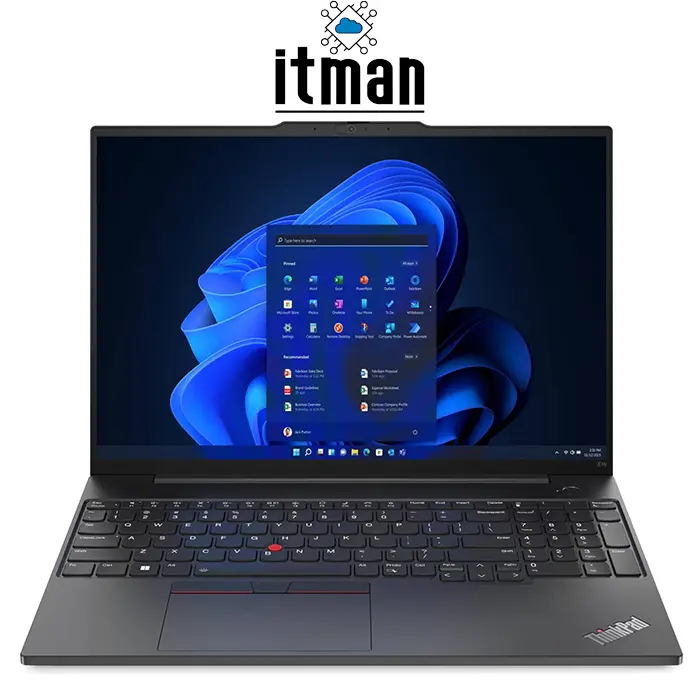
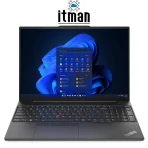
 If you’re searching for a reliable business laptop that feels professional, runs smoothly for daily tasks, and offers the kind of durability ThinkPad is famous for, the Lenovo ThinkPad E16 Gen1 Laptop is one of the smartest choices in its class. This Lenovo Laptop is designed for people who need a serious workstation for office work, meetings, accounting, web-based systems, remote management, studying, and even light creative work without paying the premium price of flagship ThinkPads. With its 16-inch WUXGA IPS display, Intel Core i5-1335U processor, and the well-known ThinkPad keyboard experience, it delivers a balanced package that fits modern business needs.
The Lenovo ThinkPad E16 Gen1 Laptop is not trying to be a flashy gaming machine or a thin ultrabook with compromises. Instead, it focuses on performance stability, long-term reliability, comfort for long typing sessions, and a more business-oriented design. This exact configuration comes with 8GB RAM, a 512GB SSD, Intel Iris Xe Graphics, a backlit English-Arabic keyboard, and No OS (meaning you can install the operating system you prefer). And if you’re searching specifically for the part number, this device is the Lenovo ThinkPad E16 Gen1 Laptop | 21JN000VGR, which is an important detail for buyers who want an exact match for their company requirements or inventory standards.
Full Overview of the Lenovo ThinkPad E16 Gen1 Laptop | 21JN000VGR
The Lenovo ThinkPad E16 Gen1 Laptop is a strong option for professionals and businesses that want a large, comfortable screen while still maintaining portability. A 16-inch laptop gives you extra workspace for multitasking, especially when dealing with Excel sheets, web dashboards, CRM systems, accounting tools, and documentation. The WUXGA resolution (1920×1200) also adds more vertical space compared to standard Full HD, which helps a lot when reading long documents or working inside productivity software.
This ThinkPad configuration uses the Intel Core i5-1335U, a modern 13th Gen processor designed for power efficiency and smooth daily performance. It handles typical business workloads easily, such as running multiple browser tabs, Microsoft Office, Zoom or Teams calls, PDF editing, and remote work tools. The Intel Iris Xe Graphics adds extra stability for higher-resolution displays, smoother UI performance, and basic design tasks. With a 512GB SSD, the system feels fast in real life, with quick boot times, fast file access, and smooth app launches.
Since this model comes with No OS, it’s an excellent choice for business customers who want full control. Many companies prefer installing their own licensed Windows version, corporate image, or Linux system for security and management reasons. At ITMan, we understand these needs, and we offer the Lenovo ThinkPad E16 Gen1 Laptop (21JN000VGR) as a serious business device with the right specifications for professional buyers in the UAE who want performance, quality, and value in one product.
Lenovo ThinkPad E16 Gen1 Laptop Performance (Intel Core i5-1335U)
Performance is one of the strongest reasons people choose the Lenovo ThinkPad E16 Gen1 Laptop. The Intel Core i5-1335U is built for smooth business performance with strong efficiency. This processor is ideal for daily workloads because it keeps power consumption low while still delivering speed when needed. In real usage, it performs very well for office work, multitasking, web-based platforms, corporate portals, remote desktop, and even light development tasks.
If your work includes running multiple apps at once, switching between browser tabs, attending video meetings, and opening large documents, the Lenovo ThinkPad E16 Gen1 Laptop keeps the experience stable and responsive. This CPU also works well for users who want a laptop that doesn’t overheat aggressively during standard office usage. The result is a quiet, balanced device that feels reliable for long working days.
RAM (8GB) – Good for Basic Work, Upgrade Friendly for Businesses
This Lenovo ThinkPad E16 Gen1 Laptop configuration comes with 8GB RAM, which is acceptable for many office users. It runs Windows smoothly (once installed), supports daily browsing, Microsoft Office, and video calls without major issues. For students, basic admin work, customer support, and daily office workflows, 8GB can be enough if the work is not extremely heavy.
However, if you plan to work with heavier multitasking, large Excel files, multiple Chrome tabs, accounting systems, or professional apps running together, upgrading the RAM will improve performance significantly. Many business customers prefer upgrading to 16GB or more for smoother multitasking and long-term comfort. One of the advantages of the Lenovo ThinkPad E16 Gen1 Laptop series is that it’s designed for business use, so upgrade options are often more practical than consumer-grade laptops.
Storage (512GB SSD) – Speed and Practical Capacity in One
A 512GB SSD is a great storage size for professional users who want both speed and enough room for files. The Lenovo ThinkPad E16 Gen1 Laptop benefits massively from SSD storage, because everything loads faster: the operating system boots quickly, applications open instantly, and file transfers feel smooth. Compared to older HDD-based laptops, this is a huge upgrade in day-to-day comfort.
This capacity is also suitable for business environments where you may store presentations, reports, invoices, documents, and project folders. Even if you work with larger files such as high-resolution PDFs, scanned documents, or media files, 512GB gives you enough space without constantly worrying about storage limits.
Graphics (Intel Iris Xe) – Stable, Efficient, and Built for Business Needs
The Lenovo ThinkPad E16 Gen1 Laptop uses Intel Iris Xe Graphics, which is an integrated GPU designed for efficiency and smooth productivity performance. For business users, this is often the best choice because it keeps heat low, battery life reasonable, and the laptop lightweight. It also provides a smoother experience than older integrated graphics when running higher-resolution screens, handling video calls, or managing external displays.
Intel Iris Xe is not meant for heavy gaming or advanced 3D rendering, but it can handle basic graphic tasks easily. Things like light Photoshop editing, Canva design work, working on presentations, and watching high-quality videos are all smooth. For business users, the important part is stability, and this is exactly what the Lenovo ThinkPad E16 Gen1 Laptop provides.
Design and Build Quality – Classic ThinkPad Style in Graphite Black
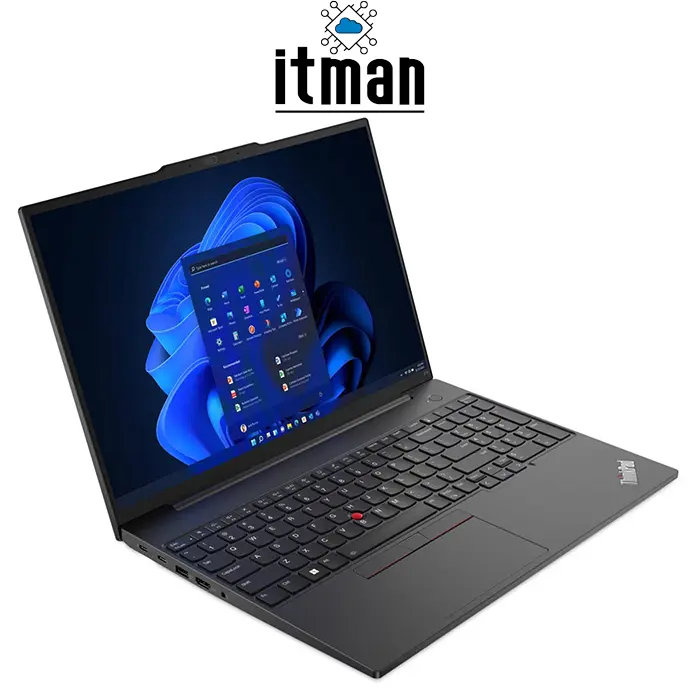
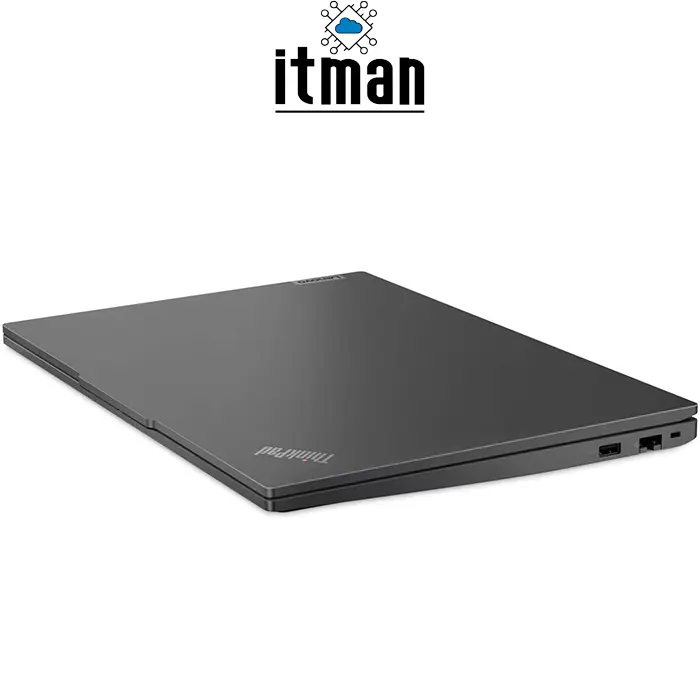
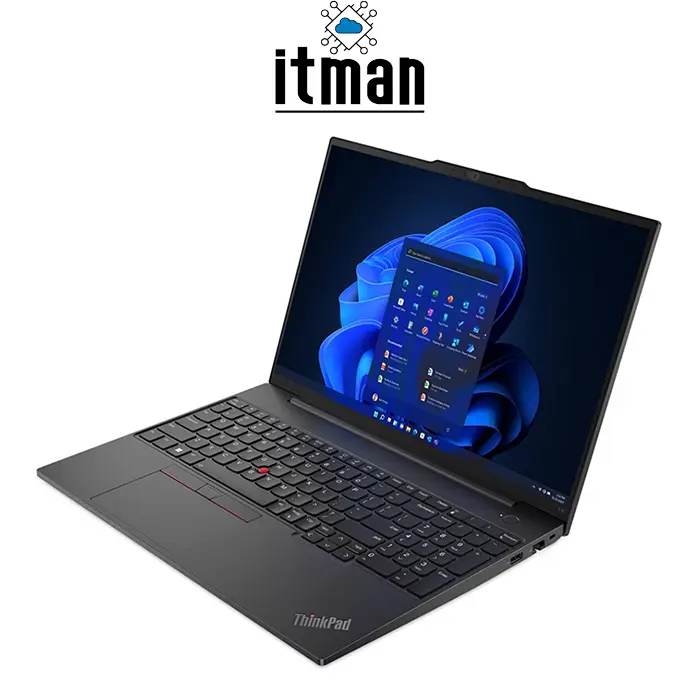
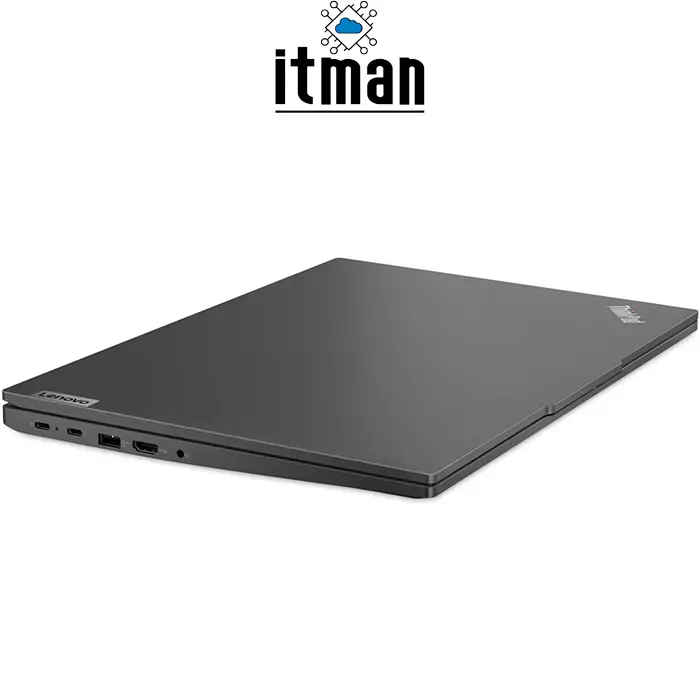
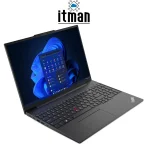
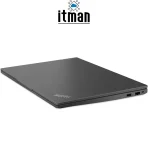
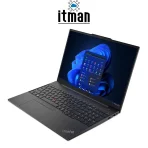
The Lenovo ThinkPad E16 Gen1 Laptop is built to look professional. It comes in Graphite Black and follows the classic ThinkPad design language: minimal, clean, serious, and business-ready. This matters a lot if you attend meetings, work in an office, or want a laptop that feels professional rather than flashy.
ThinkPads are known for durable construction, and the E-series is designed to offer that ThinkPad feel at a more accessible price point. The body is practical, solid, and comfortable to carry. It also looks suitable for corporate use, which is one reason many businesses choose ThinkPad models over consumer laptops.
Display Quality – 16-inch WUXGA IPS for Productivity and Comfort
One of the biggest advantages of this Lenovo ThinkPad E16 Gen1 Laptop is its 16-inch WUXGA IPS display. The resolution is 1920×1200, which is slightly taller than standard 16:9 Full HD screens. This extra vertical space is extremely helpful for productivity. You can see more rows in spreadsheets, read more content in documents, and work more comfortably without constant scrolling.
The IPS panel provides better viewing angles compared to older TN displays, which means the screen looks consistent even when you shift your angle slightly. This is important for office work, presentations, and long hours of reading. The screen size also makes multitasking easier, especially if you work with split windows, such as email on one side and documents on the other.
In terms of pixel density, this resolution is a good match for a 16-inch panel. It looks sharp enough for daily professional work without forcing the laptop to consume too much power. The display is designed for clarity, readability, and comfort, which fits perfectly with what the Lenovo ThinkPad E16 Gen1 Laptop stands for.
Battery Life – Reliable for Workdays and On-the-Go Usage
Battery performance matters a lot for business users, and the Lenovo ThinkPad E16 Gen1 Laptop is designed to support real-world usage. While battery life always depends on brightness, running applications, and workload, this model is generally efficient thanks to the Intel Core i5-1335U and integrated graphics.
For typical office tasks like browsing, Microsoft Office, emails, and video meetings, you can expect stable battery performance that supports daily work routines. If you are constantly on calls or running heavy multitasking, the battery will drain faster, but overall this laptop is designed to remain practical for mobile work, meetings, and travel within the workday.
What Is the Lenovo ThinkPad E16 Gen1 Laptop Best For?
The Lenovo ThinkPad E16 Gen1 Laptop is ideal for a wide range of users. It is especially suited for:
Office employees and administrators who need stability and comfort
Business owners running accounting, invoicing, inventory, and CRM tools
Students needing a large screen for research and assignments
Remote workers using Zoom, Teams, VPN, and productivity suites
IT staff needing a reliable laptop for management tools and remote sessions
Users who type a lot and want a serious keyboard experience
This is not a gaming laptop, and it is not meant for extreme graphics work, but it is excellent for productivity and professional use.
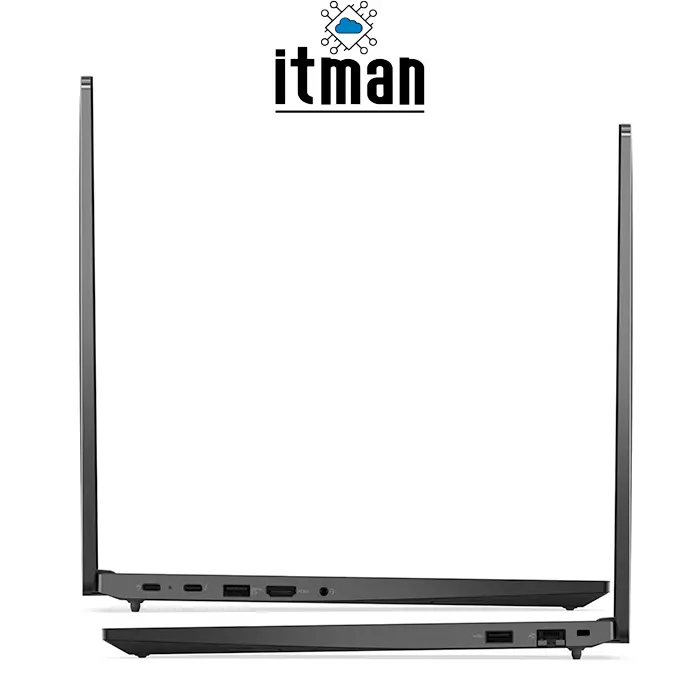
Ports and Connectivity on the Lenovo ThinkPad E16 Gen1 Laptop
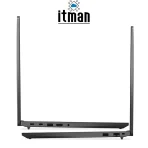
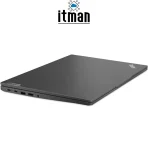
Ports are a major factor for business laptops, and the Lenovo ThinkPad E16 Gen1 Laptop is built to support modern office setups. It is designed to be flexible for connecting accessories, external displays, and business tools. While exact port availability can vary slightly by region and configuration, the E16 Gen1 series generally includes a practical mix of USB ports, display output, and audio connectivity.
For business users, this means you can connect a mouse, external keyboard, storage devices, printers, monitors, and docking solutions without struggling with adapters for everything. This is a key reason why professionals prefer laptops like the Lenovo ThinkPad E16 Gen1 Laptop over thin ultrabooks that reduce ports for design purposes.
The Best OS Choice for the Lenovo ThinkPad E16 Gen1 Laptop (No OS Model)
Since the Lenovo ThinkPad E16 Gen1 Laptop | 21JN000VGR comes with No OS, the most important step after purchase is choosing the right operating system. If your business environment relies on Microsoft tools, Active Directory, Office apps, and standard corporate compatibility, installing Windows 11 is usually the best option.
If you want maximum security and lightweight performance, Linux can also be an excellent choice, especially for developers or IT professionals. Many companies prefer No OS devices because they can deploy them with their own system image, meaning every laptop is configured exactly the same way for easier management.
At ITMan, we can help you choose the right setup depending on your workflow, whether you want a clean Windows installation or a business-ready configuration.
How to Upgrade Performance for Faster Multitasking
The Lenovo ThinkPad E16 Gen1 Laptop is already a strong device, but if you want it to feel faster long-term, the smartest upgrade is RAM. Moving from 8GB to 16GB can make a noticeable difference, especially if you keep many tabs open, run multiple programs, or use heavier office tools.
Another tip is keeping enough free space on the SSD. When an SSD is nearly full, performance can drop slightly in daily usage. Regular cleanup, organized storage, and cloud usage for backups can keep the Lenovo ThinkPad E16 Gen1 Laptop running at its best.
Comparison: Lenovo ThinkPad E16 Gen1 Laptop vs Similar Lenovo Models
Choosing the right ThinkPad is easier when you compare it with similar Lenovo business laptops.
Lenovo ThinkPad E16 Gen1 vs ThinkPad E14
The ThinkPad E14 is smaller and slightly more portable, making it better for users who travel a lot or prefer a compact device. The Lenovo ThinkPad E16 Gen1 Laptop is better for productivity and comfort, thanks to the bigger 16-inch display and extra workspace.
Lenovo ThinkPad E16 Gen1 vs ThinkPad L16
ThinkPad L-series models are often more enterprise-oriented, with a stronger focus on corporate features and build upgrades. However, the Lenovo ThinkPad E16 Gen1 Laptop can deliver better value for buyers who want ThinkPad reliability without moving into a higher budget category.
Lenovo ThinkPad E16 Gen1 vs ThinkPad T16
The ThinkPad T16 is more premium in materials and features, but it also costs significantly more. For most office and business users, the Lenovo ThinkPad E16 Gen1 Laptop is the more balanced choice in terms of price-to-performance.
Lenovo ThinkPad E16 Gen1 Laptop (21JN000VGR) Technical Specifications Table
| Specification | Details |
|---|---|
| Model Name | Lenovo ThinkPad E16 Gen1 Laptop |
| Part Number | 21JN000VGR |
| Processor | Intel Core i5-1335U |
| Display Size | 16 inch |
| Display Type | WUXGA IPS |
| Resolution | 1920 × 1200 |
| RAM | 8GB |
| Storage | 512GB SSD |
| Graphics | Intel Iris Xe Graphics |
| Keyboard | Backlit English-Arabic Keyboard |
| Operating System | No OS |
| Color | Graphite Black |
FAQ – Lenovo ThinkPad E16 Gen1 Laptop (21JN000VGR)
1) Is the Lenovo ThinkPad E16 Gen1 Laptop good for office work?
Yes, it’s an excellent option for office tasks like emails, Excel, Word, meetings, and business platforms.
2) Does the Lenovo ThinkPad E16 Gen1 Laptop support Windows 11?
Yes. This model comes with No OS, but Windows 11 can be installed easily.
3) Is 8GB RAM enough for daily business work?
For basic office work yes, but for heavier multitasking, upgrading to 16GB is recommended.
4) What makes the Lenovo ThinkPad E16 Gen1 Laptop different from normal Lenovo laptops?
ThinkPad models focus more on durability, professional design, keyboard comfort, and business reliability.
5) Can I use the Lenovo ThinkPad E16 Gen1 Laptop for programming?
Yes. It’s suitable for development work, especially for web development, scripts, and standard coding environments.
6) Is Intel Iris Xe Graphics good for gaming?
It can handle light gaming, but this is not a gaming-focused laptop. It’s mainly for productivity and business use.
7) Is the 16-inch display too big to carry?
It’s bigger than 14-inch laptops, but still portable enough for office and business travel.
8) Does the Lenovo ThinkPad E16 Gen1 Laptop have a comfortable keyboard?
Yes. ThinkPad keyboards are among the best for long typing sessions.
9) What is special about the WUXGA resolution?
WUXGA (1920×1200) gives extra vertical space compared to Full HD, improving productivity.
10) Why should I care about the part number 21JN000VGR?
Because it ensures you are buying the exact configuration with the same specs and keyboard layout.
11) Is this laptop good for online meetings and video calls?
Yes. It handles Teams, Zoom, and Google Meet smoothly for daily professional meetings.
12) Is the Lenovo ThinkPad E16 Gen1 Laptop good for students?
Yes. It’s great for students who need a big screen, fast SSD performance, and reliable daily usage.
Final Thoughts: Should You Buy the Lenovo ThinkPad E16 Gen1 Laptop?
If you want a serious business laptop with a large productivity-focused display, strong daily performance, and the classic ThinkPad reliability, the Lenovo ThinkPad E16 Gen1 Laptop is an excellent option. The Intel Core i5-1335U ensures smooth daily speed, the 512GB SSD keeps everything fast, and the WUXGA IPS display makes working more comfortable for long sessions.
For customers who want professional performance without paying premium ThinkPad T-series pricing, the Lenovo ThinkPad E16 Gen1 Laptop | 21JN000VGR is one of the best value choices you can make. At ITMan, we offer this model for buyers who want a reliable laptop for work, study, and business growth in the UAE.


















Daniel Shaw –
Keyboard feels excellent and build quality is solid Price is fair for a business laptop Packaging protected the device and delivery was quick Purchase process was simple and safe