











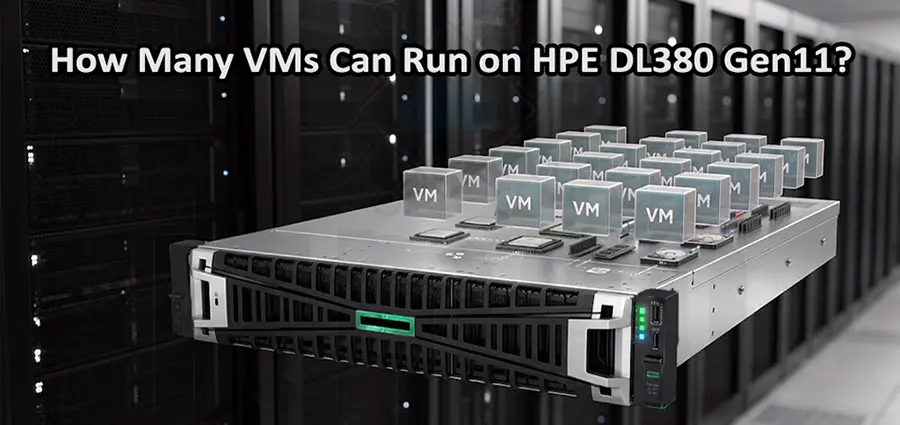
The HPE ProLiant DL380 Gen11 is one of the most capable 2U rack servers for virtualization, offering high CPU density, large memory capacity, fast storage, and flexible networking. But one question matters when planning a virtualization environment: how many VMs can run on HPE DL380 Gen11? There is no single number that applies to every workload. The actual VM capacity depends on the processors, RAM, storage performance, hypervisor configuration, and resource requirements of each virtual machine.
For businesses planning to use VMware ESXi on an HPE DL380 Gen11, understanding these limitations is essential. A server may technically support a large number of VMs, but the practical number depends on whether those Virtual Machines are running lightweight services or demanding applications.
How Many VMs Can Run on HPE DL380 Gen11?
In a typical business environment, an HPE DL380 Gen11 can comfortably host 20 to 50 Virtual Machines, while properly configured high-memory and high-core configurations can support significantly more virtual machines.
For example, a DL380 Gen11 with a modern Intel Xeon processor, 256GB or 512GB of RAM, and fast SSD storage can be suitable for dozens of general-purpose VMs. A configuration with higher-core-count CPUs, 1TB or more of memory, and high-performance NVMe storage can push VM density much further.
However, it is important not to calculate VM capacity simply by dividing the server’s CPU cores or RAM by the VM requirements. Virtualization relies on resource overcommitment, workload utilization, and intelligent allocation.
Therefore, the answer to how many Virtual Machines can run on HPE DL380 Gen11 should always be based on the actual workload rather than a fixed VM count.
What Determines How Many VMs Can Run on HPE DL380 Gen11?
Several hardware components directly affect the number of VMs that an HPE DL380 Gen11 can handle.
CPU: The First Limitation
The processor is one of the most important factors when determining how many VMs can run on HPE DL380 Gen11.
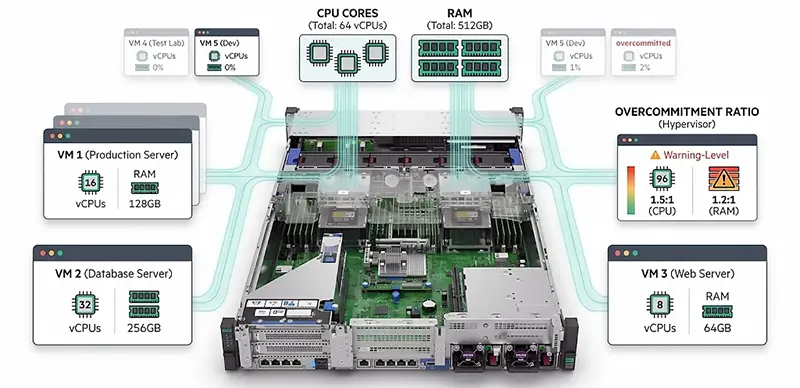
The DL380 Gen11 supports Intel Xeon Scalable processors with different core counts and performance levels. A higher-core CPU allows the hypervisor to schedule more virtual CPUs across physical CPU resources. For example, consider a virtualization server with 32 physical CPU cores. If each VM receives 2 vCPUs, the theoretical allocation could reach 16 VMs without any CPU overcommitment. But this does not mean the server is limited to 16 Virtual Machines.
If the VMs are lightly loaded, VMware can safely allocate more vCPUs than the number of physical cores. A 32-core server could therefore run considerably more than 16 VMs. The important metric is not only the number of vCPUs assigned but also the actual CPU utilization of those VMs.
RAM Has a Major Impact on VM Capacity
When asking how many VMs can run on HPE DL380 Gen11, memory capacity is often more important than users initially expect. Suppose you have:
- 256GB RAM
- 30 VMs
- 8GB RAM allocated to each VM
The Virtual Machines would require 240GB of configured memory, leaving only 16GB for the ESXi host and overhead. This configuration would be too tight for a production environment. Now consider a DL380 Gen11 with 512GB RAM. The same 30 VMs would require only about 47% of the available physical memory for their configured RAM, leaving considerably more room for the hypervisor and workload fluctuations.
For virtualization environments with many Windows Server VMs, databases, application servers, or other memory-intensive workloads, increasing RAM can significantly improve VM density.
Storage Performance Can Limit the Number of VMs
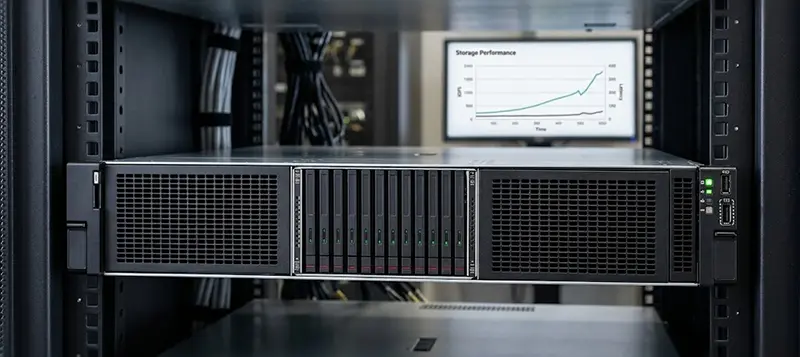
CPU and RAM are not the only factors. Storage can become a serious bottleneck when multiple Virtual Machines access disks simultaneously. A DL380 Gen11 equipped with traditional HDDs may run a certain number of VMs, but performance can deteriorate when many virtual machines generate random I/O at the same time.
SSDs provide much better latency and IOPS, making them a better choice for virtualization. NVMe SSDs can provide even higher storage performance for demanding environments. For example, a server running 30 VMs with databases, application servers, and Windows systems will have a very different storage requirement from a server running 30 lightweight Linux VMs.
Therefore, when calculating how many Virtual Machines can run on HPE DL380 Gen11, storage IOPS and latency should be considered alongside capacity.
Example: 20 VMs on HPE DL380 Gen11
A small and medium-sized business might deploy approximately 20 VMs on a DL380 Gen11. A possible workload could include:
- 5 Windows Server VMs
- 5 application servers
- 2 database servers
- 2 domain controllers
- 2 file servers
- 2 monitoring or management Virtual Machines
- 2 Linux-based service VMs
If these workloads are relatively moderate, a properly configured DL380 Gen11 can handle them comfortably. The exact hardware configuration will still depend on CPU utilization, RAM requirements, storage I/O, and network traffic.
Example: 40 VMs on HPE DL380 Gen11
A 40-VM environment is also realistic for an appropriately configured DL380 Gen11. At this scale, memory and storage planning become increasingly important. A server with 512GB or more of RAM and enterprise SSD or NVMe storage would generally be much more suitable than a low-memory configuration with slower disks.
For example, if each VM averages 8GB of RAM, 40 Virtual Machines represent approximately 320GB of allocated memory. The server would still need sufficient memory for ESXi overhead, VM overhead, caching, and operational headroom. CPU utilization also needs to be monitored continuously. If most of those 40 VMs are idle or lightly loaded, the server may have substantial spare CPU capacity.
Can HPE DL380 Gen11 Run 50+ VMs?
Yes. 50 or more VMs can run on HPE DL380 Gen11 when the server is configured appropriately and the workloads are relatively light or moderate. A high-memory configuration with powerful Xeon Scalable processors and fast SSD/NVMe storage can provide enough resources for a large number of virtual machines.
However, running 50 Virtual Machines does not automatically mean that the server is operating efficiently. If many VMs are simultaneously running databases, analytics, high-traffic applications, or other CPU- and I/O-intensive workloads, the practical VM count can be much lower. In other words, VM density should be based on resource consumption, not simply the number of virtual machines.
VMware ESXi and HPE DL380 Gen11
For organizations using VMware, the DL380 Gen11 is well suited to virtualization environments. VMware ESXi acts as the hypervisor, allowing multiple independent operating systems to run on the same physical server. Each VM receives virtual resources such as:
- vCPU
- Virtual RAM
- Virtual disk
- Virtual network adapter
The ESXi host manages these resources and schedules them across the physical hardware.
This is why a single DL380 Gen11 can replace multiple physical servers. Instead of purchasing separate hardware for a domain controller, file server, application server, and database server, these workloads can be consolidated into separate VMs on one physical host.
Recommended HPE DL380 Gen11 Configuration for Virtualization
If your primary objective is running multiple VMs, the server should be configured around virtualization rather than simply maximizing storage capacity. A balanced configuration could include a high-core-count Intel Xeon Scalable processor, 256GB to 512GB of RAM, enterprise SSDs or NVMe drives, redundant power supplies, and high-speed network connectivity.
For larger environments, 512GB, 1TB, or more RAM can provide significantly more flexibility. Storage should also be designed around the workload. A RAID configuration using enterprise SSDs can provide a good balance between performance and redundancy, while NVMe storage is particularly attractive for high-IOPS workloads.
How to Calculate VM Capacity on HPE DL380 Gen11
Instead of asking only “how many VMs can run on HPE DL380 Gen11?”, start by calculating the resource requirements of your Virtual Machines. For example, if you plan to deploy 30 VMs and each requires an average of:
- 2 vCPUs
- 8GB RAM
- 100GB storage
The basic allocation would be:
60 vCPUs + 240GB RAM + 3TB usable VM storage
You then need to account for ESXi overhead, CPU contention, storage performance, snapshots, future growth, and operational headroom. This calculation provides a much more realistic estimate than simply choosing a VM number.
Avoid Running the Server at 100% Utilization
A common mistake is designing a virtualization server so that every CPU core and every gigabyte of RAM is allocated from day one. Production virtualization environments need headroom. If the server constantly operates near maximum CPU, RAM, or storage utilization, even a small increase in workload can cause performance problems. VM response times may increase, applications can become slow, and users may experience service interruptions.
A better approach is to leave enough capacity for workload spikes, maintenance, new VMs, and unexpected growth.
Final Answer: How Many VMs Can Run on HPE DL380 Gen11?
So, how many Virtual Machines can run on HPE DL380 Gen11? For many business virtualization environments, 20–50 VMs is a realistic range, while higher virtual machine counts are possible with powerful CPUs, substantial RAM, fast SSD/NVMe storage, and relatively light workloads. The most important point is that there is no universal maximum number of VMs for every deployment. CPU cores, RAM, storage IOPS, network requirements, VM workload, and VMware configuration all affect the final capacity.
If you are planning a VMware environment, the best approach is to calculate the resource requirements of your actual VMs first and then select the DL380 Gen11 CPU, memory, and storage configuration accordingly. This ensures that the server is not only capable of running the required number of virtual machines but can also maintain stable performance as the workload grows.


















