











 ? Message us on
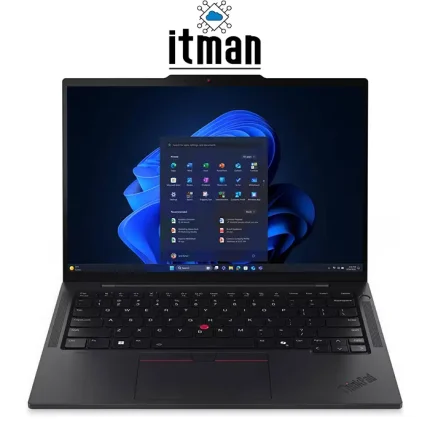
 When you want a laptop that looks professional, feels premium, and works smoothly in every situation, the Lenovo ThinkPad X1 2-in-1 Gen10 Aura Edition is one of the strongest choices you can make. This model is designed for users who need serious performance in a lightweight and flexible body—without carrying a heavy workstation everywhere. With a 14-inch WUXGA IPS display, Intel Core Ultra 7 255U processor, 32GB RAM, and a fast 1TB SSD, it delivers an experience that feels quick and modern from the first boot.
What makes this model even more attractive is the fact that it’s not just a “business laptop” in name. It’s built to be used in real life: office work, meetings, travel, content editing, multitasking, and even creative note-taking. The 2-in-1 design gives you multiple ways to work, and the Windows 11 Pro environment makes it ready for professional environments where security, encryption, and management features matter. If you’re searching for a high-end convertible laptop that stays reliable year after year, Lenovo ThinkPad X1 2-in-1 Gen10 is the kind of device that fits that role perfectly.
Full Overview of Lenovo ThinkPad X1 2-in-1 Gen10 Aura Edition (Grey | 21Q0002XUS)
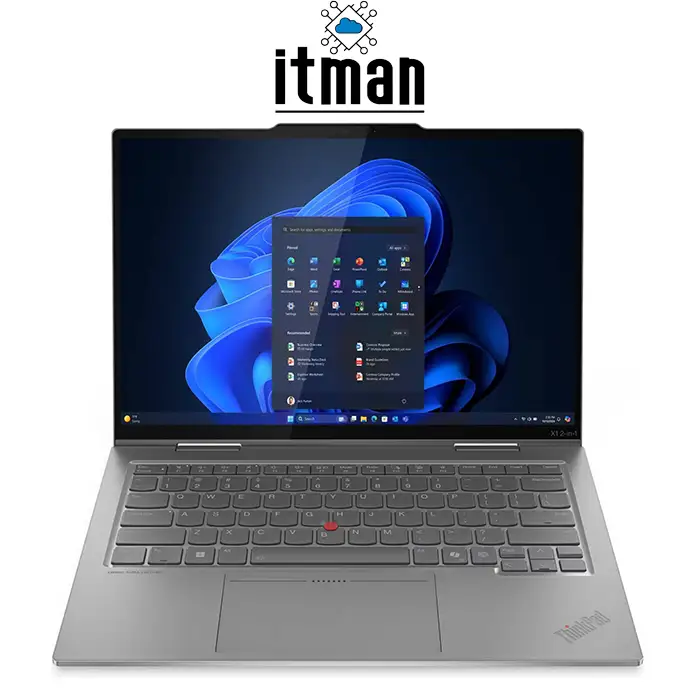
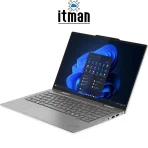
The Lenovo ThinkPad X1 2-in-1 Gen10 Aura Edition Laptop, part number 21Q0002XUS, is a premium convertible designed for professionals who want the best of both laptop and tablet functionality. It comes with a 14-inch WUXGA IPS 60Hz display, delivering a sharp 1920×1200 resolution with a productivity-friendly 16:10 aspect ratio. Compared to older 16:9 screens, this extra vertical space makes a real difference in daily use—especially when working in Excel, reading documents, browsing, or writing.
This configuration includes an Intel Core Ultra 7 255U CPU, backed by 32GB RAM and a 1TB SSD. That combination is excellent for heavy multitasking, professional workflow, and long-term usage without performance slowdown. The integrated Intel Graphics is optimized for everyday work, high-resolution video playback, business presentations, and casual creative tasks. You also get Windows 11 Pro, which is a major advantage for business users who need BitLocker encryption, better user management tools, Remote Desktop hosting, and enterprise-ready settings.
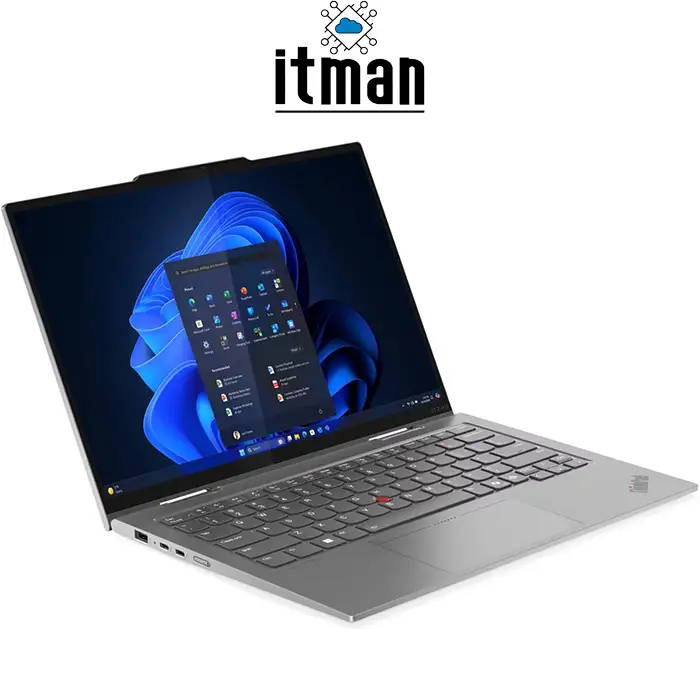
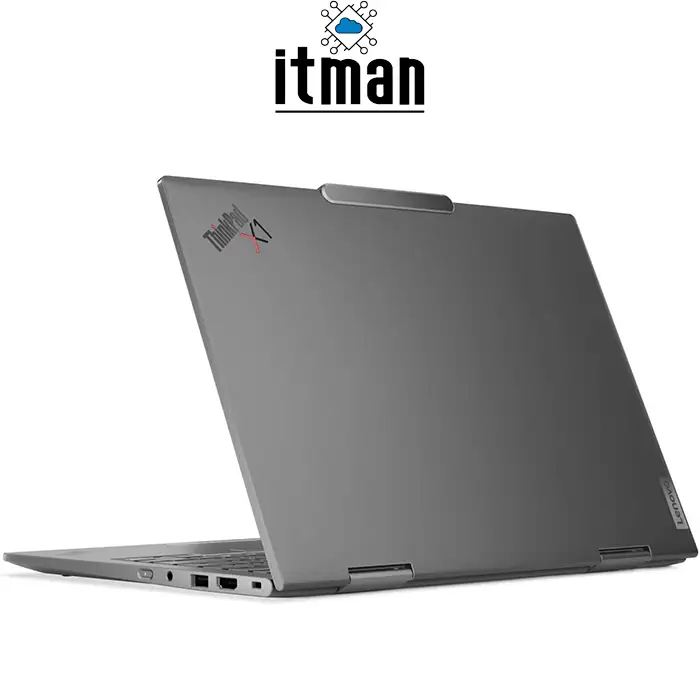
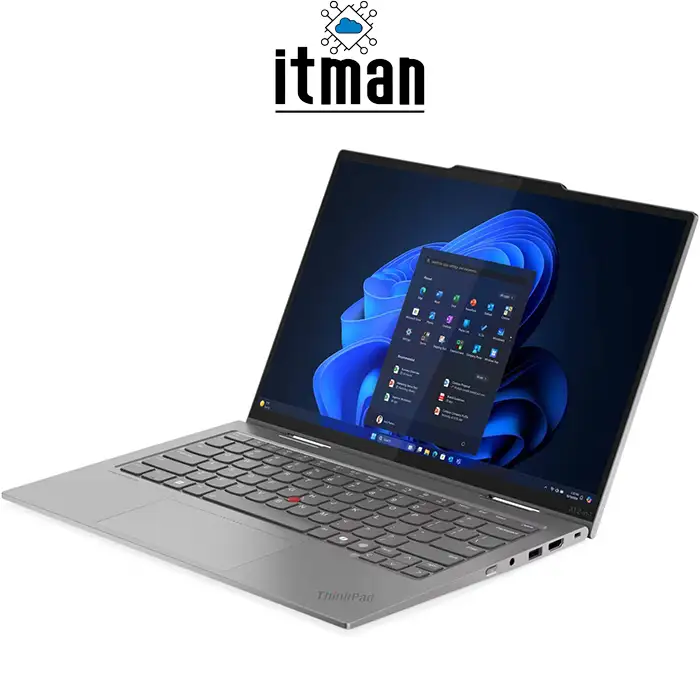
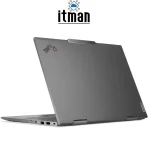
From a design point of view, this ThinkPad is built for daily movement and real-world durability. It’s slim, modern, and elegant in Grey, but it still keeps the classic ThinkPad identity—clean, purposeful, and professional. The “Aura Edition” branding also pushes it into the premium category, focusing on a refined experience with a more polished look and feel. At ITMan, we offer this exact model (21Q0002XUS) for customers who want a high-trust, high-value device for business, office, and premium personal use.
Performance and Processing: Intel Core Ultra 7 255U in Real Use
The Intel Core Ultra 7 255U CPU is built for people who want fast response, strong productivity, and efficient power usage at the same time. In real-world terms, this processor is excellent for handling multiple heavy tasks together: dozens of Chrome tabs, large Excel files, PowerPoint presentations, video calls, and cloud-based tools running simultaneously. If you’re the type of user who keeps everything open all day, the Lenovo ThinkPad X1 2-in-1 Gen10 will feel stable and smooth, not stressed.
Another advantage of the “Ultra” platform is that it is designed for modern workflows. Today’s business laptops need more than just raw CPU speed—they need smart efficiency so the system stays cool, quiet, and responsive in meetings or while traveling. The 255U focuses on that balance. It’s strong enough for professional work and demanding multitasking, while still optimizing battery life and thermals. This makes it especially suitable for people who work in coworking spaces, offices, or remote environments where silence and comfort matter.
RAM (32GB): Built for Heavy Multitasking and Future-Proof Productivity
One of the biggest reasons this exact configuration stands out is the 32GB RAM. Many business laptops still come with 16GB, which is fine for basic use, but professionals today often need more—especially if they work with large spreadsheets, multiple browser profiles, heavy Teams calls, or creative applications.
With 32GB RAM, Lenovo ThinkPad X1 2-in-1 Gen10 gives you a noticeably smoother experience in multitasking. You can keep multiple apps running at once without the laptop constantly using the SSD as virtual memory. This also improves stability over time: the system feels “new” for longer, because memory limitations are one of the first things that make laptops feel slow after a few years.
If you’re buying a premium laptop in a competitive market, choosing 32GB RAM is one of the best decisions for long-term value. This is exactly why the 21Q0002XUS configuration is attractive for business users, managers, engineers, consultants, and high-level office work.
Storage: 1TB SSD Speed and Space You’ll Actually Use
The 1TB SSD in this Lenovo ThinkPad X1 2-in-1 Gen10 is not only fast, but also practical. In real usage, storage fills up quickly—especially if you deal with business data, media files, offline backups, or multiple projects. A 512GB SSD can feel limiting faster than expected, but 1TB gives you comfortable space for long-term use.
Speed is another major benefit. An SSD improves everything: boot time, app launching, file transfers, and overall system responsiveness. Windows 11 Pro feels snappy, and large files open without delay. For professional users who want their laptop to stay fast and reliable, SSD capacity and quality matter a lot, and this model offers a strong combination of both.
Graphics: Intel Integrated Graphics for Business and Daily Creative Work
This model uses Intel integrated graphics, which is the right decision for a premium business 2-in-1. It keeps the device efficient, lightweight, cooler, and more battery-friendly compared to laptops with dedicated GPUs.
For daily work, the Intel Graphics is more than enough for:
- Microsoft Office productivity (Excel, Word, PowerPoint)
- Multiple displays and high-resolution external monitors
- Professional browsing and web-based tools
- Video streaming in high quality
- Light content editing and creative work
- Smooth UI performance on Windows 11 Pro
If your main focus is gaming or heavy 3D rendering, then you would look at a dedicated GPU laptop. But for a true premium business convertible, integrated graphics gives you better battery life, less heat, and a cleaner experience. This is exactly what most ThinkPad buyers want, and why Lenovo ThinkPad X1 2-in-1 Gen10 is positioned as a premium productivity-first device.
Design and Build Quality: Premium Grey Body with ThinkPad DNA
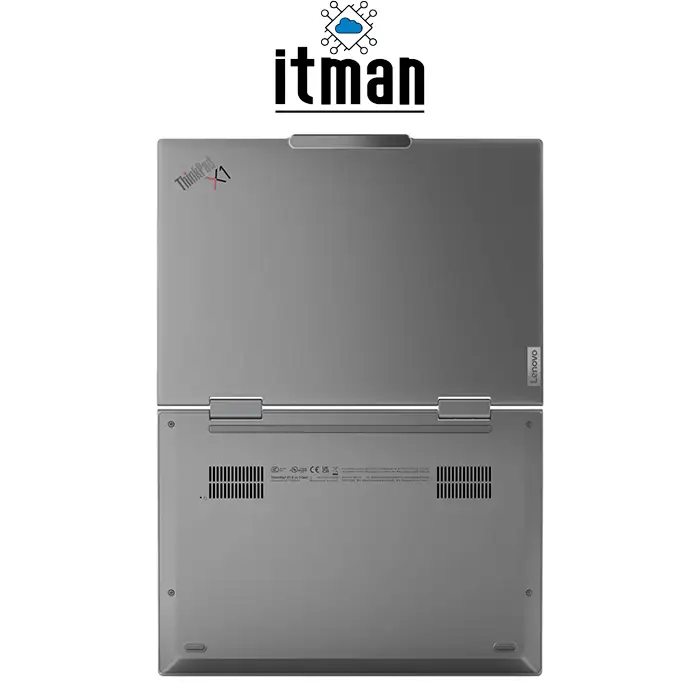
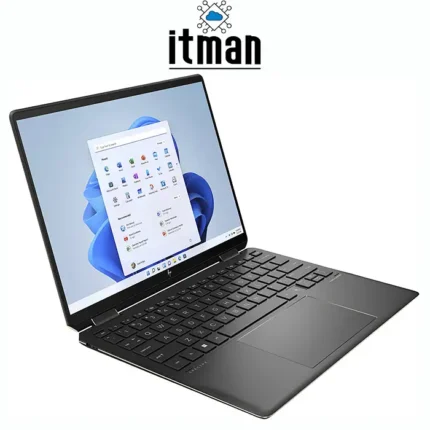
The Lenovo ThinkPad X1 2-in-1 Gen10 Aura Edition is built for users who care about details. It looks premium without trying too hard, and it feels solid in the hand. The Grey finish gives it a modern and high-end personality that fits executive offices, business meetings, and professional travel.
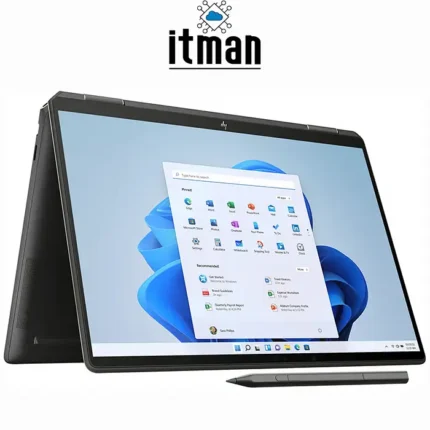
ThinkPad design is famous for being practical: strong hinge engineering, stable keyboard structure, and a body that doesn’t feel fragile. Because this is a 2-in-1 device, the hinge quality matters even more—you want smooth folding, strong stability in laptop mode, and reliable performance in tablet or tent mode.
This Lenovo laptop is the kind of device that feels “confidence-ready.” When you put it on a desk in a meeting, it looks professional. When you carry it in a bag, it stays compact. And when you use it daily, it gives you a premium experience without being heavy or uncomfortable.
Display Details: 14-inch WUXGA IPS 60Hz (Sharp, Balanced, Productivity-Friendly)
The 14-inch WUXGA IPS screen is one of the most practical display choices in a professional laptop. The resolution is 1920×1200, and because it uses a 16:10 aspect ratio, you gain extra vertical space compared to Full HD 1920×1080. That might sound small, but in daily use it makes reading and working noticeably easier.
In terms of pixel density, a 14-inch WUXGA panel gives you sharp text, clean icons, and a comfortable workspace. It’s ideal for long hours of browsing, writing, spreadsheet work, and document review—without pushing too much scaling that can happen on ultra-high-resolution screens. This makes it a great balance: sharp enough to feel premium, and efficient enough for battery life.
IPS technology also matters. It gives better viewing angles, stronger color stability, and a more consistent brightness feel across the screen. If you often work in meetings with others watching your screen, or you change your angle while typing and presenting, IPS is noticeably better than older TN panels.
The 60Hz refresh rate is standard for business laptops and perfect for office workflow. You get smooth interaction and stable performance without using extra power. For this category of device, the goal is professional clarity and comfort, and the Lenovo ThinkPad X1 2-in-1 Gen10 achieves that well.
Battery Life and Daily Mobility
Battery performance is one of the most important factors in a premium 2-in-1, because portability is part of the lifestyle. This ThinkPad is designed to be a daily travel laptop, meeting laptop, and remote work laptop. With the efficiency-focused Intel Core Ultra platform and integrated graphics, it is optimized to last longer and stay cooler.
In real usage, the battery experience depends on brightness, apps, Wi-Fi usage, and multitasking level. But overall, this device is built to support long productivity sessions without constantly searching for a charger. That is exactly what you want from a business-class laptop, especially if you spend time moving between office, home, and meetings.
Best Use Cases: Who Should Buy Lenovo ThinkPad X1 2-in-1 Gen10?
The Lenovo ThinkPad X1 2-in-1 Gen10 is designed for professionals who want flexibility and premium reliability. It’s a strong choice for:
- Business owners and executives who need a premium professional device
- Office power users dealing with heavy multitasking and data work
- Consultants and managers who travel and work in meetings daily
- Students in business, management, or IT fields who want a long-term laptop
- Anyone who prefers 2-in-1 flexibility for note-taking and presentations
- Users who need Windows 11 Pro for security and business tools
The key point is this: it’s not just a laptop. It’s a premium daily work tool that adapts to your work style.
Ports and Connectivity: Practical for Business Setup
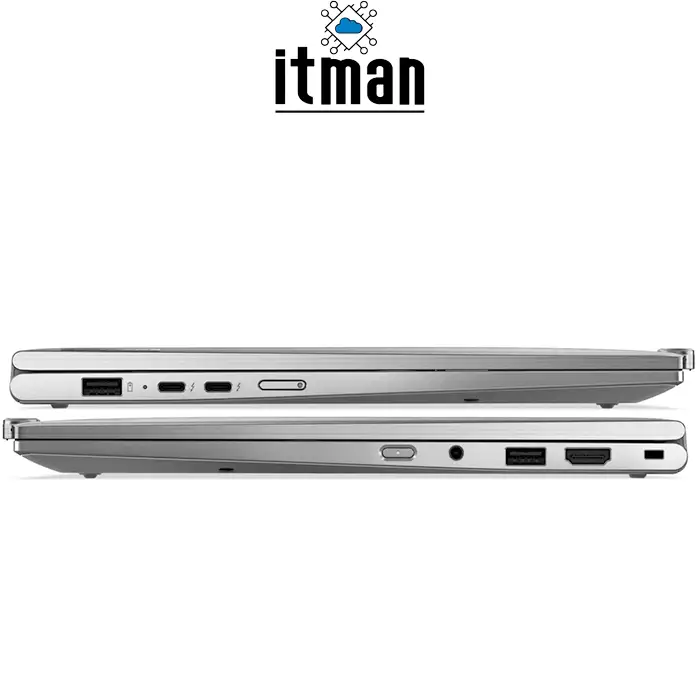
A professional laptop must have the right connectivity to support real work—external monitors, storage devices, docking setups, and accessories. The Lenovo ThinkPad X1 2-in-1 Gen10 focuses on strong modern connectivity to keep your workspace clean and efficient.
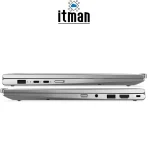
Depending on configuration and region, ThinkPad X1 2-in-1 models typically include a mix of:
- USB-C ports (for charging, fast data, and display output)
- USB-A ports (for standard accessories)
- HDMI (for external display and meeting rooms)
- Headphone/microphone combo jack
Wireless connectivity for fast internet and stable business use
This helps you connect quickly without carrying too many adapters, which is still very important for business users.
How to Get the Best Experience in 2-in-1 Modes
Many people buy a convertible laptop and only use it like a normal laptop. With Lenovo ThinkPad X1 2-in-1 Gen10, you can get much more value by using the different modes based on your situation:
- Laptop mode: best for typing, office work, and long tasks
- Tent mode: great for presentations or watching content in tight spaces
- Stand mode: perfect for video calls and meetings
- Tablet mode: useful for reading, note-taking, and quick touch interactions
When you start switching modes based on workflow, the device feels more flexible and more worth the premium price.
Optimizing Performance and Battery for Office Work
To keep your Lenovo ThinkPad X1 2-in-1 Gen10 running at its best, a few adjustments make a noticeable difference:
- Keep display brightness balanced (not max all day)
- Use Windows power modes (Balanced for daily work, Performance when needed)
- Close unused browser tabs and background apps
- Keep SSD storage with free space for best speed
- Update Windows 11 Pro regularly for security and stability
These steps help your laptop stay fast, cool, and reliable for a long time.
Lenovo ThinkPad X1 2-in-1 Gen10 vs Similar ThinkPad Models (Same Brand)
If you’re choosing within Lenovo’s premium lineup, these are some common comparisons:
1) ThinkPad X1 2-in-1 Gen10 vs ThinkPad X1 Carbon
X1 Carbon is more focused on classic laptop design and extreme portability. X1 2-in-1 Gen10 gives you the convertible hinge and touchscreen flexibility. If you want a strict business laptop, Carbon is great. If you want hybrid usage, the 2-in-1 wins.
2) ThinkPad X1 2-in-1 Gen10 vs ThinkPad Yoga Series
Yoga models are typically more lifestyle-focused, while ThinkPad X1 is more business-focused with a stronger “professional work tool” feel. The ThinkPad line is generally preferred for corporate use.
3) ThinkPad X1 2-in-1 Gen10 vs ThinkPad T Series (like T14)
The T series offers strong value and business reliability, but X1 models feel more premium in design, build, and overall experience. If you want flagship class, X1 is the higher tier.
Comparison Table: Lenovo ThinkPad X1 2-in-1 Gen10 vs Similar Lenovo Models
| Model | Form Factor | Display | Target User | Key Advantage |
|---|---|---|---|---|
| Lenovo ThinkPad X1 2-in-1 Gen10 Aura Edition (21Q0002XUS) | 2-in-1 Convertible | 14″ WUXGA IPS 60Hz | Premium business + flexibility | 2-in-1 design + flagship feel |
| Lenovo ThinkPad X1 Carbon | Classic Laptop | 14″ (varies by config) | Business travel | Ultra-light productivity |
| Lenovo ThinkPad T14 | Classic Laptop | 14″ (varies by config) | Business value + durability | Strong price/performance |
| Lenovo Yoga (select models) | 2-in-1 Convertible | varies | Personal + creative | Touch-first experience |
Full Specifications Table: Lenovo ThinkPad X1 2-in-1 Gen10 (21Q0002XUS)
| Specification | Details |
|---|---|
| Model Name | Lenovo ThinkPad X1 2-in-1 Gen10 Aura Edition |
| Part Number | 21Q0002XUS |
| Display | 14-inch WUXGA (1920×1200) IPS, 60Hz |
| Processor | Intel Core Ultra 7 255U |
| RAM | 32GB |
| Storage | 1TB SSD |
| Graphics | Intel Integrated Graphics |
| Operating System | Windows 11 Pro |
| Keyboard | English Keyboard |
| Color | Grey |
| Category | Premium Business Convertible Laptop |
FAQ – Lenovo ThinkPad X1 2-in-1 Gen10
- Is Lenovo ThinkPad X1 2-in-1 Gen10 good for business use?
Yes, it’s built specifically for business productivity, professional stability, and premium daily use. - What is special about part number 21Q0002XUS?
21Q0002XUS is a specific configuration that includes Core Ultra 7 255U, 32GB RAM, and 1TB SSD with Windows 11 Pro, making it a high-end professional setup. - Is 32GB RAM really necessary?
For heavy multitasking, professional workflows, and long-term future-proofing, 32GB makes a noticeable difference. - Can I use it as a tablet?
Yes, this is a full 2-in-1 convertible, so you can fold it into tablet mode for reading, touch usage, and flexible work. - Is the 14-inch WUXGA screen sharp enough?
Yes. 1920×1200 on a 14-inch screen provides crisp text and a comfortable workspace for daily professional use. - Is the IPS display better than TN?
Yes. IPS provides stronger viewing angles, better consistency, and a more premium feel. - Does it support external monitors?
Yes, it is designed for business setups, and you can connect external displays through its modern connectivity options. - Is this laptop suitable for gaming?
It can run basic games, but it is not designed as a gaming laptop because it uses integrated Intel Graphics, focusing on productivity and efficiency. - Is Windows 11 Pro important?
If you need business-grade security features like BitLocker or advanced management tools, Windows 11 Pro is a major advantage. - Is this a good laptop for travel and remote work?
Yes, it is lightweight, premium, and optimized for mobility, making it ideal for daily movement and remote productivity. - Will 1TB SSD be enough for office work?
Yes, 1TB is excellent for business data, projects, and long-term usage without worrying about space quickly. - Who should choose ThinkPad X1 instead of cheaper laptops?
Users who want premium build quality, reliable long-term performance, and a professional flagship experience should choose the X1 lineup.
Final Summary: Why Lenovo ThinkPad X1 2-in-1 Gen10 Is Worth It
If you want a flagship business laptop that feels modern, flexible, and truly premium, Lenovo ThinkPad X1 2-in-1 Gen10 Aura Edition is one of the best options available. With part number 21Q0002XUS, you’re getting a high-end configuration built for professionals: Intel Core Ultra 7 255U, 32GB RAM, and 1TB SSD, all inside a premium convertible body. It’s fast for multitasking, comfortable for daily productivity, and professional enough for serious business work.
At ITMan, we recommend this model for customers who want a long-term laptop that looks premium, works smoothly, and stays reliable under pressure. In a very competitive laptop market, the Lenovo ThinkPad X1 2-in-1 Gen10 stands out because it balances performance, portability, and professional flexibility without compromise.


















Robert King –
Amazing build quality and the 2 in 1 design is very practical. It is expensive but the premium feel is real. Packaging was excellent and delivery was handled carefully. Overall purchase experience was professional and easy.
Noah Reed –
Design is sleek and performance is fast Quality feels top tier Price is high but worth it Packaging was professional and shipping was quick Buying experience was smooth
Zane Howard –
Very impressed with performance and durability Price is justified Packaging neat Delivery quick Purchase process simple and easy