





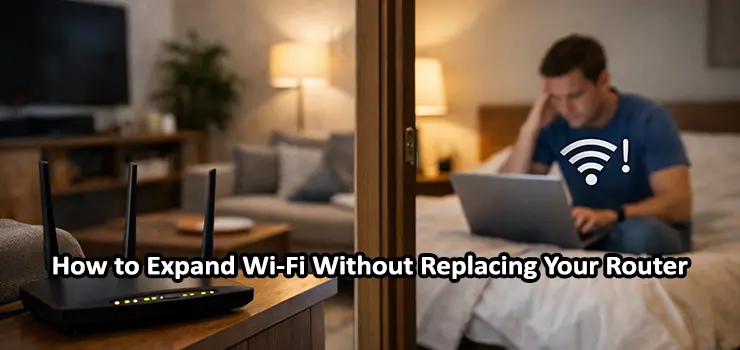
Weak Wi-Fi coverage is one of the most common and frustrating problems in homes and small offices. You might have fast internet from your provider, a router that still works perfectly, and devices that support modern Wi-Fi standards—yet some rooms suffer from slow speeds, dropouts, or unstable connections. In many cases, people assume the only solution is to buy a new router. The good news is that this is often unnecessary.
This guide explains, in depth, how to Expand Wi-Fi Without Replacing Router hardware. Instead of quick tips or short bullet points, this article walks you through practical, real-world approaches that actually improve coverage, stability, and user experience. By the end, you should clearly understand why your Wi-Fi struggles and how to fix it using smart expansion techniques rather than costly replacements.
Why Wi-Fi Coverage Becomes Weak Even With a Good Router
Before trying to expand coverage, it is important to understand why Wi-Fi degrades across space. Wi-Fi signals are radio waves, and like all radio signals, they weaken as they travel. Walls, floors, ceilings, metal objects, and even furniture absorb or reflect parts of the signal. Concrete, brick, and reinforced steel are especially problematic, which is why apartments, villas, and office buildings often have dead zones. Another factor is interference. Your router does not operate in isolation. Neighboring networks, Bluetooth devices, smart TVs, baby monitors, and even microwaves compete for the same frequency bands. As more devices connect, airtime becomes congested, causing latency spikes and slower speeds.
Finally, router placement plays a critical role. A router placed in a corner, inside a cabinet, or near the floor will never perform as well as one positioned centrally and elevated. Many Wi-Fi problems blamed on “old routers” are actually caused by poor placement and signal propagation issues. Understanding these fundamentals helps you make better decisions when trying to Expand Wi-Fi Without Replacing Router equipment.
Start With Router Placement Optimization
The simplest and most overlooked way to expand Wi-Fi coverage is optimizing where your router is located. This step costs nothing and often delivers noticeable improvements.
Ideally, your router should sit near the center of the area you want to cover. Wi-Fi radiates outward in all directions, so placing it at one extreme end of a home or office guarantees weak signal at the far end. Elevation also matters. A router placed on a shelf or mounted on a wall typically performs better than one sitting on the floor.
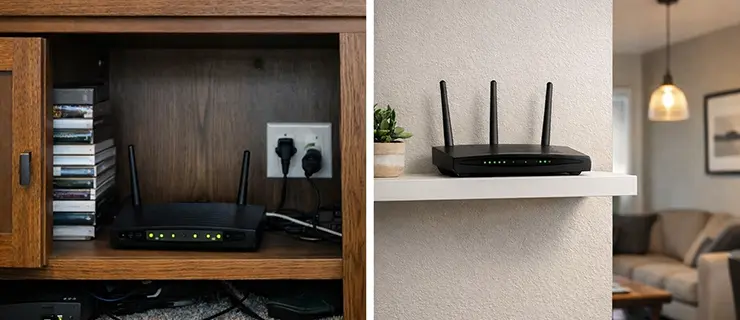
Avoid placing the router near thick walls, large mirrors, aquariums, electrical panels, or metal cabinets. These objects can distort or block radio waves. Even small changes—moving the router one or two meters—can significantly improve coverage in problem areas. While placement alone may not solve everything, it forms the foundation for every other method used to expand Wi-Fi coverage.
Understanding Wi-Fi Bands and Channels
Modern routers usually support both 2.4 GHz and 5 GHz bands. Each behaves differently, and using them correctly is essential when you want to Expand Wi-Fi Without Replacing Router hardware. The 2.4 GHz band travels farther and penetrates walls more effectively, but it is slower and more prone to interference. The 5 GHz band offers higher speeds and lower latency, but its range is shorter and it struggles with obstacles.
If your devices are automatically connecting to the wrong band, coverage may appear worse than it actually is. In many cases, separating SSIDs—one for 2.4 GHz and one for 5 GHz—gives you better control. Devices far from the router can be forced onto 2.4 GHz for stability, while nearby devices use 5 GHz for performance. Channel selection also matters. Crowded channels lead to packet loss and retransmissions. Changing channels manually, especially in dense residential areas, can improve signal quality without changing any hardware.
Using a Wi-Fi Range Extender the Right Way
Wi-Fi range extenders are among the most popular solutions, but they are also one of the most misunderstood. When used incorrectly, they can make performance worse instead of better.
A range extender works by receiving the existing Wi-Fi signal and rebroadcasting it. This means placement is critical. If you place an extender in an area with already weak signal, it will simply repeat a weak and unstable connection. The correct placement is roughly halfway between the router and the dead zone, where the signal is still strong.
Another important point is bandwidth sharing. Many extenders use the same radio to communicate with the router and client devices, effectively halving throughput. This is why extenders are best suited for light usage areas like bedrooms, corridors, or smart device zones rather than high-traffic workspaces. When properly positioned and configured, a range extender can be a practical way to Expand Wi-Fi Without Replacing Router hardware, especially in small to medium spaces.
Powerline Adapters With Wi-Fi: Using Electrical Wiring to Your Advantage
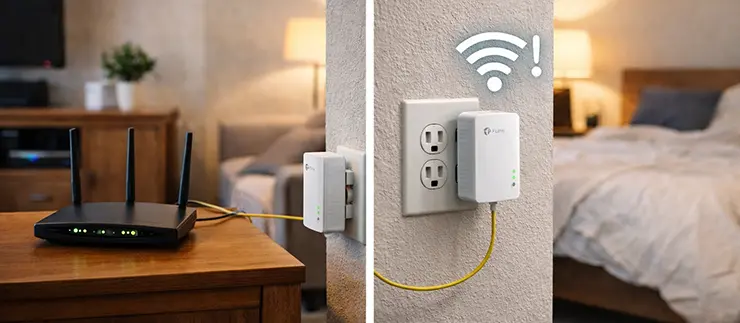
Powerline adapters offer a different approach by using your home’s electrical wiring to carry network data. One adapter connects to your router via Ethernet, while another plugs into a power outlet elsewhere and provides either an Ethernet port, Wi-Fi, or both. This method works particularly well in buildings where Wi-Fi struggles to pass through thick walls or multiple floors. Because the data travels over electrical cables, physical obstacles become far less relevant.
However, performance depends on the quality and layout of the electrical wiring. Older wiring, different electrical phases, or noisy appliances can reduce speeds. Even so, in many real-world scenarios, powerline adapters provide more consistent performance than wireless repeaters. For users who want to Expand Wi-Fi Without Replacing Router equipment and already have challenging layouts, powerline Wi-Fi adapters are often underestimated but highly effective.
Adding an Access Point Using Ethernet Cabling
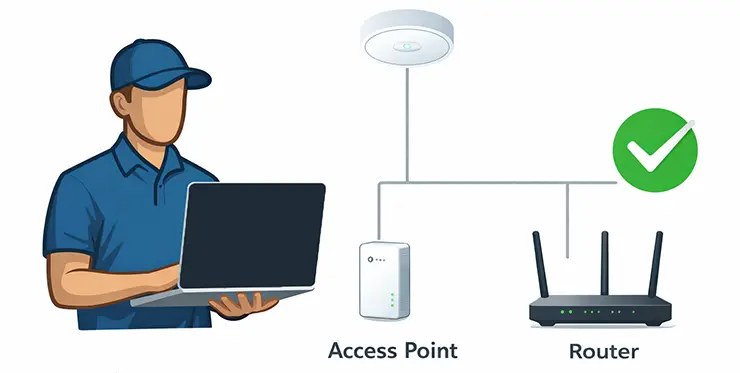
If your space has existing Ethernet cabling—or if running a cable is feasible—adding a dedicated wireless access point is one of the best solutions available. In this setup, your main router continues to handle routing, DHCP, and internet access. The access point simply provides additional Wi-Fi coverage in another area. Because the connection between router and access point is wired, there is no wireless performance penalty.
This method delivers strong, stable Wi-Fi and is commonly used in offices, villas, and multi-floor homes. Proper configuration is important: the access point should use the same SSID and security settings (if seamless roaming is desired) but operate on a different channel to reduce interference. From a performance and reliability perspective, this is one of the most professional ways to Expand Wi-Fi Without Replacing Router hardware.
Using an Old Router as an Access Point or Bridge
If you have an older router that still works, it can often be repurposed as an access point. This approach saves money and reduces electronic waste. The key is proper configuration. The secondary router must have its DHCP server disabled, and it should be connected to the main router via a LAN-to-LAN Ethernet connection. Once configured correctly, it behaves like a simple access point rather than a separate network.
This setup is particularly useful when you already have Ethernet between rooms or floors. Performance is usually better than wireless extenders, and coverage improves significantly. For users trying to Expand Wi-Fi Without Replacing Router hardware on a budget, this is one of the most practical and cost-effective solutions.
Mesh Wi-Fi Systems Without Replacing the Main Router
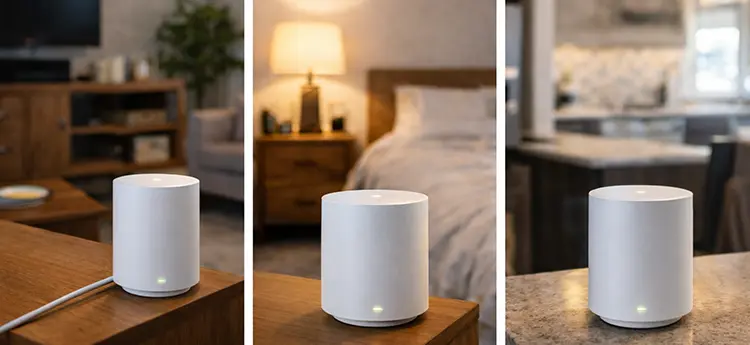
Many people think mesh systems require replacing their existing router, but that is not always true. Some mesh solutions support “bridge mode” or “access point mode,” allowing them to work alongside your current router. In this configuration, the mesh nodes handle Wi-Fi coverage while the existing router continues managing internet access. The advantage of mesh systems is intelligent roaming, where devices automatically connect to the strongest node as you move.
This approach works well in large homes, villas, and offices where consistent coverage is more important than maximum raw speed. While mesh systems cost more than simple extenders, they offer a much better user experience. When implemented correctly, mesh technology is a powerful way to Expand Wi-Fi Without Replacing Router infrastructure.
Reducing Interference and Network Load
Expanding Wi-Fi coverage is not just about adding hardware. Reducing interference and unnecessary load can dramatically improve perceived performance. Start by reviewing how many devices are connected. Smart TVs, cameras, IoT devices, and background apps consume airtime even when idle. Moving low-priority devices to the 2.4 GHz band or scheduling updates during off-peak hours can help.
Firmware updates also matter. Router manufacturers frequently release updates that improve stability, security, and radio performance. Keeping your router up to date ensures you are not missing out on optimizations. These adjustments complement physical expansion methods and are essential when trying to Expand Wi-Fi Without Replacing Router hardware effectively.
Choosing the Right Method Based on Your Space
There is no universal solution that works best for everyone. Apartments with thin walls may benefit most from proper placement and a single extender. Villas and offices often require wired access points or mesh systems. Buildings with thick concrete walls may see the best results from powerline adapters.
The key is matching the solution to the environment, usage patterns, and performance expectations. Speed, stability, and roaming behavior all matter, and prioritizing one often affects the others. A thoughtful approach ensures you truly Expand Wi-Fi Without Replacing Router equipment rather than masking problems with temporary fixes.
When Professional Installation Makes Sense
In some cases, especially for larger homes or business environments, professional network design and installation can save time and money in the long run. Professionals can measure signal strength, identify interference sources, and place access points strategically. If your Wi-Fi supports work-critical applications, security systems, or customer access, reliability becomes more important than experimentation. Professional planning ensures scalability and long-term stability without unnecessary hardware replacement.
Final Thoughts on Expanding Wi-Fi Coverage
Poor Wi-Fi does not automatically mean your router is outdated or useless. In many cases, the real issue lies in placement, interference, or network design. By understanding how Wi-Fi behaves and applying the right expansion strategy, you can significantly improve coverage and performance.
Whether you choose better placement, extenders, access points, powerline adapters, or mesh solutions, it is entirely possible to Expand Wi-Fi Without Replacing Router hardware. The best solution is the one that fits your space, budget, and usage needs—while delivering reliable connectivity where you actually need it.
With the right approach, your existing router can continue serving you well, supported by smart expansion rather than unnecessary replacement.