








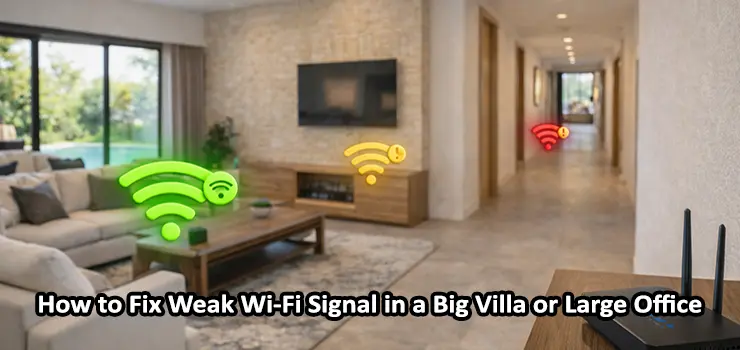
If you live in a big villa or manage a large office you have probably faced this issue at least once: the Wi-Fi works perfectly near the router but in the bedrooms meeting rooms garden or far corners the signal becomes weak slow or unstable. The frustrating part is that you may have a premium internet plan but still experience buffering lag video call drops and slow downloads in different zones. In this guide you will learn exactly How to Fix Weak Wi-Fi Signal in a big villa or large office using practical solutions that actually work in real projects.
The keyword How to Fix Weak Wi-Fi Signal is not just about buying a stronger router. It is about correct Wi-Fi planning proper access point placement choosing the right technology and fixing the hidden issues that reduce coverage and performance. By the end of this article you will know what causes weak Wi-Fi in large spaces and the best way to solve it step by step.
Table of Contents
ToggleWhy Wi-Fi Becomes Weak in a Big Villa or Large Office
Before you jump into buying boosters or changing your router you need to understand the real reasons behind weak signal and poor Wi-Fi speed. In most cases the problem is not your internet provider but your wireless design.
1) Distance and signal loss is unavoidable
Wi-Fi signals become weaker as you move away from the router. Even if you see one or two signal bars you might not have enough strength to keep a stable connection. This is the most common reason people search for How to Fix Weak Wi-Fi Signal in villas and offices.
2) Walls and building materials block the signal
Large villas in Dubai often have thick walls concrete columns marble surfaces and sometimes even glass panels with metal layers. Offices may have partition walls reinforced ceilings elevators and glass meeting rooms. All these materials reduce coverage especially on 5GHz.
3) Interference from other networks and devices
In a big office you may have dozens of nearby Wi-Fi networks. In villas you may have smart home hubs cameras TVs Bluetooth speakers and even microwaves that interfere with the signal. This causes slow internet even with good signal strength.
4) Wrong router placement
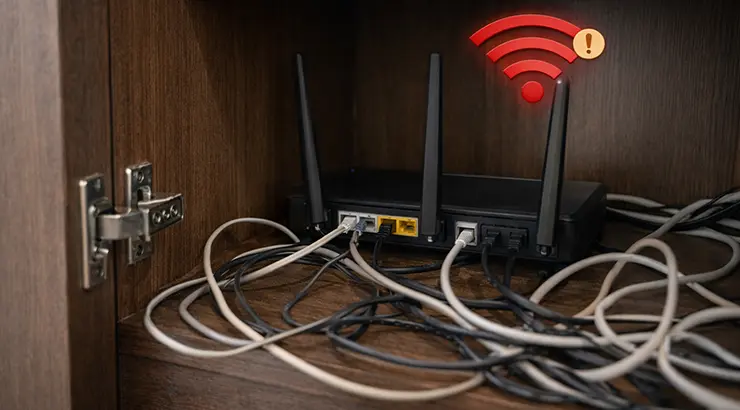
Many homes place the router in a corner near the entrance or inside a cabinet because it looks cleaner. Unfortunately this destroys coverage. A single router in a wrong position cannot handle a large villa or a large office.
5) Too many devices connected to one Wi-Fi point
Large villas have a lot of devices: phones tablets smart TVs cameras smart locks and more. Offices have laptops printers IP phones meeting room screens. If all devices connect to one router it will become overloaded even if the signal looks fine.
How to Fix Weak Wi-Fi Signal by Checking Signal Strength the Right Way
Before buying anything the smartest move is measuring your Wi-Fi performance properly. This step is critical because you want to fix the real problem not guess it.
Do not trust Wi-Fi bars
Wi-Fi bars are not accurate. A device might show full bars but still run slow because of interference or congestion.
Test speed in multiple spots
Walk around your villa or office and run a speed test in:
- Near the router
- Bedrooms or far rooms
- Upper floor areas
- Meeting rooms or corner offices
- Outdoor terrace pool area or garden
- Kitchen and service rooms
If your speed drops significantly or latency becomes high you need a better Wi-Fi layout.
Check if the problem is signal or internet
If your internet is slow even near the router then the issue might be ISP speed DNS issues or WAN side problems. But if speed is good near the router and bad in far zones then you are dealing with Wi-Fi coverage and you need to focus on How to Fix Weak Wi-Fi Signal with proper Wi-Fi expansion solutions.
How to Fix Weak Wi-Fi Signal by Placing Your Router Correctly
Router placement is one of the easiest upgrades and it costs nothing.
Best router placement rules for big spaces
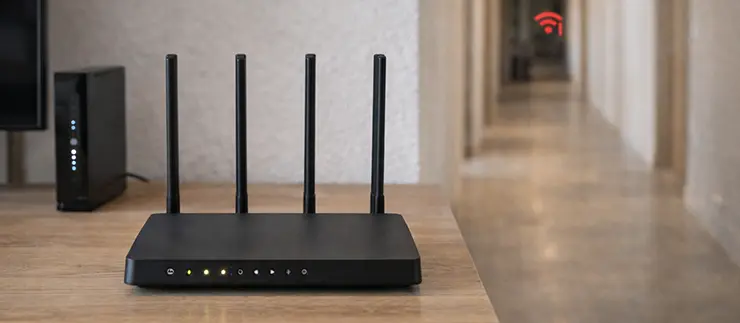
- Place router in the center of the home or office
- Keep it high on a shelf not on the floor
- Avoid putting it inside a cabinet
- Keep it away from metal objects
- Avoid placing it behind TV panels or inside electrical closets
- Do not place it near thick walls or inside a closed room
If your main router is located in a poor position changing it can instantly improve signal in multiple zones.
How to Fix Weak Wi-Fi Signal by Upgrading to a Proper Mesh Wi-Fi System
For big villas mesh Wi-Fi is one of the best solutions. A mesh system uses multiple nodes that create one seamless Wi-Fi network with the same name and password. Your devices automatically roam to the strongest point.
Why mesh works great for villas
- Easy installation with minimal configuration
- Good roaming between floors and rooms
- One Wi-Fi name for the whole property
- Clean modern design
- Strong performance for general home usage
Mesh limitations you must know
Mesh is not magic. If nodes are placed too far apart they will still be slow. Also if you use wireless backhaul only the speed might drop in far nodes because they rely on the signal from the main unit.
Mesh best practice for maximum results
If you want the best experience connect mesh nodes using Ethernet cable. This is called wired backhaul and it provides much stronger speed and stability.
If you are searching for How to Fix Weak Wi-Fi Signal in a villa and you want a clean user friendly solution mesh is usually the most comfortable option.
How to Fix Weak Wi-Fi Signal Using Wired Access Points (Best Solution for Large Offices)
For large offices the best professional solution is using multiple wired access points connected to a network switch. This is the standard design used in hotels companies schools and warehouses.
Why access points are better than repeaters
Repeaters extend Wi-Fi but usually cut the speed. Access points create new Wi-Fi coverage using a wired connection so you get full performance.
Key benefits of using access points
- Strong stable coverage in every room
- High performance for many users
- Professional roaming for phones and laptops
- Central management and monitoring
- Better security options
In most real office projects the correct answer to How to Fix Weak Wi-Fi Signal is not one stronger router but multiple access points placed strategically.
How to Fix Weak Wi-Fi Signal with a Site Survey and Proper Coverage Planning
In large spaces guessing is expensive. If you install Wi-Fi points randomly you will end up with dead zones or areas with strong signal but slow speed.
What is a Wi-Fi site survey
A Wi-Fi site survey means mapping your villa or office and measuring:
- Signal strength in each area
- Interference and noise
- Channel overlap
- Best locations for access points
- Ideal number of units required
Why coverage planning matters
A big villa may need 3 to 8 access points depending on:
- Number of floors
- Wall thickness
- Indoor and outdoor coverage needs
- Smart devices and cameras count
A large office may need even more depending on:
- Number of employees
- Meeting rooms
- Wireless printers
- VoIP and video conferencing usage
If your goal is How to Fix Weak Wi-Fi Signal permanently then you need to design it the way professionals do.
How to Fix Weak Wi-Fi Signal by Avoiding Cheap Repeaters and Extenders
Many people buy a Wi-Fi extender because it is cheap and easy. Sometimes it helps but in big villas and large offices it usually creates more problems.
Common problems with Wi-Fi extenders
- Speed reduction especially on 2.4GHz
- High latency and unstable gaming or calls
- Devices stick to the old weak signal
- Roaming is poor and manual reconnection is needed
- Extenders add interference and channel congestion
If you want a real solution for How to Fix Weak Wi-Fi Signal in a large area it is better to invest in mesh or access points rather than simple plug in extenders.
How to Fix Weak Wi-Fi Signal by Using the Right Wi-Fi Band (2.4GHz vs 5GHz vs 6GHz)
One of the most misunderstood topics is Wi-Fi band selection.
- 2.4GHz is slow but has longer range: 2.4GHz penetrates walls better and travels further. But it is crowded and slower.
- 5GHz is faster but shorter range: 5GHz gives you high speed and better performance but it struggles through walls.
- 6GHz is the newest option for modern devices: Wi-Fi 6E uses 6GHz which is extremely fast and clean but has shorter range and needs compatible devices.
Best strategy for large villas and offices
- Use 2.4GHz for IoT devices and long range zones
- Use 5GHz for phones laptops streaming
- Use multiple access points for consistent 5GHz coverage
This approach is one of the smartest ways to apply How to Fix Weak Wi-Fi Signal without changing your internet plan.
How to Fix Weak Wi-Fi Signal by Choosing the Best Access Point Placement
Placement matters more than brand. Even premium hardware will perform poorly if installed incorrectly.
Best placement tips for villas
- Place access points in hallways central zones
- One access point per floor in most cases
- Avoid placing AP behind TV walls
- Avoid corners and closed rooms
- Add outdoor AP for garden and pool areas if needed
Best placement tips for large offices
- Place APs in corridors and open work zones
- Add extra AP for meeting rooms
- Avoid placing APs near metal ceilings
- Reduce overlap but ensure smooth roaming
- Make sure each AP has a clean channel plan
When done correctly you will stop asking How to Fix Weak Wi-Fi Signal because your coverage becomes consistent everywhere.
How to Fix Weak Wi-Fi Signal by Using Ethernet Backhaul and Network Switches
If you want professional results you need to use Ethernet cabling between your main network and access points.
Why Ethernet backhaul changes everything
- Full speed to every AP
- Stable connection with low latency
- No wireless link bottleneck
- Better roaming and better reliability
What you need for this setup
- Cat6 cabling across floors or office zones
- PoE switch or PoE injectors to power access points
- Access points installed on ceiling or wall
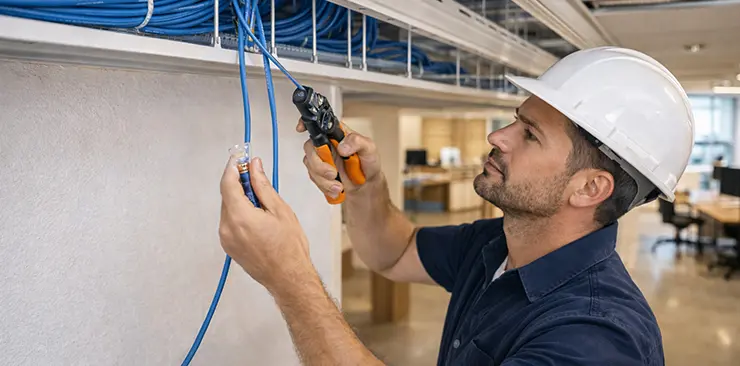
- Proper termination and testing
For large offices and big villas this is the most powerful and scalable method for How to Fix Weak Wi-Fi Signal.
How to Fix Weak Wi-Fi Signal by Updating Router Firmware and Wi-Fi Settings
Many Wi-Fi issues come from outdated firmware or incorrect settings.
Firmware updates improve stability
Manufacturers release updates to fix:
- Random disconnects
- Roaming issues
- Security vulnerabilities
- Performance bugs
Recommended Wi-Fi settings for most environments
- Enable WPA2 or WPA3 security
- Disable outdated WEP and WPA
- Use different SSIDs for 2.4GHz and 5GHz in some cases
- Use automatic channel selection only if environment is simple
- Manually set channels in crowded areas
If you apply these settings your Wi-Fi becomes smoother and you get closer to the goal of How to Fix Weak Wi-Fi Signal effectively.

How to Fix Weak Wi-Fi Signal by Solving Channel Congestion
In many Dubai communities and office towers there are too many Wi-Fi networks on the same channels.
Signs of channel congestion
- Speed drops mostly at night
- Video calls become unstable during busy hours
- Fast internet near router but poor real performance
Fixing channel congestion
- Use channel 1 6 or 11 on 2.4GHz
- Use non overlapping channels on 5GHz
- Reduce channel width in crowded areas
- Add more access points with lower transmit power instead of one strong router
This is an advanced but very important part of How to Fix Weak Wi-Fi Signal in busy locations.
How to Fix Weak Wi-Fi Signal by Reducing Device Load and Creating a Smart Network
In large villas and offices too many devices on one network causes issues.
Best approach
- Separate guest Wi-Fi from staff or home Wi-Fi
- Put smart devices on a separate SSID if possible
- Use QoS for video meetings and VoIP calls
- Upgrade to Wi-Fi 6 access points for better multi device performance
Wi-Fi 6 is designed to handle multiple connected devices efficiently and that is why it is a great upgrade for people looking for How to Fix Weak Wi-Fi Signal in modern smart homes and offices.
How to Fix Weak Wi-Fi Signal in Outdoor Areas Like Gardens Pool or Parking
Outdoor coverage is a common request for villas.
Why outdoor coverage fails
Indoor routers are not designed for outdoor open areas. Walls and distance reduce the signal quickly.
Best outdoor Wi-Fi solutions
- Outdoor rated access points with weather protection
- Correct mounting height and angle
- Wired Ethernet backhaul for stable speed
- PoE power for clean installation
If your villa has a garden terrace or pool area this is the correct professional method for How to Fix Weak Wi-Fi Signal outside.
How to Fix Weak Wi-Fi Signal by Checking Cabling and Network Hardware
Sometimes the Wi-Fi is blamed but the real issue is the network behind it.
Things to check
- Old Cat5 cables causing speed limitation
- Damaged connectors or loose patch panels
- Cheap switches that drop packets
- Wrong PoE injectors not providing enough power
In offices this happens a lot. Fixing the physical layer can dramatically improve Wi-Fi performance and solve the root problem of How to Fix Weak Wi-Fi Signal.
How to Fix Weak Wi-Fi Signal with a Step by Step Plan
If you want a simple roadmap follow this sequence:
Step 1: Measure speed and signal in every area
Find dead zones and weak rooms.
Step 2: Move your router to the best possible location
Central open high position.
Step 3: Decide the right solution for your space
- Mesh system for comfort and home user simplicity
- Wired access points for best performance and scalability
Step 4: Install access points in correct positions
One per zone based on survey results.
Step 5: Use Ethernet backhaul whenever possible
This ensures full speed everywhere.
Step 6: Optimize channels and Wi-Fi settings
Reduce interference and improve stability.
Step 7: Test roaming and performance again
Make sure the entire villa or office is stable.
This plan is a complete practical implementation of How to Fix Weak Wi-Fi Signal without wasting money.
Common Mistakes People Make When Trying to Fix Weak Wi-Fi
To save time and cost avoid these mistakes:
- Buying the strongest router and expecting full coverage
- Using multiple random repeaters causing interference
- Placing mesh nodes too far apart
- Installing access points inside cabinets
- Using 2.4GHz only because it shows more range
- Ignoring wired backhaul even when cabling is available
If you avoid these mistakes your Wi-Fi network will feel professional and consistent.
We Can Fix Your Weak Wi-Fi Signal in Dubai
If you are located in Dubai and you want a clean professional installation we can help you with full Wi-Fi setup for villas and offices including Wi-Fi site survey access point installation cabling PoE switches and full optimization. We can visit your location test the signal design the best plan and implement the solution so you no longer struggle with weak Wi-Fi again.
FAQ: How to Fix Weak Wi-Fi Signal in a Big Villa or Large Office
- How do I know if I need mesh or access points?
Mesh is great for villas with simple needs and minimal cabling. Access points are better for offices and villas that need high stability and full speed in every room. - Will a Wi-Fi extender fix weak signal permanently?
In most big villas and large offices it is not the best long term solution. It may help temporarily but usually lowers speed and adds instability. - Should I use 2.4GHz or 5GHz for better coverage?
2.4GHz covers longer distance but slower. 5GHz is faster but needs more access points for large spaces. - How many access points do I need for a big villa?
It depends on wall thickness and size but many villas need between 3 to 8 access points for full coverage. - Why is Wi-Fi slow even when signal looks strong?
This can happen due to interference congestion or too many connected devices. That is why How to Fix Weak Wi-Fi Signal is not only about signal bars. - Is Wi-Fi 6 worth it for a large office?
Yes Wi-Fi 6 handles multiple devices better and improves efficiency especially in busy environments. - Can I cover garden and outdoor areas with the same indoor Wi-Fi?
Indoor Wi-Fi usually cannot cover outdoor zones well. Outdoor access points with correct installation are needed. - Does Ethernet backhaul really matter?
Yes it is one of the biggest upgrades for stable speed across a large villa or office. - Can wrong channels reduce Wi-Fi quality?
Absolutely. Channel overlap and congestion are major reasons behind weak performance. - What is the fastest professional way to solve weak Wi-Fi?
A proper site survey then installing wired access points with PoE and optimizing channels is the best professional solution.
Final Thoughts: The Best Way to Fix Weak Wi-Fi Signal in Large Spaces
Now you know exactly How to Fix Weak Wi-Fi Signal in a big villa or large office using real practical methods instead of trial and error. The best results come from combining correct placement wired backhaul professional access points and proper network tuning. If you do it the right way you will get full stable Wi-Fi coverage across every room every floor and even outdoor areas.