







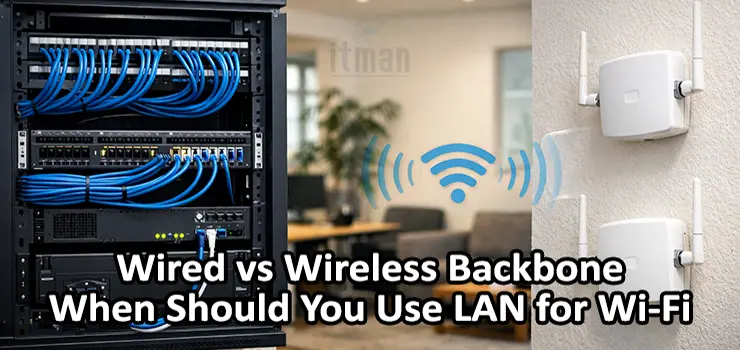
Designing a reliable Wi-Fi network is no longer just about choosing good access points or increasing signal strength. The real performance, stability, and scalability of a wireless network are determined by something deeper and often overlooked: the backbone. The backbone is the link that connects access points to the core network, switches, routers, and ultimately to the internet.
In modern network design, the main question is no longer “should I use Wi-Fi or cable?” but rather “should my Wi-Fi rely on a wired backbone or a wireless backbone?” This is where the concept of Wired vs Wireless Backbone becomes critical.
This article provides a practical, real-world guide to understanding Wired vs Wireless Backbone, explains when LAN is the right choice for Wi-Fi backhaul, and helps you avoid common design mistakes that lead to slow, unstable, or unreliable wireless networks.
Understanding the Backbone in Wi-Fi Networks
A backbone in networking refers to the high-capacity path that carries aggregated traffic between network segments. In Wi-Fi deployments, the backbone connects access points to the distribution or core layer.
There are two main backbone models:
- Wired backbone, where access points connect via Ethernet (LAN)
- Wireless backbone, where access points connect to each other wirelessly (mesh or wireless backhaul)
The Wired vs Wireless Backbone decision affects throughput, latency, interference, reliability, and long-term scalability. Many Wi-Fi issues blamed on “poor signal” are actually backbone problems.
What Is a Wired Backbone for Wi-Fi?
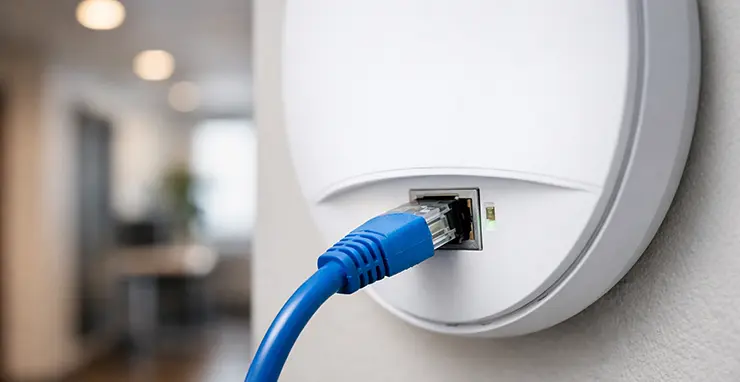
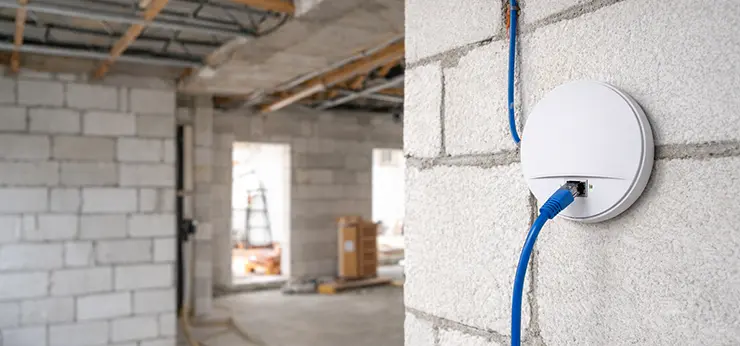
A wired backbone means every access point is connected via Ethernet cable to a switch, which then connects to the router or firewall. This is the traditional and still the most reliable design.
In a wired backbone:
- Each AP has a dedicated full-duplex link
- Traffic does not compete with Wi-Fi airtime
- Latency is predictable
- Performance scales linearly with more APs
In the Wired vs Wireless Backbone comparison, the wired model is the benchmark for performance and stability.
What Is a Wireless Backbone?
A wireless backbone uses Wi-Fi links to connect access points to each other. One AP may be wired, and others connect wirelessly through it, or all APs may form a mesh network.
Wireless backbone designs are common when:
- Cabling is difficult or expensive
- Buildings are temporary
- Fast deployment is required
However, in Wired vs Wireless Backbone analysis, wireless backbones introduce several technical compromises that must be understood before deployment.
Why Wired Backbone Is the Gold Standard
When discussing Wired vs Wireless Backbone, wired always wins in raw performance and reliability. Ethernet provides:
- Dedicated bandwidth
- No RF interference
- Consistent latency
- Higher security
A single Cat6 cable can provide 1 Gbps or more, full-duplex, without sharing airtime. In contrast, a wireless backbone uses the same radio spectrum as clients, which reduces available capacity.
Airtime and Bandwidth Sharing Explained
One of the most important concepts in Wired vs Wireless Backbone design is airtime contention. Wi-Fi is half-duplex and shared. Every device, including APs using wireless backhaul, must take turns transmitting.
In a wireless backbone:
- Backhaul traffic consumes airtime
- Client traffic and backbone traffic compete
- Each hop reduces usable throughput
In a wired backbone:
- APs use Ethernet for backhaul
- Wi-Fi airtime is reserved only for clients
- Total throughput is significantly higher
This difference alone often determines whether a Wi-Fi network feels fast or slow.
Latency and Real-Time Applications
Latency is often ignored in small networks but becomes critical for:
- VoIP
- Video conferencing
- Cloud applications
- Online gaming
- Industrial control systems
In Wired vs Wireless Backbone scenarios, wired backbones provide consistently low latency. Wireless backbones introduce variable delay due to retransmissions, interference, and contention.
For environments where real-time performance matters, LAN-based Wi-Fi backhaul is almost always the correct choice.
Reliability and Stability in Daily Use
A wired backbone is physically stable. Once installed correctly, it behaves the same every day. Wireless backbones are affected by:
- Environmental changes
- New Wi-Fi networks nearby
- Physical obstacles
- Weather in outdoor links
In Wired vs Wireless Backbone decision-making, reliability is often the strongest argument for LAN. Businesses, hotels, offices, and healthcare environments rarely accept the instability of wireless backhaul unless there is no alternative.
Security Considerations
Security is another area where Wired vs Wireless Backbone diverges sharply. Wired Ethernet is inherently more secure because:
- Physical access is required
- No RF leakage outside walls
- Easier segmentation and monitoring
Wireless backbones require:
- Strong encryption
- Proper key management
- Continuous monitoring for interference or attacks
While secure wireless backbones are possible, they require more expertise and ongoing maintenance.
Scalability and Future Growth
One of the biggest mistakes in Wi-Fi design is ignoring future growth. Today’s network may serve 20 users, but next year it may serve 100 devices with higher bandwidth demands.
In Wired vs Wireless Backbone planning:
- Wired backbones scale easily by adding switches and APs
- Wireless backbones hit performance limits quickly
- Each new AP increases contention
If long-term growth is expected, LAN-based Wi-Fi backbone is the safer investment.
When Wireless Backbone Actually Makes Sense
Despite its limitations, a wireless backbone is not always wrong. In Wired vs Wireless Backbone discussions, wireless backhaul is reasonable when:
- Cabling is impossible due to building structure
- Temporary installations are required
- Outdoor point-to-point links are needed
- Budget constraints are extreme
- Rapid deployment is critical
For example, outdoor campuses, construction sites, or historical buildings may rely on wireless backbone as a practical compromise.
Hybrid Designs: Wired Core with Wireless Extensions
Many real-world networks use a hybrid approach. The core uses a wired backbone, while a few remote APs use wireless backhaul.
In Wired vs Wireless Backbone hybrid designs:
- Critical areas use LAN
- Low-traffic or hard-to-reach areas use wireless
- Overall performance remains acceptable
This approach requires careful channel planning and bandwidth management to avoid bottlenecks.
Mesh Wi-Fi vs LAN-Based Wi-Fi
Mesh systems are popular in residential and small office environments. They rely heavily on wireless backbone.
In Wired vs Wireless Backbone comparison:
- Mesh without Ethernet backhaul is easy but slower
- Mesh with Ethernet backhaul performs closer to enterprise Wi-Fi
- True LAN-based APs outperform consumer mesh systems
Whenever mesh systems support Ethernet backhaul, using LAN dramatically improves performance.
Power over Ethernet and Its Impact
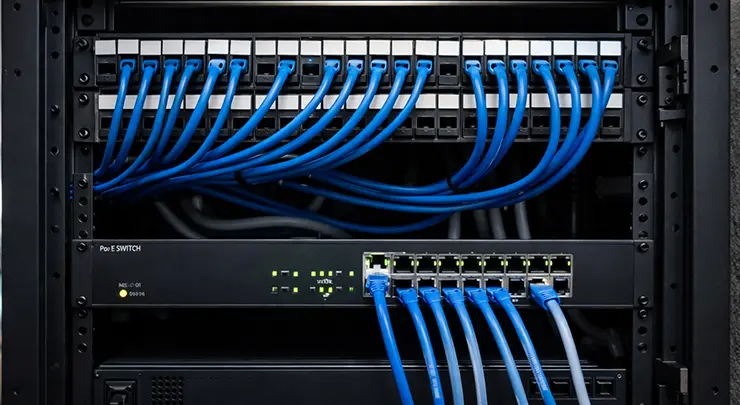
Wired backbones often use Power over Ethernet, which simplifies deployment. PoE allows:
- Single cable for data and power
- Centralized power management
- UPS-backed Wi-Fi during outages
Wireless backbone APs still need power, often requiring local adapters, which complicates installation and maintenance.
In Wired vs Wireless Backbone planning, PoE is a major operational advantage.
Cost Analysis: Short-Term vs Long-Term
At first glance, wireless backbone seems cheaper because it avoids cabling. However, Wired vs Wireless Backbone cost analysis must consider:
- Troubleshooting time
- Performance complaints
- Future upgrades
- Business downtime
Over time, wired backbones often prove more cost-effective due to lower maintenance and higher user satisfaction.
Residential Networks: What Should Home Users Choose?
For homes and apartments:
- Small spaces may work fine with wireless backbone
- Ethernet backhaul between nodes is highly recommended
- Heavy streaming and gaming benefit from wired backbone
In Wired vs Wireless Backbone terms, even running one or two Ethernet cables at home can dramatically improve Wi-Fi quality.
Office and Enterprise Environments
In offices, LAN-based Wi-Fi is almost mandatory. Reasons include:
- High device density
- Business-critical applications
- Security requirements
- Predictable performance
In enterprise Wired vs Wireless Backbone decisions, wireless backhaul is usually limited to edge cases.
Industrial and Outdoor Deployments
Industrial environments often use wireless backbone for outdoor links or moving equipment. However:
- Core networks remain wired
- Wireless is used strategically
- Redundancy is critical
In these scenarios, Wired vs Wireless Backbone is not a binary choice but a layered design decision.
Common Design Mistakes to Avoid
Many Wi-Fi issues come from misunderstanding Wired vs Wireless Backbone principles:
- Using mesh everywhere because it is easy
- Ignoring airtime loss in wireless backhaul
- Adding APs without upgrading backbone
- Mixing client traffic and backhaul on the same radio
Avoiding these mistakes requires planning backbone first, not last.
How to Decide: Practical Checklist
When choosing between Wired vs Wireless Backbone, ask:
- Can I run Ethernet cables?
- How many users and devices are expected?
- Is performance critical or best-effort?
- Will the network grow?
- Is reliability more important than convenience?
If most answers favor stability and growth, LAN-based Wi-Fi is the right choice.
If you prefer to leave the design, installation, and optimization of your network to professionals, our team of experienced technicians is available in Dubai to handle everything from start to finish. We provide complete network and Wi-Fi services including structured LAN cabling, wired and wireless backbone design, access point installation, PoE switch setup, coverage optimization, and performance testing. Whether you are setting up a new office, villa, retail space, or upgrading an existing network, our technicians ensure your Wi-Fi is built on the right backbone for stability, low latency, and long-term scalability, all based on real on-site requirements rather than generic setups.

Final Thoughts on Wired vs Wireless Backbone
The backbone is the foundation of every Wi-Fi network. No matter how advanced the access points are, a weak backbone will limit performance. Wired vs Wireless Backbone is not about old technology versus new technology. It is about choosing the right tool for the job. Wired backbone delivers maximum performance, reliability, and scalability. Wireless backbone offers flexibility and speed of deployment but at the cost of capacity and predictability.
When LAN is available, affordable, and practical, it should almost always be used for Wi-Fi backhaul. Wireless backbone should be a deliberate compromise, not a default choice. Understanding Wired vs Wireless Backbone properly allows you to design Wi-Fi networks that work well today and continue to work as demands grow tomorrow.