











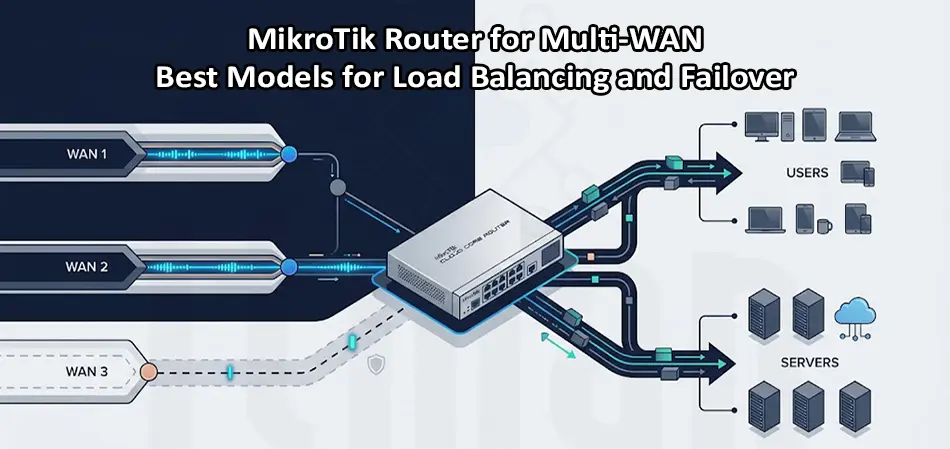
Using two or more internet connections can significantly improve network availability, bandwidth utilization, and business continuity. However, simply connecting multiple ISP lines to a router does not automatically create a reliable Multi-WAN network. You need proper routing, load balancing, connection tracking, and failover mechanisms. A MikroTik Router for Multi-WAN is a flexible solution because RouterOS provides advanced routing and firewall features without requiring a high-end enterprise router for every deployment. Depending on the number of WAN connections, internet speed, traffic volume, and required features, different MikroTik models can be suitable.
This guide explains how MikroTik Multi-WAN works and compares some of the best MikroTik routers for load balancing and failover.
What Is a MikroTik Router for Multi-WAN?
A MikroTik Router for Multi-WAN is a MikroTik router configured with multiple internet connections, usually from different ISPs. For example, a company might have a 500 Mbps fiber connection as the primary WAN and a second 300 Mbps connection as backup.
The router can use these connections in several ways:
- Load balancing traffic across multiple WANs
- Automatic failover when an ISP connection goes down
- Policy-based routing for specific users or services
- Separating critical traffic from general internet traffic
- Using different ISPs for different applications
- Maintaining connectivity when one internet connection fails
RouterOS supports several routing techniques that make these configurations possible.
How Does MikroTik Multi-WAN Load Balancing Work?
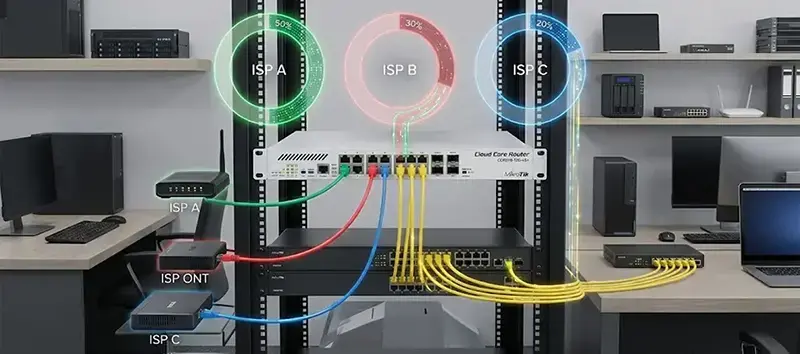
One of the most common methods is Per Connection Classifier (PCC). PCC distributes connections between WAN interfaces based on selected packet information such as source address, destination address, ports, or combinations of these fields. For example, with two equal WAN connections, traffic can be divided between WAN1 and WAN2. With three connections, PCC can distribute new connections across three groups.
An important point is that Multi-WAN load balancing does not normally combine two internet connections into one faster connection for a single TCP session. Instead, different connections are distributed across the available WAN links. This makes a MikroTik Router for Multi-WAN particularly useful for offices with many users, because dozens or hundreds of simultaneous sessions can be distributed between ISPs.
MikroTik Multi-WAN Failover: Why It Matters
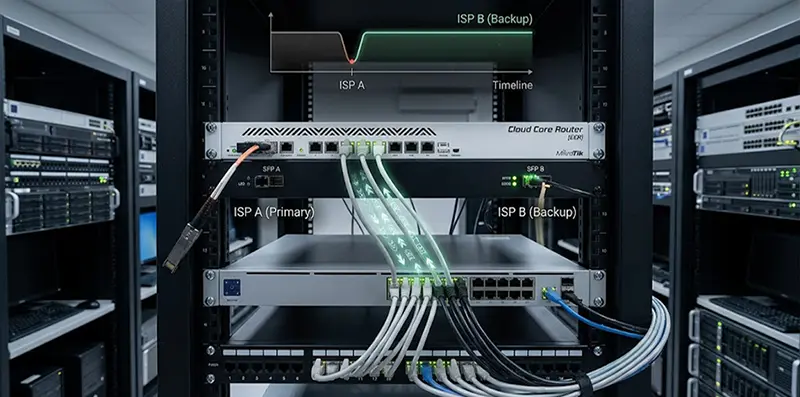
Load balancing is only half of the solution. A reliable MikroTik Router for Multi-WAN should also detect when an ISP becomes unavailable and move traffic to another WAN. RouterOS can use route distances and gateway checking to create primary and backup routes. When the primary route becomes inactive, the backup route can take over.
For business networks, however, checking only whether the router can reach the immediate ISP gateway may not always be enough. A WAN interface can remain physically connected while the ISP’s upstream internet service is unavailable. For this reason, more advanced configurations may use recursive routing or monitored remote destinations to provide more meaningful internet availability detection.
Best MikroTik Router for Multi-WAN
The best model depends on the network rather than simply choosing the router with the highest specifications. Here are several strong options.
1. MikroTik RB5009UG+S+IN
The RB5009UG+S+IN is one of the most attractive choices for small and medium-sized Multi-WAN networks.
It provides seven Gigabit Ethernet ports, one 2.5 Gigabit Ethernet port, and one 10G SFP+ interface. It also has a quad-core CPU and 1 GB of RAM and runs RouterOS v7.
This port combination makes it easy to dedicate several interfaces to WAN connections while keeping enough connectivity for LAN, VLANs, switches, or other network equipment.
Best for:
- Small and medium-sized businesses
- Two to four ISP connections
- High-speed fiber internet
- Advanced firewall and routing
- VLAN-based networks
- Offices requiring 2.5G or 10G connectivity
For many organizations, the RB5009 is arguably the best balance between price, performance, and flexibility in a MikroTik Router for Multi-WAN deployment.
2. MikroTik RB4011iGS+RM
The RB4011iGS+RM remains a practical option when a network needs multiple Gigabit Ethernet interfaces and a rackmount form factor.
It has 10 Gigabit Ethernet ports and one SFP+ port, along with a quad-core CPU and 1 GB of RAM. MikroTik lists RouterOS support and substantial routing performance for the platform.
Its large number of Ethernet ports can be useful when several WAN interfaces, VLANs, management connections, or LAN segments need to be connected directly.
Best for:
- Small and medium businesses
- Multiple Gigabit WAN connections
- Rack-mounted installations
- Networks with many Ethernet interfaces
- Cost-conscious Multi-WAN projects
If you do not need the newer 2.5G interface of the RB5009, the RB4011 can still be a very capable MikroTik Router for Multi-WAN.
3. MikroTik CCR2004-16G-2S+
For larger networks, the CCR2004-16G-2S+ offers considerably more hardware resources and connectivity.
It includes 16 Gigabit Ethernet ports, two 10G SFP+ ports, a quad-core 64-bit ARM CPU, and 4 GB of RAM. It also uses RouterOS with a Level 6 license.
The large number of interfaces is particularly useful when multiple ISP connections need to be connected directly to the router without relying on additional media converters or switches.
Best for:
- Medium and large businesses
- Multiple WAN connections
- High traffic volumes
- Advanced firewall and routing
- 10G uplinks
- Rack-mounted environments
For organizations handling significantly more traffic than a typical office, the CCR2004 is a strong MikroTik Router for Multi-WAN choice.
4. MikroTik CCR2116-12G-4S+
When performance requirements become more demanding, the CCR2116-12G-4S+ moves into a higher performance class.
It provides 12 Gigabit Ethernet ports and four 10G SFP+ ports, with a 16-core ARM CPU and support for RouterOS v7.
The four 10G SFP+ interfaces are particularly useful for environments where WAN, LAN, server, and core network connections need higher-speed uplinks.
Best for:
- Large businesses
- High-bandwidth Multi-WAN networks
- Multiple 1G and 10G connections
- Data center and enterprise environments
- Heavy routing and firewall workloads
If your Multi-WAN design involves several high-speed links, the CCR2116 provides substantially more processing headroom than smaller MikroTik routers.
MikroTik Multi-WAN: Which Model Should You Choose?
| Model | Ethernet Connectivity | Best Use |
|---|---|---|
| RB4011iGS+RM | 10× 1G + 1× SFP+ | Small/medium businesses |
| RB5009UG+S+IN | 7× 1G + 1× 2.5G + 1× SFP+ | Modern SMB networks |
| CCR2004-16G-2S+ | 16× 1G + 2× 10G SFP+ | Medium/large networks |
| CCR2116-12G-4S+ | 12× 1G + 4× 10G SFP+ | High-performance networks |
The right MikroTik Router for Multi-WAN should be selected according to actual throughput, number of users, firewall rules, VPN traffic, VLANs, and WAN speed—not simply the number of available ports.
PCC vs ECMP for Multi-WAN
PCC is popular when administrators need more control over how connections are distributed between WANs. It can keep connections associated with the same WAN, which is important for applications that depend on session consistency.
ECMP, on the other hand, can distribute routes across multiple equal-cost paths. The appropriate method depends on the network design and the type of traffic being handled.
For a typical office with two ISP connections, PCC combined with policy routing and failover is often a practical approach. Larger or more complex networks may require a more sophisticated routing design.
Important Considerations When Configuring a MikroTik Router for Multi-WAN
Before selecting hardware, consider these factors:
- Internet speed: A router handling two 1 Gbps connections has different requirements from one handling multiple 10 Gbps links.
- Firewall rules: Heavy firewall processing, connection tracking, queues, and NAT can increase CPU usage.
- VPN traffic: IPsec, WireGuard, and other VPN workloads can significantly affect router performance.
- Failover method: Decide whether you need simple gateway checking or more advanced internet reachability monitoring.
- ISP type: Static IP, DHCP, PPPoE, and LTE/5G connections may require different configuration approaches.
- Session-sensitive applications: Banking systems, VPNs, video conferencing, and some cloud services may behave poorly if connections are not consistently routed through the same WAN.
Final Verdict: Best MikroTik Router for Multi-WAN
There is no single best MikroTik Router for Multi-WAN for every network.
For a modern small or medium-sized business, the RB5009UG+S+IN is an excellent all-around choice. The RB4011iGS+RM is still attractive when multiple Gigabit Ethernet ports and a rackmount design are important.
For larger networks, the CCR2004-16G-2S+ provides more interfaces and resources, while the CCR2116-12G-4S+ is better suited to demanding environments with multiple high-speed connections and heavy routing workloads.
Regardless of the model, successful Multi-WAN deployment depends as much on the RouterOS configuration as the hardware. Proper PCC or routing design, connection tracking, NAT, route monitoring, and failover rules are essential for a stable network.
A well-configured MikroTik Router for Multi-WAN can therefore provide both better bandwidth utilization and significantly improved internet availability without requiring separate dedicated routers for every ISP connection.


















