











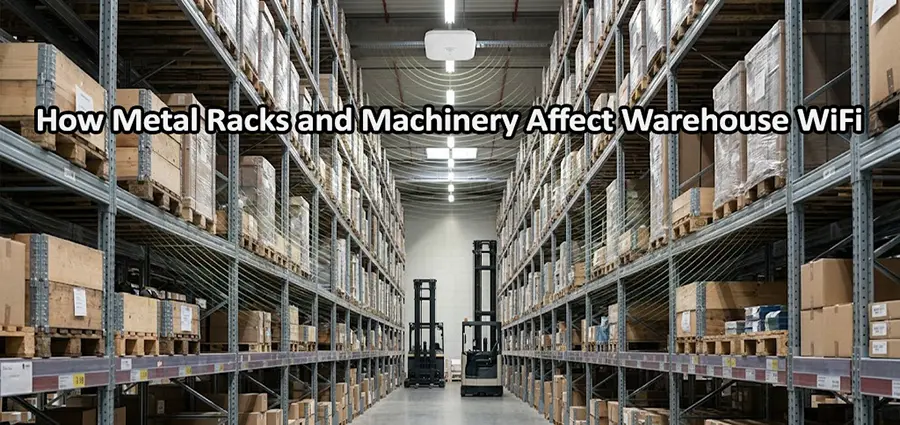
Reliable WiFi is essential in modern warehouses. Barcode scanners, tablets, laptops, inventory systems, VoIP devices, and warehouse management applications all depend on a stable wireless connection. However, providing reliable WiFi in a warehouse is much more difficult than covering a typical office. Large metal racks, industrial machinery, high ceilings, concrete structures, and constantly changing inventory can all affect how wireless signals travel.
One of the biggest challenges is the amount of metal inside many warehouses. A Metal Rack can block and reflect WiFi signals, creating weak coverage areas and unstable connections. Machinery can make the situation even more complicated, particularly when large equipment moves around the facility or produces electrical interference. Understanding these effects makes it much easier to design a warehouse WiFi network that performs consistently.
Why Metal Is a Problem for Warehouse WiFi
WiFi works by transmitting radio-frequency signals through the air. These signals do not simply travel in a straight line from an access point to a client device. When they encounter walls, racks, machinery, ceilings, inventory, or other objects, their behavior changes.
Metal is particularly important because it strongly reflects radio-frequency energy. When a wireless signal reaches a large metal surface, some of the energy can be reflected in another direction rather than continuing toward the intended device. The result can be weaker coverage, unpredictable signal behavior, or multiple versions of the same signal reaching the client from different paths. This is one reason a warehouse can show a strong WiFi signal in the main aisle but poor performance only a few meters away between storage racks.
A Metal Rack becomes an even bigger consideration when several racks are positioned close together. Instead of dealing with one isolated metal surface, the wireless signal may encounter multiple rows of shelving. Depending on the access point location and antenna pattern, the racks can effectively divide the warehouse into separate RF environments.
How a Metal Rack Creates Dead Zones
Imagine a warehouse with ten long rows of metal storage racks. An access point is installed near one side of the building and appears to provide sufficient coverage according to its advertised range.
A laptop standing in an open area may show an excellent signal. A worker then walks between two rows of racks with a handheld scanner. As the device moves deeper into the aisle, the signal becomes weaker and latency increases. Eventually, the scanner may disconnect or the application may stop responding.
The problem is not necessarily that the access point has insufficient power. The physical structure of the warehouse is changing how the signal reaches the device. This is why WiFi coverage should not be measured only by distance. An access point might theoretically cover a large area, but its practical coverage can be much smaller when the signal has to pass around dense metal structures.
Reflection Can Cause More Than a Weak Signal
It is tempting to think of metal simply as something that blocks WiFi. In reality, reflection can create a more complicated problem. A wireless signal can reach a device through several different paths after bouncing off metal surfaces. These reflected signals can arrive at slightly different times. This phenomenon, known as multipath propagation, can affect the quality and reliability of wireless communication.
Modern WiFi technologies are designed to handle multipath conditions, and technologies such as MIMO can actually take advantage of multiple signal paths. However, a highly reflective industrial environment can still create challenging RF conditions, particularly when access points, antennas, and clients are poorly positioned. This is why adding more access points without understanding the RF environment does not automatically improve warehouse WiFi.
How Machinery Changes the Wireless Environment
Metal racks are only part of the problem. Warehouses often contain conveyors, motors, automated storage systems, compressors, refrigeration equipment, industrial control systems, and other large machines. Large machinery can physically obstruct wireless signals in much the same way as shelving. A machine positioned directly between an access point and a scanner can create an area with significantly different signal characteristics.
Some electrical equipment can also contribute to electromagnetic interference. The actual impact depends heavily on the type of machinery, its electrical design, operating conditions, distance from the wireless equipment, and the frequency range involved. Moving machinery creates another challenge. Consider a warehouse where automated vehicles or forklifts regularly move through aisles. The RF environment is not necessarily identical throughout the day.
A location that has good coverage when an aisle is clear may behave differently when a large machine or vehicle is positioned between the client and access point. For this reason, warehouse WiFi should be designed for the real operating environment rather than an idealized empty floor.
2.4 GHz and 5 GHz Behave Differently
The choice of WiFi frequency also matters when dealing with metal racks and machinery.
The 2.4 GHz band generally provides better propagation over longer distances and tends to handle certain obstacles better than higher-frequency bands. This can make it useful for coverage in difficult environments. However, 2.4 GHz has a limited number of non-overlapping channels and is often heavily congested.
The 5 GHz band provides more available channels and can deliver higher performance, making it attractive for warehouses with many connected devices. The trade-off is that 5 GHz generally has shorter effective range and can be more strongly affected by physical obstacles.
This does not mean that a warehouse should simply use 2.4 GHz everywhere. In most modern deployments, both bands can be useful. The important point is to design the wireless network around the actual requirements of the facility rather than selecting a frequency based only on theoretical range.
Why Increasing WiFi Power Can Make Things Worse
When warehouse users complain about weak WiFi, increasing access point transmission power is often one of the first things someone tries. Sometimes this appears to work temporarily. The client may show a stronger signal, but that does not necessarily mean the connection is better.
WiFi communication is bidirectional. The access point might be able to transmit a strong signal to a scanner, while the scanner has considerably less transmit power when sending data back. This creates an imbalance. Excessive transmit power can also increase interference between access points operating on the same or overlapping channels. In a warehouse with many APs, this can reduce overall wireless performance rather than improve it.
A better approach is to determine why the signal is weak in the first place. If metal racks are blocking coverage, repositioning an access point or changing its antenna configuration may be much more effective than simply increasing power.
Access Point Placement Is Critical
Warehouse access points should be positioned according to the building’s physical layout. Installing APs at equal distances from one another may look neat on a floor plan, but it does not necessarily produce good RF coverage. Long rows of racks can create natural RF corridors. In some facilities, access points can be positioned to provide coverage along aisles. In others, ceiling-mounted APs with carefully selected antennas may provide better results.
Antenna selection is equally important. Standard omnidirectional antennas are suitable for many environments, but directional antennas can sometimes be more effective when coverage needs to be concentrated along long aisles or specific areas. The correct design depends on the warehouse dimensions, rack height, ceiling height, client density, required data rates, and the physical arrangement of machinery.
A Warehouse WiFi Site Survey Can Reveal the Real Problem
If WiFi problems occur only in certain parts of a warehouse, a wireless site survey is one of the most useful diagnostic steps. Instead of guessing where access points should be installed, technicians can measure the actual RF environment and identify how the building affects wireless coverage. The survey can reveal areas with weak signal, excessive noise, poor signal-to-noise ratio, channel congestion, insufficient overlap, or problematic roaming.
A predictive survey can also be performed before installation using a warehouse floor plan. This allows the proposed access point locations and antenna configurations to be evaluated before equipment is mounted. After installation, an active survey can verify whether the network performs as expected under real operating conditions.
Warehouse Inventory Can Change WiFi Performance
Another factor that is easy to overlook is inventory. An empty warehouse does not necessarily behave like a fully operational warehouse. Once racks are filled, pallets are stored, liquids are placed in particular areas, and equipment is moved into position, wireless propagation can change.
This is especially important when a Metal Rack is filled with dense products. The combination of metal shelving and stored materials can alter the way signals travel through an aisle. For this reason, WiFi testing should ideally be performed under realistic conditions. Designing a network around an empty warehouse and assuming the RF environment will remain unchanged can lead to coverage problems after the facility becomes operational.
What Warehouse WiFi Problems Usually Look Like
Metal racks and machinery do not always produce an obvious “no WiFi” situation. In many cases, the symptoms are intermittent. A scanner may remain connected but take several seconds to update an inventory record. A VoIP handset may experience occasional voice interruptions. A laptop may show a good signal while applications remain slow. A mobile device may disconnect only when a worker reaches a particular aisle.
These symptoms are important because they indicate that WiFi performance cannot be judged solely by the signal bars displayed on a device. A device showing three or four bars does not necessarily mean the wireless network has low latency, low interference, or sufficient capacity. The quality of the RF environment and the behavior of the entire WLAN must also be considered.
How to Improve WiFi in a Warehouse With Metal Racks
The first step is to understand the physical environment. Identify the locations of racks, machinery, loading areas, offices, high-density storage zones, and areas where wireless devices are used most frequently. Next, evaluate existing access point locations and determine whether they provide appropriate coverage for the actual aisle layout. If necessary, APs may need to be relocated, additional units may need to be installed, or antenna types may need to be changed.
Channel planning should also be reviewed. In a large warehouse with many access points, excessive channel overlap can create performance problems even when signal strength appears good. Transmit power, channel width, roaming behavior, and minimum signal requirements should all be considered as part of the overall design.
Most importantly, test the network while users and equipment are moving through the warehouse. A wireless network that performs well when a laptop is stationary beside an access point may behave very differently when a scanner moves between several rows of metal racks.
When Should You Consider a Professional WiFi Installation?
If your warehouse already has frequent WiFi disconnects, dead zones, slow inventory applications, or unreliable scanners, replacing all access points may not be the right first step. The issue may be related to network design rather than hardware. A professional assessment can determine whether the problem comes from AP placement, antenna selection, interference, channel configuration, insufficient capacity, poor roaming, or changes in the physical warehouse environment.
For businesses that need IT Support in Dubai, professional network technicians can assess the existing wireless infrastructure and recommend practical improvements based on the warehouse layout. Our technicians in Dubai can also handle network installation and setup, including access point installation, wireless configuration, coverage optimization, and troubleshooting. This can be particularly valuable for warehouses where reliable connectivity is essential for inventory management, barcode scanning, logistics operations, and day-to-day communication.
Final Thoughts
Warehouse WiFi requires a different approach from office WiFi. Large metal racks, industrial machinery, dense inventory, and constantly changing layouts can significantly affect radio-frequency propagation. A Metal Rack can reflect and obstruct wireless signals, while machinery can introduce additional physical and, in some cases, electromagnetic challenges. The result may be dead zones, unstable connections, poor roaming, or inconsistent application performance.
The most effective solution is not simply increasing access point power. A reliable warehouse WLAN should be designed around the physical environment, with proper access point placement, antenna selection, channel planning, RF analysis, and real-world testing. If your warehouse WiFi becomes unreliable around racks, machinery, or specific aisles, the physical environment should be investigated before making major hardware changes. With proper planning and professional installation, even a large warehouse with extensive metal infrastructure can have stable and predictable wireless coverage.


















