










 ? Message us on
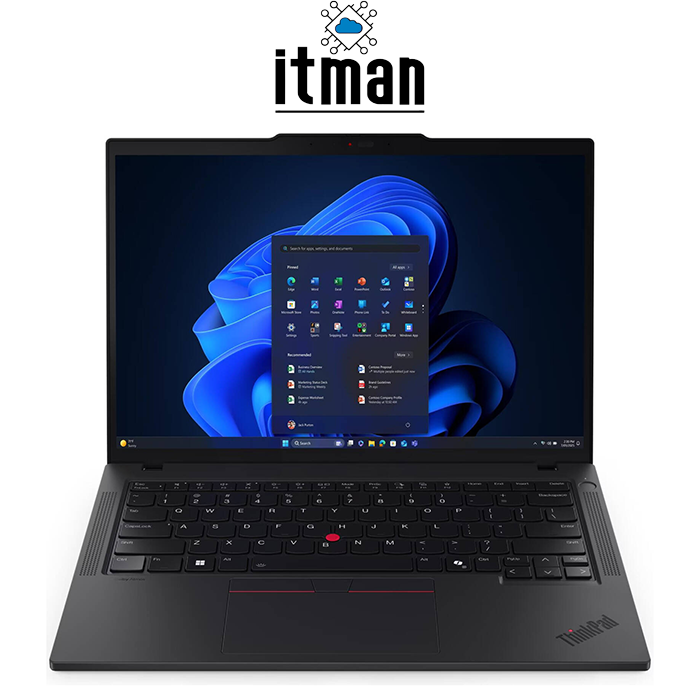
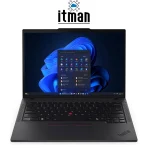
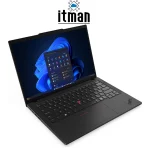
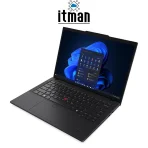
 When you’re looking for a business laptop that feels premium, runs reliably every day, and still stays light enough to carry everywhere, the Lenovo ThinkPad T14 Gen 6 Laptop becomes one of the smartest options on the market. This Lenovo laptop is built around the Intel Core Ultra 7 255U processor, a 14-inch WUXGA IPS 60Hz display, 16GB RAM, and a fast 512GB SSD—making it a very balanced system for office users, remote work, enterprise environments, and even some creative productivity tasks.
What makes this specific configuration more attractive is the combination of ThinkPad durability, efficient modern Intel hardware, and a clean “No OS” setup for companies or professionals who want to install Windows, Linux, or a managed corporate image themselves. At ITMan, we sell this exact model with the part number 21QC009SGP, so if you’re searching online for the right variant of the Lenovo ThinkPad T14 Gen 6 Laptop, you’ll want to make sure you’re comparing the correct part number and specs.
Full Introduction to the Lenovo ThinkPad T14 Gen 6 Laptop (21QC009SGP)
The Lenovo ThinkPad T14 Gen 6 Laptop is designed for users who want stable performance without sacrificing portability. Lenovo has always positioned the ThinkPad T-series as the “workhorse” lineup—stronger and more business-focused than IdeaPad models, while staying practical and more travel-friendly compared to workstation-class devices. With the 14-inch size, it hits the perfect sweet spot: large enough for comfortable productivity, yet compact enough for daily commuting and business travel.
This exact variant comes with an Intel Core Ultra 7 255U CPU, 16GB RAM, and 512GB SSD storage. The integrated Intel graphics solution is ideal for business work, multitasking, and smooth daily usage without forcing extra heat or battery drain that comes with a dedicated GPU. The keyboard is also one of the biggest ThinkPad advantages: this model includes an English (UK) backlit keyboard, which is especially valuable for UAE-based customers who prefer that layout for business typing.
A Complete Overview of the Lenovo ThinkPad T14 Gen 6 Laptop for Professionals
If your main goal is productivity and long-term reliability, the Lenovo ThinkPad T14 Gen 6 Laptop fits naturally into real business workflows. It can easily handle dozens of browser tabs, Microsoft Office work, Google Workspace tasks, accounting software, CRM tools, ERP dashboards, online meetings, and multi-app workflows without slowing down. The ThinkPad T14 line is known for durability and practicality, and this generation improves the efficiency of performance thanks to the Intel Core Ultra platform.
Another key detail: this laptop comes with No OS, meaning it is shipped without Windows pre-installed. For some users, this is a major advantage. Businesses often install their own licensed Windows version, custom corporate images, security policies, and system configurations. Developers and Linux users also prefer No OS because it avoids paying for software they might not want. It makes the Lenovo ThinkPad T14 Gen 6 Laptop more flexible for IT teams, resellers, and users who want full control.
And since competition on laptops is very high, it’s important to say it clearly: the part number 21QC009SGP matters. Many online listings mix different ThinkPad T14 configurations and call them “Gen 6,” but CPU, display, keyboard layout, and storage can be different. If you want the Intel Core Ultra 7 255U + WUXGA IPS + 16GB + 512GB configuration, 21QC009SGP is the one to focus on.
Processor Performance – Intel Core Ultra 7 255U in the Lenovo ThinkPad T14 Gen 6 Laptop
The Intel Core Ultra 7 255U is a modern business-grade CPU designed to deliver strong performance while maintaining excellent efficiency. In real-world usage, this processor feels fast and smooth for daily multitasking because it can handle a mix of light and heavy workloads intelligently. That means it boosts performance when needed—like during Excel calculations, running multiple apps, or hosting video calls—while staying power-efficient during lighter tasks.
In the Lenovo ThinkPad T14 Gen 6 Laptop, this CPU is a great match for business environments. It gives you enough performance headroom for years of productive work, especially if you’re upgrading from older Intel Core i5/i7 generations or budget laptops that struggle under multitasking pressure. Whether you’re working in sales, operations, project management, IT support, procurement, or administration, the Intel Core Ultra 7 255U makes the system feel consistently responsive.
This processor is also optimized for modern workflows like cloud-based tasks and collaboration platforms. If your day involves Teams, Zoom, Google Meet, Slack, Trello, and multiple browser sessions, the Lenovo ThinkPad T14 Gen 6 Laptop is designed exactly for that kind of routine.
RAM – 16GB Memory for Smooth Multitasking and Professional Workflows
A major reason the Lenovo ThinkPad T14 Gen 6 Laptop feels premium in daily work is its 16GB RAM configuration. For business usage, 16GB is currently the ideal starting point because modern browsers, office apps, and communication tools are increasingly memory-hungry. With 16GB RAM, you can comfortably run multiple heavy browser tabs, Excel spreadsheets, Word documents, and video calls together without the system slowing down.
This matters even more for users who keep their laptop for several years. While 8GB RAM might still work for basic tasks, it can quickly become a limitation as software updates grow heavier. With 16GB RAM, the Lenovo ThinkPad T14 Gen 6 Laptop stays stable and future-friendly for long-term use.
If you work with multiple screens, multiple programs open, or you frequently switch between apps, you will immediately feel the difference in responsiveness. The system remains fluid, and you avoid that “laggy” behavior that happens when a laptop starts relying on storage as virtual memory.
Storage – 512GB SSD Speed and Reliability in the Lenovo ThinkPad T14 Gen 6 Laptop
Storage performance changes the entire laptop experience, and the 512GB SSD in the Lenovo ThinkPad T14 Gen 6 Laptop is one of the best upgrades you can have for productivity. SSDs improve boot times, app launching speed, file transfers, and overall system smoothness. Instead of waiting for programs to open or files to load, everything feels instant and professional.
512GB is also a practical amount of space for business users. It allows you to install your OS, store office documents, presentations, PDF files, and daily work materials without constantly worrying about storage running out. It’s especially useful for professionals who deal with large email archives, offline project folders, and local backups.
For users in Dubai and UAE business environments, where many tasks are cloud-connected but still require local storage for documents, the Lenovo ThinkPad T14 Gen 6 Laptop provides the right balance. It’s not too small, not unnecessarily oversized, and it keeps the laptop cost-effective while staying very functional.
Integrated Intel Graphics – Practical, Efficient, and Business-Ready
The Lenovo ThinkPad T14 Gen 6 Laptop includes integrated Intel graphics, which is exactly what most business users actually need. Integrated graphics are not meant for heavy gaming or complex 3D rendering, but they are excellent for everyday tasks like office software, video streaming, browser usage, and professional apps.
The advantage of integrated graphics is efficiency. A dedicated GPU can add heat, weight, battery consumption, and cost. But in business environments, most users care more about stable performance, quiet operation, and long battery life. Integrated Intel graphics also support modern video playback smoothly, making this laptop ideal for online meetings, YouTube training videos, corporate presentations, and multitasking on external monitors.
If your daily work includes basic graphic design, marketing visuals, PowerPoint design, photo editing for product listings, or light content creation, the Lenovo ThinkPad T14 Gen 6 Laptop can still handle it comfortably, as long as your workflow isn’t GPU-heavy.
Design & Build Quality – Classic ThinkPad Strength with Modern Practicality
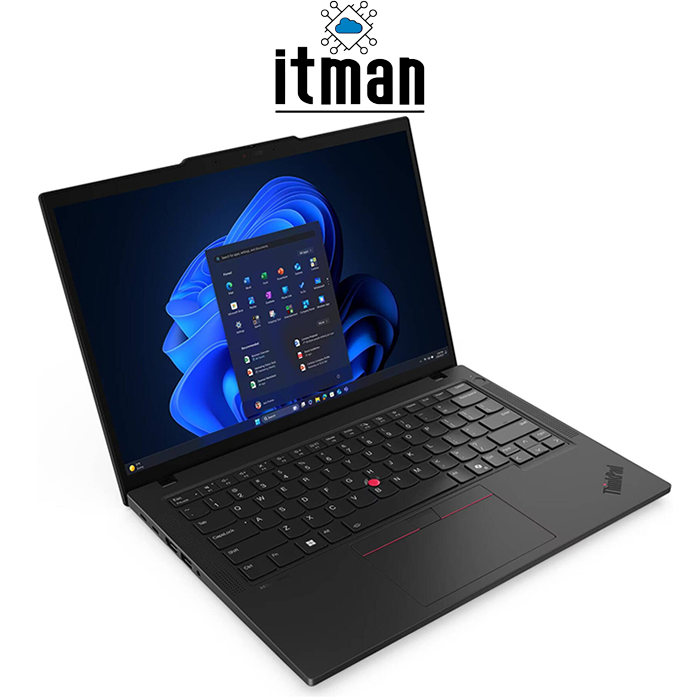
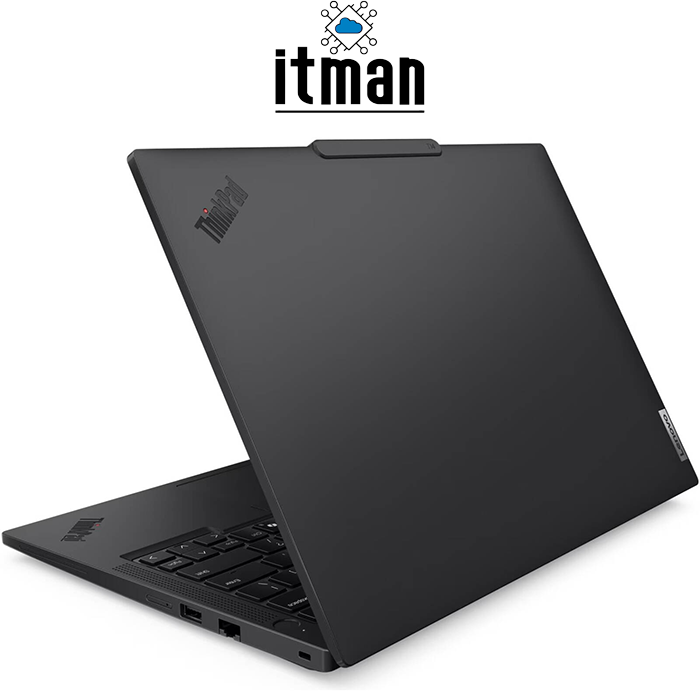
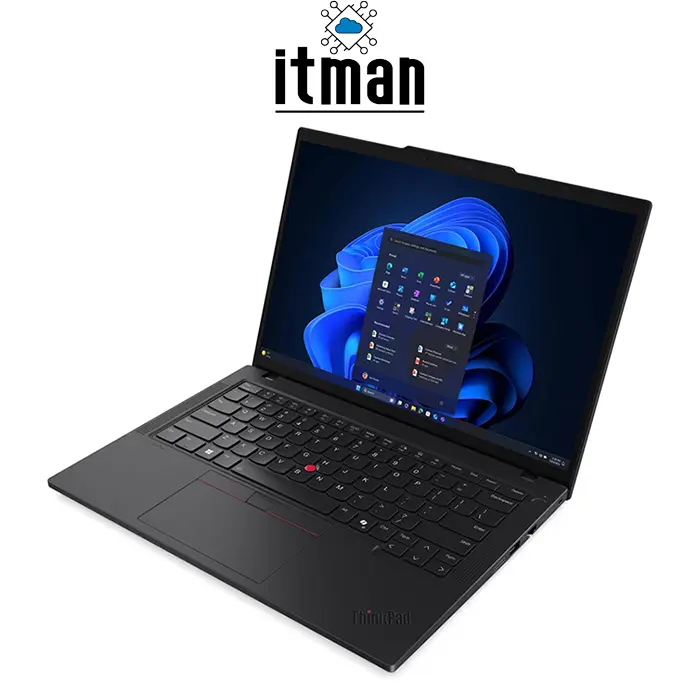
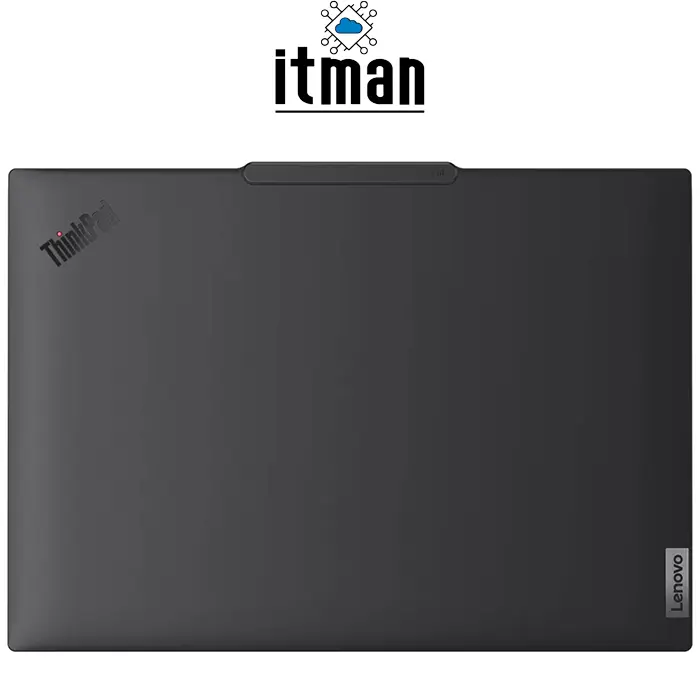
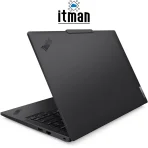
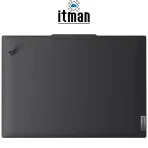
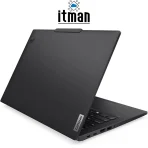
Lenovo ThinkPad design is iconic, and the Lenovo ThinkPad T14 Gen 6 Laptop continues that tradition with a professional and durable look. The black finish, clean lines, and solid construction make it ideal for business environments where the laptop needs to look serious and premium. ThinkPads are widely trusted in corporate environments because they are built for long-term use, frequent travel, and real daily wear.
This laptop is not designed to look flashy—it’s designed to perform consistently. The body feels sturdy, the hinge is reliable, and the overall feel is “enterprise-grade.” This is the type of laptop you buy when you want a stable machine that will last years, not a device that looks trendy for a few months.
Another highlight is the keyboard experience. The English (UK) backlit keyboard is extremely comfortable for long typing sessions, and the backlight is helpful for low-light work—especially for professionals working late, traveling, or working in warehouses and offices where lighting isn’t always ideal.
Display – 14-Inch WUXGA IPS 60Hz with Sharp Clarity and Comfortable Viewing
The display is one of the most important parts of any business laptop, and the Lenovo ThinkPad T14 Gen 6 Laptop comes with a 14-inch WUXGA IPS 60Hz panel. WUXGA resolution generally gives you a sharper and more productive workspace compared to older Full HD panels, because you can fit more content on the screen while keeping text and UI elements crisp.
With IPS technology, the viewing angles are significantly better compared to TN panels, meaning the screen looks consistent even if you’re not sitting perfectly centered. That matters in real work situations like meetings, presentations, and shared viewing—where other people may need to see your screen at an angle.
The 14-inch size is perfect for productivity because it’s big enough for comfortable reading and writing, but still portable for daily commuting. Text appears crisp, and the screen is suitable for long hours without feeling “tight” or uncomfortable. The 60Hz refresh rate is standard for business laptops, and it keeps power consumption stable, helping battery life.
In terms of pixel density, this screen feels sharp and professional. Spreadsheets look clean, documents are easy to read, and browsing feels smooth and modern. For users who spend hours reading emails, editing documents, and working on dashboards, the Lenovo ThinkPad T14 Gen 6 Laptop offers a comfortable viewing experience.
Battery Life – Built for Workdays, Meetings, and Business Travel
Battery performance is one of the strongest reasons professionals choose the Lenovo ThinkPad T14 Gen 6 Laptop. While the exact battery runtime depends on brightness, workload, and installed OS settings, ThinkPad T-series laptops are typically optimized for long work sessions. With the Intel Core Ultra 7 255U focusing on efficiency, you can expect a balanced experience between performance and battery life.
For office work, document editing, and browsing, battery life is usually very practical for several hours of real usage. For video calls and heavier multitasking, battery drains faster, but the laptop is still designed to remain stable and productive. This is the kind of device you can take to meetings and rely on without constantly searching for a charger.
For UAE customers who move between office, warehouse, home, and customer meetings, the Lenovo ThinkPad T14 Gen 6 Laptop is a reliable daily machine that supports mobility.
Real-World Use Cases – Who Should Buy the Lenovo ThinkPad T14 Gen 6 Laptop?
The Lenovo ThinkPad T14 Gen 6 Laptop is ideal for business users who prioritize stability, strong CPU performance, comfortable typing, and a durable build. It’s a great choice for:
- Office employees working with documents, emails, and reporting
- Managers handling multitasking workloads and video calls
- IT professionals who want a powerful but efficient laptop
- Business travelers who need durability and portability
- Students in business or engineering programs needing reliability
- Companies that install their own OS and software policies
- Remote workers needing a dependable laptop for daily work
Because it comes as No OS, it is also perfect for organizations that want to deploy laptops with their own Windows license, security configuration, and corporate installation standards.
Ports & Connectivity – Practical Business I/O for Daily Productivity
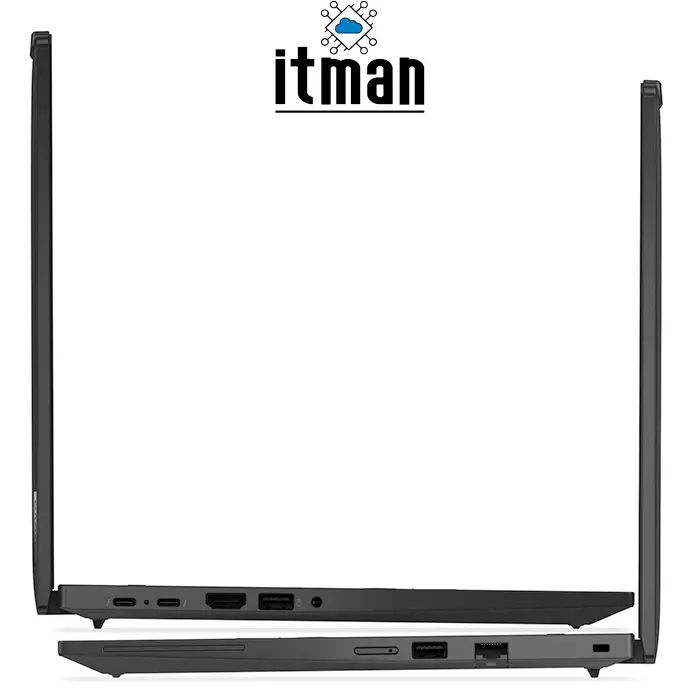
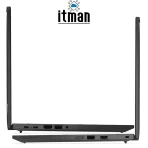
Ports matter a lot for business users, especially if you connect to monitors, projectors, external storage, wired networks, or docking stations. The Lenovo ThinkPad T14 Gen 6 Laptop is built to support modern connectivity needs and reduce the need for adapters.
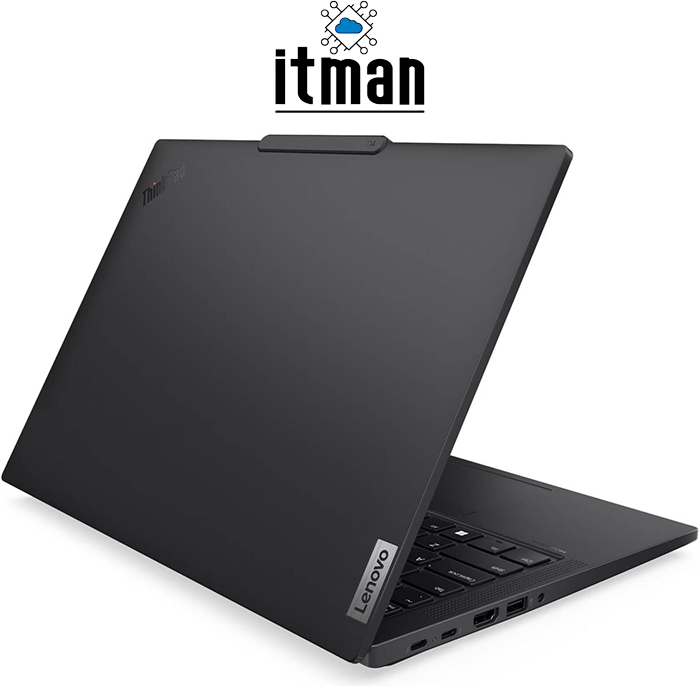
Typical business-focused ThinkPad connectivity includes a mix of USB ports, video output, audio jack, and modern charging/data support. In real work scenarios, these ports are essential for:
- Connecting external monitors for dual-screen productivity
- Plugging in USB storage devices for file transfers
- Using wired accessories like keyboards and mice
- Connecting to meeting room displays or projectors
- Supporting docking stations and office setups
For professional usage, the Lenovo ThinkPad T14 Gen 6 Laptop is designed to stay practical, meaning you can work smoothly in office setups without constantly relying on extra dongles.
Best Setup After Buying a “No OS” Lenovo ThinkPad T14 Gen 6 Laptop
If you are buying the Lenovo ThinkPad T14 Gen 6 Laptop with No OS, the smartest first step is to prepare your installation properly. Many users install Windows quickly, but to get the best stability and performance, your setup matters.
A clean and professional post-purchase plan is:
- Install Windows 11 Pro (recommended for business use)
- Run all Windows updates completely
- Install Lenovo drivers and firmware updates
- Set a proper backup plan (cloud + external drive)
- Configure security (BitLocker, password policies, antivirus)
- Optimize battery settings based on your usage
This way the Lenovo ThinkPad T14 Gen 6 Laptop performs exactly like a premium business machine should—fast boot, stable operation, and long-term reliability.
How to Keep Your ThinkPad Fast for Years
The Lenovo ThinkPad T14 Gen 6 Laptop is built to last, but good habits help it stay fast. Many business users complain after a year that their laptop “became slow,” but most of the time it’s due to unnecessary startup apps, storage clutter, and unoptimized settings.
To keep your Lenovo ThinkPad T14 Gen 6 Laptop running like new:
- Avoid installing too many unnecessary background apps
- Keep at least 15–20% of your SSD free
- Update drivers and system firmware regularly
- Use lightweight browsers or reduce heavy extensions
- Restart the laptop regularly if you keep it on sleep mode daily
- Keep your OS clean and avoid unknown software sources
These simple steps help your laptop remain stable for business workflows long after purchase.
Comparison – Lenovo ThinkPad T14 Gen 6 Laptop vs Similar Lenovo Models
When choosing a ThinkPad, many users compare models that look similar but are designed for different needs. Here’s how the Lenovo ThinkPad T14 Gen 6 Laptop compares to alternatives within Lenovo’s own lineup.
Lenovo ThinkPad T14 Gen 6 vs ThinkPad T14s
The ThinkPad T14s is usually thinner and lighter, aimed at users who prioritize portability. The Lenovo ThinkPad T14 Gen 6 Laptop often provides a more balanced design, sometimes offering better cooling and value. If you want a strong business laptop that feels durable and practical without paying a premium for “extra slim,” T14 Gen 6 is often the better deal.
Lenovo ThinkPad T14 Gen 6 vs ThinkPad X1 Carbon
The ThinkPad X1 Carbon is Lenovo’s premium ultra-light flagship. It is lighter and more luxurious, but usually significantly more expensive. If you want premium performance with a more cost-efficient business focus, the Lenovo ThinkPad T14 Gen 6 Laptop is the more practical choice.
Lenovo ThinkPad T14 Gen 6 vs ThinkPad E14
The ThinkPad E series is more budget-friendly. While it can be good for basic work, it typically doesn’t feel as refined, durable, or enterprise-grade as the T-series. For professional use where durability and long-term stability matter, the Lenovo ThinkPad T14 Gen 6 Laptop is the safer investment.
Lenovo ThinkPad T14 Gen 6 Laptop (21QC009SGP) Technical Specifications
| Specification | Details |
|---|---|
| Product Name | Lenovo ThinkPad T14 Gen 6 Laptop |
| Part Number | 21QC009SGP |
| Processor | Intel Core Ultra 7 255U |
| Display Size | 14-inch |
| Display Type | WUXGA IPS |
| Refresh Rate | 60Hz |
| Storage | 512GB SSD |
| Memory (RAM) | 16GB |
| Graphics | Integrated Intel Graphics |
| Keyboard | English (UK) Backlit Keyboard |
| Operating System | No OS |
| Color | Black |
| Target Users | Business, Office, Remote Work, Enterprise |
FAQ – Lenovo ThinkPad T14 Gen 6 Laptop (10+ Common Questions)
- Is the Lenovo ThinkPad T14 Gen 6 Laptop good for office work?
Yes. The Lenovo ThinkPad T14 Gen 6 Laptop is built specifically for business productivity, multitasking, and long-term daily work. - What does “No OS” mean on this laptop?
It means the Lenovo ThinkPad T14 Gen 6 Laptop ships without Windows installed. You must install your own OS such as Windows or Linux. - Can I install Windows 11 on the Lenovo ThinkPad T14 Gen 6 Laptop?
Yes, you can install Windows 11 easily using a USB installer and then install drivers. - Is 16GB RAM enough for business use?
Yes. 16GB RAM is ideal for modern multitasking, office apps, and heavy browser usage. - Is the 512GB SSD enough for long-term use?
For most users, yes. It is enough for OS, software, documents, and daily storage needs. - Does the Lenovo ThinkPad T14 Gen 6 Laptop have a good display?
Yes. The 14-inch WUXGA IPS display offers sharp clarity, good viewing angles, and a comfortable workspace. - Can this laptop handle programming and development?
Yes. The Intel Core Ultra 7 255U and 16GB RAM make it a strong option for developers and IT professionals. - Is this laptop good for gaming?
It is not a gaming laptop. Integrated Intel graphics can handle light games, but it’s designed for productivity and business reliability. - What is special about the ThinkPad keyboard?
ThinkPad keyboards are famous for comfort and accuracy, especially for long typing sessions. This model also includes backlighting. - Why should I care about the part number 21QC009SGP?
Because ThinkPad models can come in many variants. The part number ensures you are buying the exact Lenovo ThinkPad T14 Gen 6 Laptop configuration you want. - Is the Lenovo ThinkPad T14 Gen 6 Laptop good for students?
Yes, especially for business, IT, and engineering students who need a durable and reliable laptop. - Can I use this laptop with an external monitor?
Yes. The Lenovo ThinkPad T14 Gen 6 Laptop is designed for professional setups and external monitor workflows.
Conclusion – Should You Buy the Lenovo ThinkPad T14 Gen 6 Laptop from ITMan?
If you want a serious professional laptop that delivers stable performance, comfortable typing, a sharp 14-inch WUXGA IPS display, and modern Intel efficiency, the Lenovo ThinkPad T14 Gen 6 Laptop is a strong choice. This model (21QC009SGP) is built for long-term productivity, and it’s ideal for office teams, remote workers, and companies that prefer installing their own operating system.
At ITMan, we offer this exact Lenovo ThinkPad T14 Gen 6 Laptop configuration for customers who want a reliable business laptop in UAE with a clean and practical setup. If your priority is performance, durability, and professional usability—not flashy gaming features—this ThinkPad is one of the best investments you can make.

















Evan Turner –
Performance is consistent and chassis feels strong Price is fair Packaging protected the laptop and shipping was on schedule Overall experience was positive