











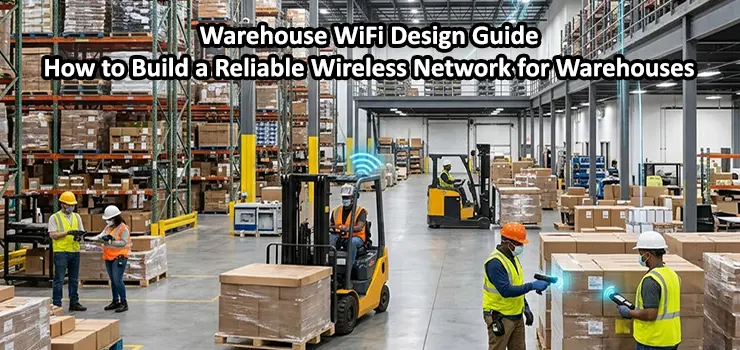
Warehouses are no longer just storage spaces. Modern warehouses depend heavily on wireless connectivity for inventory management, barcode scanners, warehouse management systems (WMS), VoIP communication, IoT devices, security systems, and real-time data processing. A weak or poorly designed WiFi network can cause dropped connections, slow operations, inaccurate inventory updates, and significant productivity losses. This is why professional Warehouse WiFi Design requires much more than simply installing several access points and connecting them to the network.
A successful warehouse wireless network must consider the building structure, storage racks, device density, interference sources, coverage requirements, and future expansion plans. In this guide, ITMan explains the essential factors involved in designing a reliable warehouse WiFi solution, from planning and access point placement to choosing the right equipment and optimizing performance.
Table of Contents
ToggleWhy Warehouse WiFi Design Is Different from Normal Office WiFi
A warehouse environment creates unique challenges that are not usually present in offices or commercial buildings. In an office, users are typically stationary, and access points can be installed on ceilings with relatively predictable coverage areas. Warehouses are completely different.
Large metal racks, high ceilings, moving forklifts, industrial equipment, and long aisles can significantly affect wireless signals. Metal surfaces can reflect or block WiFi signals, creating dead zones and unstable connections. In addition, warehouse devices such as handheld scanners and mobile terminals often move continuously, requiring smooth roaming between access points. A professional Warehouse WiFi Design must focus on:
- Consistent wireless coverage across the entire facility
- Fast roaming for mobile devices
- Stable connections for barcode scanners and terminals
- High capacity for many connected devices
- Low latency for real-time applications
- Protection against interference and signal degradation
Start With a Wireless Site Survey
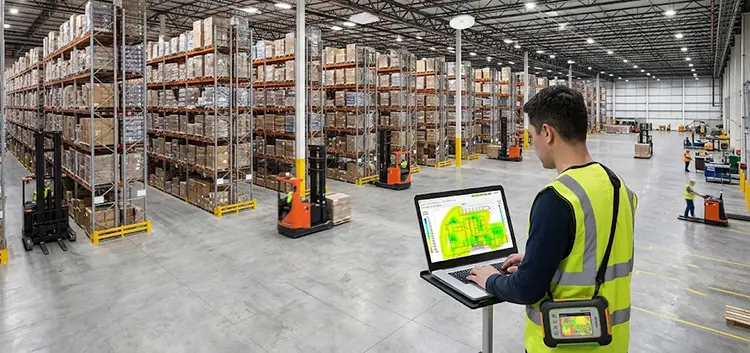
The first step in any warehouse WiFi project is a detailed wireless site survey. Installing access points without analyzing the environment often leads to poor coverage and expensive redesign work later. During a site survey, network engineers analyze:
- Warehouse dimensions and layout
- Rack locations and aisle structures
- Wall materials and obstacles
- Existing sources of interference
- Required coverage areas
- Expected number of wireless devices
- Application requirements
Professional survey tools can measure signal strength, noise levels, channel utilization, and potential interference. This information helps determine the correct number and placement of access points. For example, a warehouse with tall metal shelving may require more carefully positioned access points compared to an open storage facility with fewer obstacles.
Choosing the Right WiFi Standard for Warehouses
The selected WiFi technology has a major impact on warehouse performance. Older wireless standards may not provide the speed, capacity, or efficiency required by modern industrial environments. Today, many Warehouse WiFi use:
WiFi 6 (802.11ax)
WiFi 6 is one of the best choices for modern warehouses because it improves performance in high-density environments. It provides:
- Better support for many connected devices
- Improved efficiency through OFDMA technology
- Higher throughput
- Reduced network congestion
- Better battery performance for mobile devices
WiFi 6E and WiFi 7
For warehouses requiring extremely high capacity and future-proof infrastructure, WiFi 6E and WiFi 7 provide additional advantages by introducing access to wider frequency ranges and improved performance. However, choosing the latest technology is not always necessary. The correct solution depends on the warehouse size, applications, budget, and device compatibility.
Access Point Placement and Installation Strategy
Access point placement is one of the most important parts of Warehouse WiFi Design. A common mistake is installing access points based only on distance calculations. In warehouses, physical obstacles and signal behavior are much more important than simple coverage radius. Access points are usually installed:
- Above storage racks
- Along warehouse aisles
- On ceilings or high mounting points
- At locations that provide overlapping coverage
The goal is not only to provide signal coverage but also to maintain reliable connectivity while devices move around. For warehouses using handheld scanners or automated guided vehicles (AGVs), proper overlap between access points is essential. Without sufficient overlap, devices may disconnect when moving between coverage areas.
Understanding Warehouse Roaming Requirements
Many warehouse operations depend on mobile devices moving constantly. Workers may scan hundreds or thousands of products daily while walking through different sections of the warehouse. If roaming is not properly designed, devices may stay connected to a weak access point instead of switching to a stronger one. This can cause:
- Slow application response
- Connection drops
- Scanner errors
- Delays in inventory updates
Modern enterprise access points support technologies such as:
- 802.11k for neighbor reports
- 802.11v for better client management
- 802.11r for faster roaming
These features help devices move smoothly between access points without interrupting active sessions.
Selecting the Right Access Points for Warehouse Environments
Not every access point is suitable for industrial environments. Consumer-grade WiFi equipment usually cannot handle the requirements of warehouses. Enterprise access points from brands such as Cisco, Ubiquiti, Aruba, and similar professional networking manufacturers provide better performance, management features, and reliability. Important access point features for warehouses include:
- High client capacity
- Multiple antennas and spatial streams
- Centralized management
- Advanced security options
- Support for VLANs
- Fast roaming capabilities
- Industrial-grade reliability
For large warehouses, centralized wireless controllers or cloud-managed platforms can simplify monitoring, configuration, and troubleshooting.
Network Infrastructure Requirements Behind Warehouse WiFi
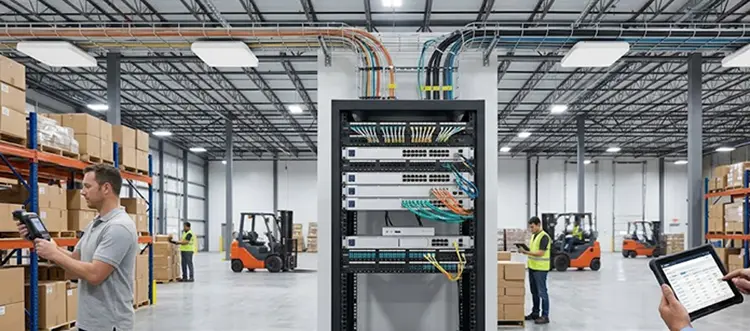
A powerful WiFi system requires a strong wired network foundation. Access points should not be treated as standalone devices. They are part of a complete network infrastructure. Important components include:
Managed Network Switches
Enterprise switches are required to connect access points and manage traffic efficiently. Many modern access points require Power over Ethernet (PoE), allowing both power and data transmission through a single network cable.
Proper Cabling
Warehouse installations should use high-quality structured cabling, such as Cat6 or fiber optic connections, especially for large facilities where access points are distributed across long distances.
VLAN Segmentation
Separating network traffic improves security and performance. For example:
- Employee devices
- Warehouse scanners
- Guest WiFi
- Security cameras
- IoT equipment
should ideally operate on separate VLANs.
Managing WiFi Interference in Warehouses
Industrial environments often contain sources of wireless interference, including:
- Machinery
- Wireless cameras
- Bluetooth devices
- Other nearby WiFi networks
- Electrical equipment
Proper channel planning helps minimize interference. Engineers should analyze:
- Signal-to-noise ratio (SNR)
- Channel overlap
- Transmit power levels
- Frequency usage
Using the 5GHz band is often preferred because it provides more available channels and less interference compared to 2.4GHz.
Security Considerations for Warehouse WiFi
Warehouses often handle sensitive business information, inventory data, and operational systems. Security should be included from the beginning of the design process. Recommended security practices include:
- WPA3 or WPA2-Enterprise authentication
- Strong access control policies
- Separate employee and guest networks
- Network monitoring
- Regular firmware updates
- Firewall protection
For businesses using warehouse management systems, protecting wireless access is essential to prevent unauthorized access and operational disruption.
Common Warehouse WiFi Design Mistakes
Many wireless problems happen because of incorrect planning. Common mistakes include:
- Installing Too Few Access Points: Reducing the number of access points to save money often creates poor coverage and unstable connections.
- Ignoring Rack Layout Changes: Warehouse layouts change frequently. New racks, equipment, and storage zones can affect wireless performance.
- Using Home WiFi Equipment: Consumer routers are not designed for large industrial spaces with many connected devices.
- Not Testing After Installation: A professional installation should include post-installation testing to verify coverage, roaming performance, and network reliability.
How ITMan Helps With Warehouse WiFi Design and Installation in Dubai
Designing a warehouse wireless network requires technical knowledge, proper planning, and hands-on installation experience. A reliable Warehouse WiFi Design solution should be customized based on the warehouse size, operational requirements, and future growth plans.
ITMan provides professional network installation services in Dubai with experienced technicians who can help with wireless site surveys, access point installation, network configuration, structured cabling, switches, and complete WiFi infrastructure deployment. Our team can design and implement reliable warehouse WiFi solutions to improve connectivity, reduce downtime, and ensure your business operations run smoothly. Whether you need a new warehouse network installation or optimization of an existing system, ITMan is ready to provide professional networking services across Dubai.


















