













 ? Message us on
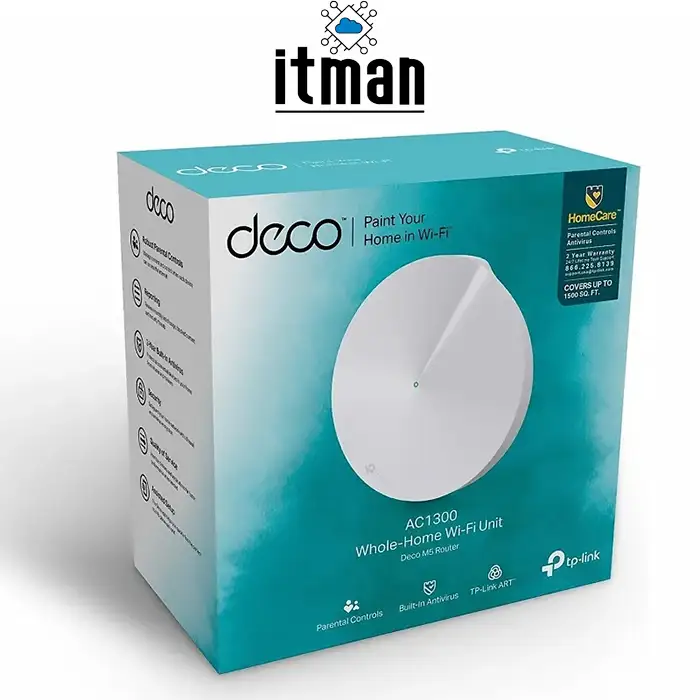
 The TP-Link Deco M5 AC1300 Whole Home Mesh Wi-Fi System is designed to provide reliable wireless connectivity, improve Wi-Fi coverage, and reduce dead zones in homes and small offices. Unlike a traditional standalone router or a basic Wi-Fi extender, the Deco M5 uses Mesh Wi-Fi technology to create a unified wireless network. This allows compatible Deco units to work together and provide a more consistent connection as users move between different areas.
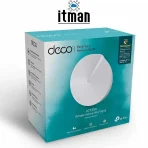
The TP-Link Deco M5 (1-Pack) includes one Deco M5 unit, making it a practical option for users who want to establish a Mesh Wi-Fi network with a single device or expand an existing compatible Deco system. It supports dual-band wireless connectivity, Gigabit Ethernet ports, and management through the TP-Link Deco mobile application.
For customers looking for a convenient way to improve wireless networking in a home, apartment, or small office, the TP-Link Deco M5 offers a combination of simple installation, flexible deployment, and intelligent network management.
TP-Link Deco M5 AC1300 Whole Home Mesh Wi-Fi System (1-Pack)
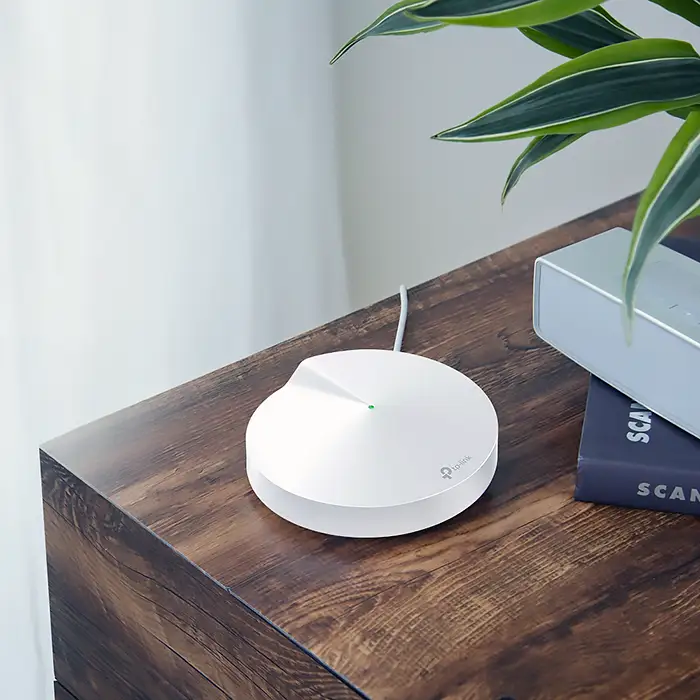
The TP-Link Deco M5 is a dual-band Mesh Wi-Fi system that combines wireless networking and network management features in a compact desktop device. It operates on the 2.4GHz and 5GHz frequency bands and supports an AC1300-class combined wireless speed rating.
The AC1300 rating represents theoretical combined wireless speeds of up to 400Mbps on the 2.4GHz band and 867Mbps on the 5GHz band. These figures are laboratory-rated wireless link speeds rather than guaranteed internet download speeds. Actual performance depends on the internet connection, connected devices, interference, distance, and network configuration.
The Deco M5 is designed to simplify wireless networking. Instead of managing several independent access points with different network names, users can connect compatible Deco devices to create a unified network. When additional Deco units are deployed, the system can help extend Wi-Fi coverage to rooms and areas that a single router may not adequately reach.
A single Deco M5 can operate as a standalone router or access point, depending on the selected configuration. Additional compatible Deco units can be added when broader wireless coverage is required.
Key Features of TP-Link Deco M5
1. AC1300 Dual-Band Wi-Fi
The TP-Link Deco M5 supports dual-band Wi-Fi on the 2.4GHz and 5GHz frequency bands. The 2.4GHz band generally offers better range through obstacles, while the 5GHz band can provide higher wireless throughput over shorter distances under suitable conditions.
This combination makes the Deco M5 suitable for everyday network activities, including web browsing, email, video streaming, online meetings, and connecting compatible smart home devices.
The AC1300 wireless classification helps customers understand the device’s general wireless performance category. Actual throughput will vary according to environmental conditions and the capabilities of connected devices.
2. Mesh Wi-Fi Technology
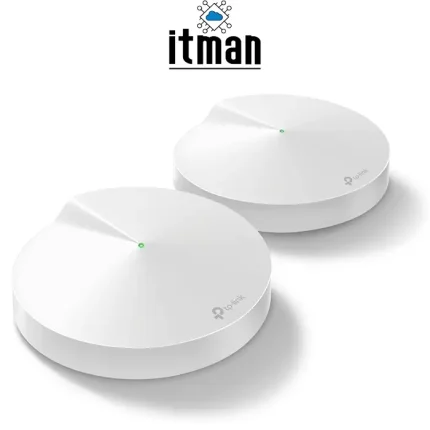
Mesh networking is one of the main advantages of the TP-Link Deco M5. Compatible Deco units can work together to create a unified wireless network with a single network name.
When a home or office requires more coverage than one device can provide, users can add compatible Deco units in suitable locations. This approach can improve connectivity in areas such as bedrooms, hallways, upstairs rooms, and office spaces separated by walls.
The effectiveness of a Mesh Wi-Fi system depends on the placement of each unit and the quality of the connection between them. Positioning devices too far apart or behind multiple thick walls may reduce performance.
3. Two Gigabit Ethernet Ports
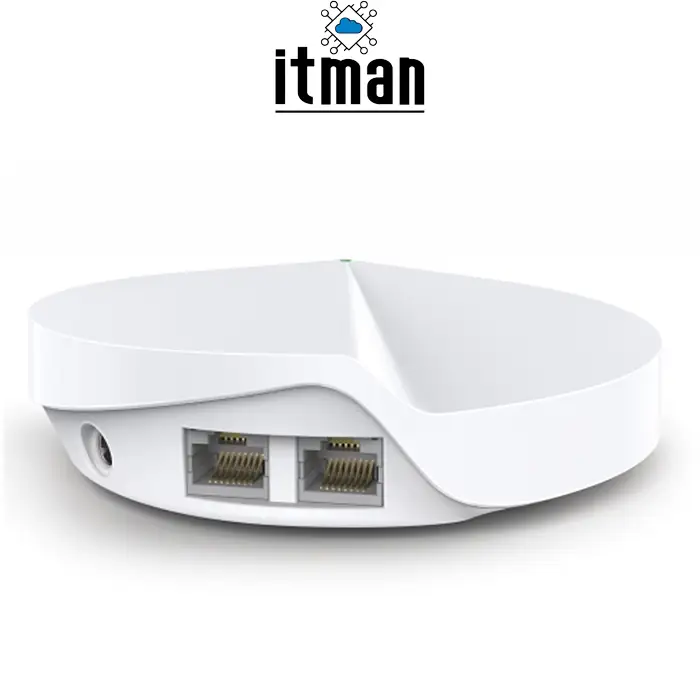
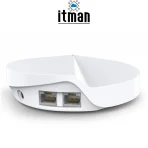
The TP-Link Deco M5 includes two Gigabit Ethernet ports per unit. These ports support wired networking for compatible equipment such as desktop computers, network switches, smart TVs, and other Ethernet-enabled devices.
Wired connections can provide more consistent performance than wireless connections for devices that remain in one location. For example, a user can connect a desktop computer or another network device directly to the Deco M5 using an Ethernet cable.
Depending on the network configuration, the Ethernet ports can be used for the internet connection and local wired devices. Port roles may vary according to whether the unit operates in Router or Access Point mode.
4. Router and Access Point Modes
The Deco M5 offers flexibility for different networking environments.
In Router mode, the Deco system connects to an existing modem or internet gateway and manages the local network according to its configuration.
In Access Point mode, the Deco system works with an existing router to provide additional wireless coverage without acting as the primary router. This can be useful when an internet service provider has supplied a router that the customer wants to keep.
Selecting the appropriate operating mode helps avoid unnecessary network complexity and makes the Deco M5 easier to integrate into an existing installation.
5. Simple Setup Through the Deco App
TP-Link designed the Deco M5 to simplify network installation and management. Initial configuration is performed through the TP-Link Deco mobile application on a compatible smartphone.
The application guides users through connecting the unit, configuring the wireless network, and adding compatible Deco devices. It also provides access to supported network management functions.
This approach can be particularly useful for homeowners and small businesses that want to manage their Wi-Fi network without working through a complicated router administration interface.
Available application features may vary depending on firmware, region, account settings, and product support.
6. Network Security Features
The Deco M5 includes security-related features intended to help users manage and protect their home network. Depending on the firmware and service availability, these may include network protection capabilities, parental controls, device management, and access restrictions.
Users should keep the device firmware updated and use a strong Wi-Fi password. They should also review the security features available for their specific device and region rather than assuming every service remains available indefinitely.
Security capabilities and subscription requirements can change over time, so customers should verify current support before relying on a particular advanced feature.
Technical Specifications of TP-Link Deco M5
The following table summarizes the main specifications of the TP-Link Deco M5 AC1300 Mesh Wi-Fi System.
| Specification | Details |
|---|---|
| Product Model | TP-Link Deco M5 |
| Product Type | Whole Home Mesh Wi-Fi System |
| Wireless Standard | IEEE 802.11ac/n/a on 5GHz; IEEE 802.11n/b/g on 2.4GHz |
| Wi-Fi Class | AC1300 |
| Frequency Bands | 2.4GHz and 5GHz |
| Maximum Theoretical Speed | Up to 400Mbps at 2.4GHz and 867Mbps at 5GHz |
| Ethernet Ports | 2 × Gigabit Ethernet per unit |
| Operating Modes | Router and Access Point |
| Mesh Capability | Supports compatible Deco Mesh systems |
| Setup and Management | TP-Link Deco mobile application |
| Product Package | 1 Deco M5 unit |
| Primary Applications | Home Wi-Fi, apartments, and small offices |
Specifications and available functions should be confirmed against the product revision and regional version before purchase.
Benefits of Using TP-Link Deco M5
Improve Wi-Fi Coverage
Wireless signals can weaken as they travel through walls, floors, furniture, and other obstacles. In larger homes and offices, this can lead to weak connections in distant rooms.
The Deco M5 provides a way to build a Mesh Wi-Fi network that can distribute wireless coverage across multiple areas. When additional compatible units are installed, they can help extend the network beyond the practical coverage of a single wireless access point.
For the best results, place Mesh units in locations where they can maintain a strong connection to the rest of the system.
Create a Unified Wireless Network
Traditional Wi-Fi extenders sometimes require users to connect manually to different network names as they move around a property. A compatible Deco Mesh network is designed to simplify this experience by providing a unified network.
This is useful for households and offices where smartphones, tablets, and laptops move between rooms throughout the day. The system can assist compatible clients in maintaining connectivity as they move, although roaming behavior also depends on the client device.
Support Everyday Internet Activities
The Deco M5 is suitable for common internet activities, including online research, video streaming, video calls, social media, and general business communication.
Its performance depends on the number of connected devices, the internet plan, local interference, and the workload on the network. For demanding applications or very high-speed internet services, customers should compare its AC1300 wireless capabilities with newer Wi-Fi 6 or Wi-Fi 7 solutions.
Connect Wired Network Devices
The two Gigabit Ethernet ports provide flexibility for devices that benefit from wired connectivity. Users can connect suitable computers, switches, televisions, and other Ethernet-enabled equipment.
For offices with several wired devices, a separate Ethernet switch may be useful. This allows the local network to accommodate more wired equipment while using the Deco system to provide wireless access.
Simplify Network Management
The TP-Link Deco application gives users a convenient way to configure and manage supported network settings. Depending on the current software version, users may be able to review connected clients, change Wi-Fi settings, and access parental controls or other supported functions.
A mobile management interface makes routine network administration more accessible for users who do not need advanced enterprise networking features.
TP-Link Deco M5 (1-Pack) vs. Multi-Pack Systems
Choosing between a single Deco M5 and a multi-pack system depends on the size and layout of the property.
A TP-Link Deco M5 (1-Pack) is appropriate when a customer needs one device for a smaller area, wants to use it as an access point, or already has a compatible Deco system and needs an additional unit.
A multi-pack system may be more suitable for a larger property with multiple rooms, multiple floors, or areas where a single wireless device cannot provide sufficient coverage.
However, purchasing more units does not automatically guarantee better performance. Correct placement, building materials, interference, and the quality of the Mesh connection all affect the final result.
Customers should also confirm compatibility with their existing Deco hardware before adding another unit to an established network.
TP-Link Deco M5 vs. a Traditional Wi-Fi Router
A traditional wireless router provides routing and Wi-Fi connectivity from a central location. For smaller apartments or simple network environments, one well-positioned router may be sufficient.
The Deco M5 focuses on a Mesh-based approach. It can function as a standalone router, but its Mesh capability becomes especially useful when compatible additional units are deployed to improve coverage across a property.
A traditional router may offer more advanced configuration options or higher wireless speeds, depending on the model. Newer Wi-Fi standards can also provide better performance for compatible devices.
The best choice depends on the customer’s requirements. Users who prioritize simple Mesh expansion and convenient app-based management may prefer the Deco platform, while users seeking the latest wireless technology or advanced network controls should compare newer alternatives.
Recommended Applications
The TP-Link Deco M5 AC1300 Whole Home Mesh Wi-Fi System can be considered for several networking scenarios.
Homes and Apartments
In residential environments, the Deco M5 can provide Wi-Fi for smartphones, laptops, tablets, smart TVs, and compatible smart home equipment. A single unit may be suitable for a limited area, while a larger property may benefit from multiple compatible Deco units.
Small Offices
Small offices can use the Deco M5 to provide wireless connectivity for staff laptops, mobile devices, and other everyday network equipment. Its app-based management can be useful in environments without a dedicated network administrator.
Businesses that require VLAN segmentation, centralized enterprise management, advanced access policies, or high-density wireless performance should evaluate business-grade access points and routers instead.
Existing Deco Mesh Networks
Customers who already use a compatible TP-Link Deco system may consider the Deco M5 as an additional unit, subject to compatibility with their existing devices and firmware.
Before adding the unit, verify that the existing Deco model supports the intended configuration and that the additional hardware meets the property’s coverage and performance requirements.
Installation and Setup Guide
Installing the TP-Link Deco M5 is designed to be straightforward.
Step 1: Connect the Device
Connect the Deco M5 to a suitable power source. If using Router mode, connect it to the modem or internet gateway according to the installation instructions.
Step 2: Install the Deco Application
Install the compatible TP-Link Deco application on a smartphone and follow the on-screen setup process.
Step 3: Configure the Network
Follow the application instructions to create the wireless network and configure the required settings.
Step 4: Test Connectivity
Connect a smartphone or computer to the new network and verify that internet access works correctly.
Step 5: Add Compatible Deco Units if Required
If broader coverage is needed, add compatible Deco devices through the application. Position additional units where they can maintain a reliable connection with the rest of the Mesh system.
For an existing router installation, choose Router or Access Point mode according to the intended network design.
Important Considerations Before Buying
The TP-Link Deco M5 is an older Wi-Fi 5 product. Although it remains relevant for certain basic networking requirements, customers should consider the age of the platform and verify current firmware, security updates, and regional support before purchasing.
It does not offer the Wi-Fi 6 or Wi-Fi 7 capabilities found in newer products. Customers with multi-gigabit internet services, high-density wireless environments, or demanding performance requirements may benefit from evaluating more recent Mesh Wi-Fi systems.
The 1-Pack configuration contains one Deco M5 unit. Customers should not assume that the coverage advertised for a multi-unit package applies to a single unit.
Actual Wi-Fi coverage and throughput vary according to building construction, interference, device placement, connected clients, and internet service performance. For the most suitable solution, assess the property’s size and layout before deciding how many units are required.
Why Choose TP-Link Deco M5?
The TP-Link Deco M5 offers a straightforward approach to wireless networking for users who need basic Mesh functionality, dual-band Wi-Fi, Gigabit Ethernet connectivity, and app-based management.
Its compact design and flexible operating modes make it useful for selected home and small-office installations. The ability to expand a compatible Deco network also provides flexibility for users who want to improve wireless coverage over time.
However, the Deco M5 is not the newest Mesh Wi-Fi platform available. Customers should compare its specifications, current support status, and price with newer alternatives to ensure that it meets their long-term requirements.
Buy TP-Link Deco M5 AC1300 Mesh Wi-Fi System (1-Pack)
Looking for a practical wireless networking solution for your home or small office? The TP-Link Deco M5 AC1300 Whole Home Mesh Wi-Fi System (1-Pack) offers dual-band Wi-Fi, two Gigabit Ethernet ports, and convenient management through the TP-Link Deco application.
Explore networking products at ITMan.ae to find suitable Wi-Fi solutions for your installation requirements. If you are unsure whether a single Deco M5 or a multi-unit Mesh system is right for your property, contact our team for assistance in selecting an appropriate networking solution.
Choose the TP-Link Deco M5 when its Wi-Fi 5 capabilities, connectivity options, and compatibility match your requirements.



















Reviews
There are no reviews yet.