














 ? Message us on
 The Lenovo ThinkCentre M70q Gen 2 is a compact business desktop designed for users who need reliable everyday computing power without the size and clutter of a traditional desktop tower. Built in Lenovo’s Tiny form factor, this system combines an Intel Core i5-10400T processor, 16GB of DDR4 memory, a fast 512GB NVMe SSD, and Intel UHD Graphics 630 in an exceptionally small chassis. It is an excellent solution for offices, reception desks, retail environments, educational facilities, remote workstations, and businesses that need dependable computers while keeping desk space free. Despite its compact dimensions, the Lenovo ThinkCentre M70q Gen 2 provides the connectivity, storage flexibility, and multitasking capability expected from a professional desktop computer.
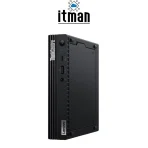
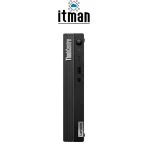
Lenovo ThinkCentre M70q Gen 2 Tiny Desktop
The Lenovo ThinkCentre M70q Gen 2 is particularly attractive for business users because it balances size, performance, power efficiency, and expandability. The Core i5-10400T provides six physical cores and twelve processing threads, making this Tiny PC considerably more capable than basic dual-core or quad-core office systems.
Combined with 16GB RAM and a 512GB NVMe SSD, it provides responsive performance when running Windows, Microsoft Office applications, browsers with multiple tabs, accounting software, ERP or CRM platforms, remote-access applications, and other common business workloads simultaneously. Its Tiny chassis measures only around 179 × 182.9 × 36.5 mm with rubber feet, allowing the computer to fit into environments where a conventional desktop would be impractical. The Lenovo ThinkCentre M70q Gen 2 is available from ITMan for customers looking for a compact Lenovo business desktop with a practical hardware configuration.
Intel Core i5-10400T Processor
At the heart of this Lenovo ThinkCentre M70q Gen 2 configuration is the Intel Core i5-10400T, a 10th-generation Intel Core processor designed specifically for energy-efficient desktop systems. It features 6 cores and 12 threads, giving it enough parallel processing capability for demanding office multitasking and considerably more flexibility than older four-core business PCs.
The Core i5-10400T operates at a base frequency of 2.0GHz and can reach up to 3.6GHz under suitable workloads. It also includes 12MB of Intel Smart Cache. The “T” designation indicates a power-optimized desktop processor, making it particularly suitable for compact systems such as the ThinkCentre Tiny family.
For normal business use, this processor provides a strong balance between responsiveness and efficiency. Users can work with large spreadsheets, browser-based business applications, Microsoft Teams, email, PDFs, remote desktop sessions, inventory software, and multiple applications simultaneously without needing a high-power desktop CPU.
16GB DDR4 RAM for Smooth Multitasking
This Lenovo ThinkCentre M70q Gen 2 comes with 16GB of DDR4 RAM, providing a comfortable amount of memory for modern office and professional workloads. The Core i5-10400T platform operates with DDR4-2666 memory, and the M70q Gen 2 platform provides two SO-DIMM memory slots.
Having 16GB of RAM is particularly useful for multitasking. Instead of constantly closing applications to free memory, users can keep browsers, Office applications, communication software, management platforms, and background utilities running together.
Another advantage of the ThinkCentre M70q Gen 2 is memory expandability. The platform supports up to 64GB of DDR4 memory, giving businesses room to upgrade the system if workloads become more demanding in the future.
512GB NVMe SSD Storage
Storage performance has a major impact on how fast a computer feels during everyday use, and this configuration includes a 512GB M.2 PCIe NVMe SSD. Compared with traditional mechanical hard drives, NVMe storage provides significantly faster access to operating-system files, applications, and business data.
As a result, the Lenovo ThinkCentre M70q Gen 2 can boot quickly, launch applications rapidly, and handle file operations more efficiently. A 512GB capacity also offers a practical balance for office users who need enough local storage for Windows, software, documents, databases, and working files.
The platform supports an M.2 SSD as well as a 2.5-inch storage bay, giving the system useful storage expansion possibilities depending on configuration and installed hardware.
Intel UHD Graphics 630
Graphics processing is handled by Intel UHD Graphics 630 integrated into the Core i5-10400T processor. This integrated GPU shares system memory rather than using dedicated graphics memory, helping the Lenovo ThinkCentre M70q Gen 2 remain compact and energy efficient.
Intel UHD Graphics 630 is well suited to business applications, web browsing, office software, video playback, presentations, digital signage, and multi-monitor productivity. It also supports DirectX 12.
The system includes onboard DisplayPort and HDMI video outputs. The platform can support up to three independent displays when equipped with the appropriate optional video port configuration. This can be especially valuable for financial desks, monitoring stations, administrative environments, call centers, and users who regularly work across several applications.
The Intel UHD Graphics 630 should not, however, be confused with a dedicated workstation or gaming GPU. The Lenovo ThinkCentre M70q Gen 2 is primarily designed for business computing rather than intensive 3D rendering, modern AAA gaming, or GPU-heavy professional workloads.
Tiny Design and Build Quality
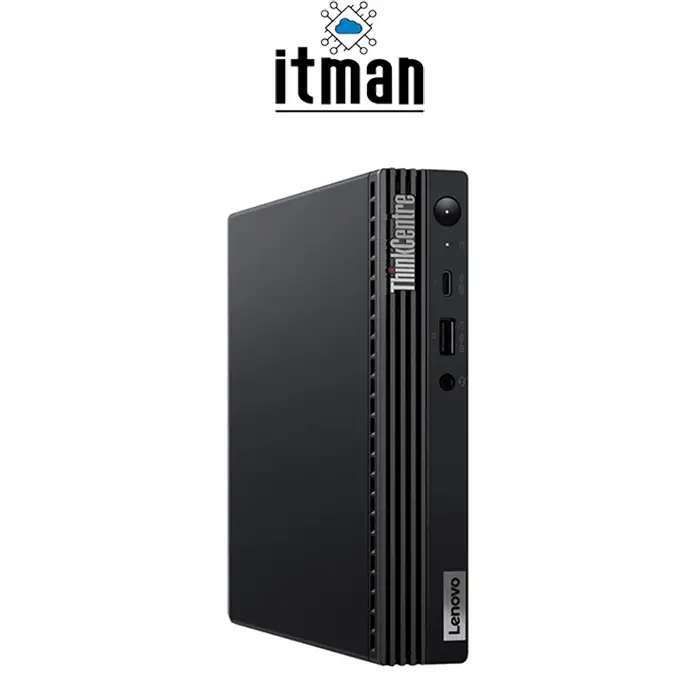
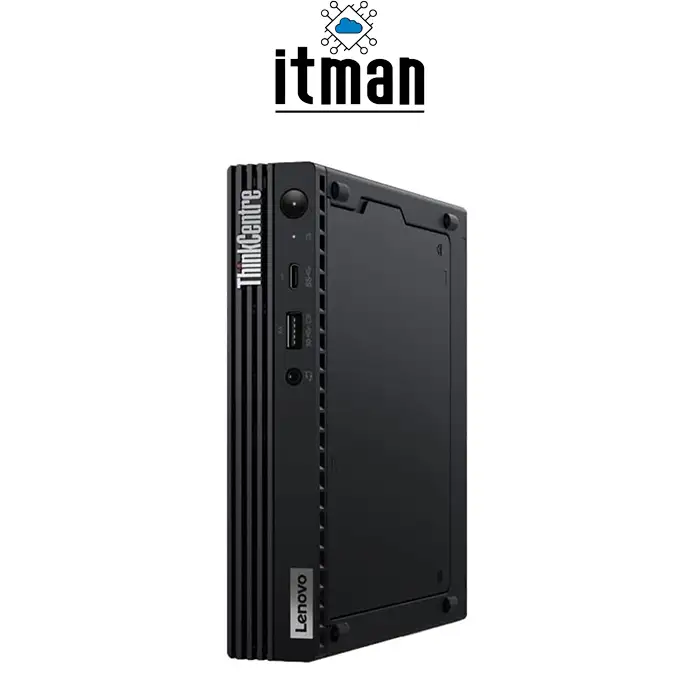
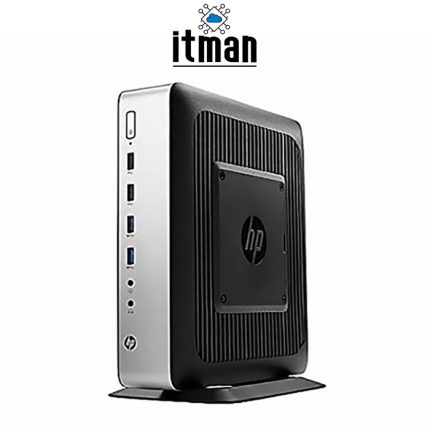
One of the defining characteristics of the Lenovo ThinkCentre M70q Gen 2 is its Tiny form factor. The computer measures approximately 179 × 182.9 × 36.5 mm with rubber feet and weighs around 1.25kg depending on configuration.
This approximately one-liter chassis occupies only a fraction of the space required by a conventional desktop tower. It can sit discreetly on a desk, be positioned beside a monitor, or be installed using compatible mounting solutions.
The chassis uses Lenovo’s familiar ThinkCentre business styling, with a black finish and understated appearance that fits naturally into corporate environments. Despite the compact footprint, Lenovo has maintained practical internal expansion options, including two M.2 slots—one intended for WLAN and one for SSD storage—and a 2.5-inch drive bay.
This combination of compact dimensions and serviceability is one reason Tiny PCs have become popular in offices where hundreds of systems may need to be deployed while keeping workspaces organized.
Display, Resolution and Monitor Support
The Lenovo ThinkCentre M70q Gen 2 is a desktop computer rather than an All-in-One PC, so it does not include a built-in display. Therefore, screen size, panel type, pixel density, brightness, and display resolution depend entirely on the external monitor connected to the computer.
For the Core i5-10400T configuration with Intel UHD Graphics 630, the onboard DisplayPort connection can support resolutions up to 4096 × 2304 at 60Hz, while the onboard HDMI connection supports up to 4096 × 2160 at 24Hz. Actual supported resolution and refresh rate can also depend on the monitor, cable, adapters, operating system, and selected video configuration.
This flexibility means users can pair the Lenovo ThinkCentre M70q Gen 2 with anything from a standard Full HD office monitor to higher-resolution displays. Multi-monitor configurations can also significantly improve productivity for users working with spreadsheets, monitoring applications, financial platforms, or multiple browser windows.
Power Supply and Battery
Because the Lenovo ThinkCentre M70q Gen 2 is a desktop computer, it does not contain a laptop-style battery for portable operation. It operates from an external AC power adapter.
A typical Core i5-10400T configuration uses a 65W power adapter. Combined with the low-power T-series processor and integrated graphics, this helps make the M70q Gen 2 suitable for environments where computers operate for long periods every working day.
For locations that require operation during power interruptions, the system can be connected to a compatible UPS.
Ports and Connectivity
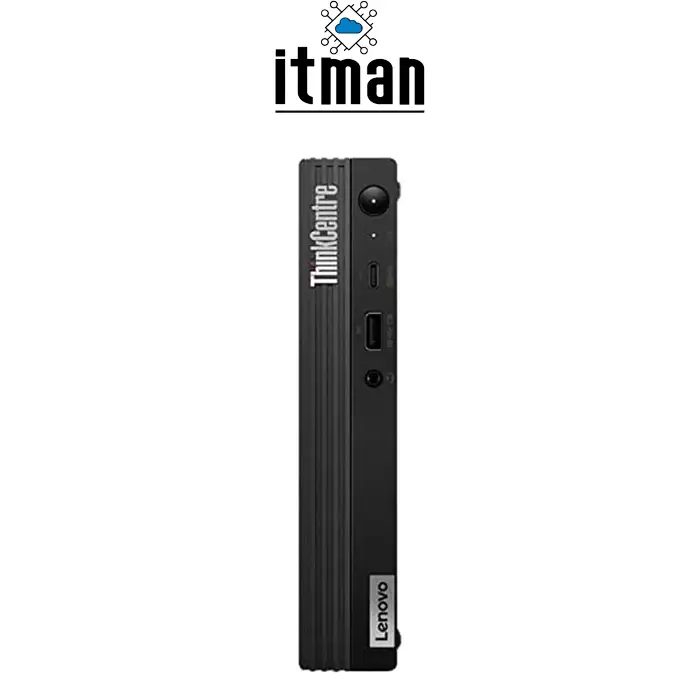
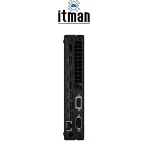
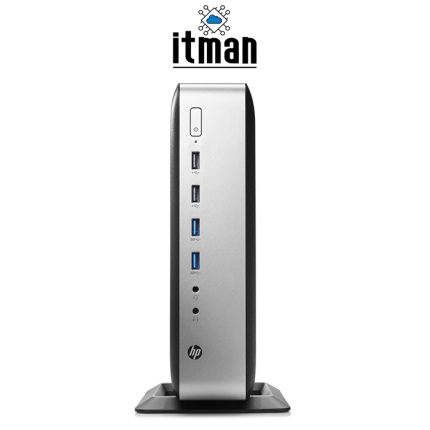
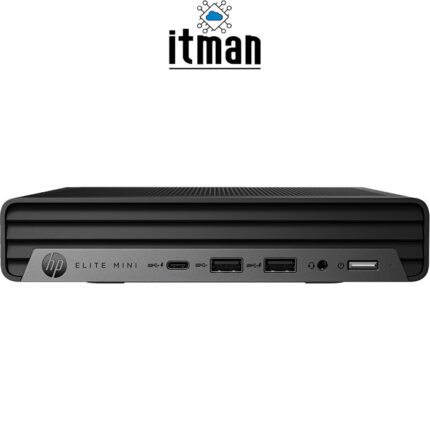
Despite its small size, the Lenovo ThinkCentre M70q Gen 2 offers a useful selection of ports. At the front, the platform includes one USB-C 3.2 Gen 1 port, one USB 3.2 Gen 2 port with Always On and fast-charging functionality, and a 3.5mm headphone/microphone combination jack.
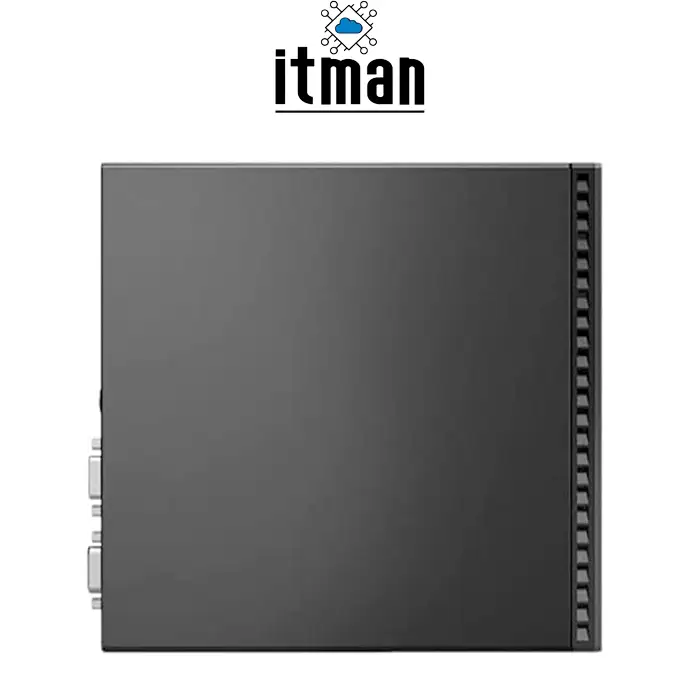
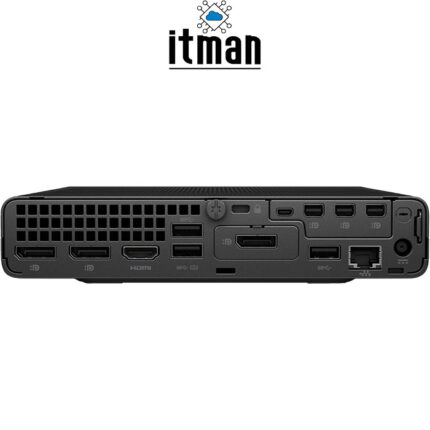
The rear includes one HDMI port, one DisplayPort, two USB 3.2 Gen 1 ports, two USB 3.2 Gen 2 ports, and one RJ-45 Ethernet connector. Certain configurations can also include an optional rear expansion port supporting options such as VGA, a second DisplayPort, a second HDMI, serial connectivity, or USB-C with DisplayPort functionality.
Gigabit Ethernet makes the machine particularly suitable for fixed office deployments where stable wired networking is important. Depending on configuration, wireless options can also include Wi-Fi and Bluetooth.
What Is the Lenovo ThinkCentre M70q Gen 2 Best Used For?
The Lenovo ThinkCentre M70q Gen 2 is particularly well suited to office and business environments. Its combination of six-core processing, 16GB RAM, NVMe storage, and compact dimensions makes it useful for accounting, administration, inventory management, customer service, web applications, Microsoft Office, email, video conferencing, and general corporate workloads.
It can also work effectively as a point-of-sale computer, reception PC, educational workstation, digital signage controller, monitoring terminal, remote-work computer, or compact desktop for home offices.
Businesses deploying multiple computers can particularly benefit from the Tiny format because systems require very little physical space and can create cleaner, easier-to-manage workstations.
Why 16GB RAM and NVMe Storage Matter in a Tiny Business PC
Compact size alone does not make a good business computer. A system also needs enough memory and sufficiently fast storage to remain responsive during daily workloads.
The combination of 16GB DDR4 RAM and a 512GB NVMe SSD makes this Lenovo ThinkCentre M70q Gen 2 significantly more practical for modern multitasking than entry-level configurations with limited memory or mechanical storage. The SSD improves boot and application loading times, while the 16GB memory capacity provides enough headroom for multiple business applications.
This configuration therefore avoids two of the most common performance bottlenecks found in older office computers.
Is the Lenovo ThinkCentre M70q Gen 2 a Good Replacement for a Full-Size Office Desktop?
For many business workloads, yes. Traditional tower desktops are still useful when users require full-size PCIe expansion cards, powerful discrete graphics cards, multiple internal drives, or extensive hardware expansion.
For ordinary office workloads, however, much of that internal space is unnecessary. The Lenovo ThinkCentre M70q Gen 2 provides desktop-class Core i5 processing, expandable memory, NVMe storage, multiple USB connections, Gigabit Ethernet, and multiple display options in a dramatically smaller chassis.
This makes it especially practical when desk space is limited or when organizations want cleaner installations without sacrificing normal office computing performance.
Lenovo ThinkCentre M70q Gen 2 vs Similar Lenovo Tiny PCs
| Feature | ThinkCentre M70q Gen 2 i5-10400T | ThinkCentre M70q Gen 2 i5-11400T | ThinkCentre M70q Gen 2 i5-11500T |
|---|---|---|---|
| Processor Generation | 10th Gen Intel Core | 11th Gen Intel Core | 11th Gen Intel Core |
| Cores / Threads | 6 / 12 | 6 / 12 | 6 / 12 |
| Base Clock | 2.0GHz | 1.3GHz | 1.5GHz |
| Max Turbo | Up to 3.6GHz | Up to 3.7GHz | Up to 3.9GHz |
| Cache | 12MB | 12MB | 12MB |
| Integrated Graphics | Intel UHD 630 | Intel UHD 730 | Intel UHD 750 |
| Memory Support by CPU | DDR4-2666 | DDR4-3200 | DDR4-3200 |
| Form Factor | Tiny | Tiny | Tiny |
| Best Fit | Everyday business computing | Newer office deployments | More graphics-focused office use |
The Core i5-10400T version remains a practical configuration for standard business applications. The 11th-generation variants provide newer integrated graphics and faster memory support, but organizations that mainly use Office applications, browsers, accounting platforms, and other general productivity software may find the i5-10400T configuration provides all the processing capability they need.
Lenovo ThinkCentre M70q Gen 2 Technical Specifications
| Specification | Details |
|---|---|
| Product | Lenovo ThinkCentre M70q Gen 2 |
| Form Factor | Tiny Desktop |
| Processor | Intel Core i5-10400T |
| Processor Generation | 10th Generation Intel Core |
| CPU Cores | 6 |
| CPU Threads | 12 |
| Base Frequency | 2.0GHz |
| Maximum Turbo Frequency | Up to 3.6GHz |
| Processor Cache | 12MB |
| Installed Memory | 16GB DDR4 |
| CPU Memory Speed | DDR4-2666 |
| Memory Slots | 2 × SO-DIMM |
| Maximum Platform Memory | Up to 64GB |
| Storage | 512GB M.2 PCIe NVMe SSD |
| Additional Storage Support | 1 × 2.5-inch drive bay |
| Graphics | Intel UHD Graphics 630 |
| Dedicated Graphics Memory | No; shared system memory |
| HDMI | Yes |
| DisplayPort | Yes |
| Maximum Displays | Up to 3 depending on configuration |
| Front USB-C | 1 × USB-C 3.2 Gen 1 |
| Front USB-A | 1 × USB 3.2 Gen 2 |
| Rear USB | 2 × USB 3.2 Gen 1 + 2 × USB 3.2 Gen 2 |
| Audio | 3.5mm headphone/microphone combo |
| Ethernet | Gigabit Ethernet RJ-45 |
| Wi-Fi | Configuration dependent |
| Bluetooth | Configuration dependent |
| Dimensions | Approx. 179 × 182.9 × 36.5 mm |
| Weight | Approx. 1.25kg, configuration dependent |
| Color | Black |
| Battery | Not applicable – desktop computer |
| Typical Adapter | 65W external AC adapter |
| Built-in Display | No |
Lenovo ThinkCentre M70q Gen 2 FAQ
1. Is the Lenovo ThinkCentre M70q Gen 2 suitable for office work?
Yes. Its six-core Core i5 processor, 16GB RAM, and NVMe SSD make it well suited to office applications, web-based systems, accounting software, email, video conferencing, and everyday multitasking.
2. What processor does this Lenovo ThinkCentre M70q Gen 2 use?
This configuration uses the Intel Core i5-10400T, a 10th-generation six-core, twelve-thread processor with speeds of up to 3.6GHz.
3. Can I upgrade the RAM in the ThinkCentre M70q Gen 2?
Yes. The platform includes two DDR4 SO-DIMM slots and supports up to 64GB of memory.
4. Does the Lenovo ThinkCentre M70q Gen 2 have an SSD?
Yes. This configuration includes a 512GB M.2 PCIe NVMe SSD.
5. Can I install a second storage drive?
The platform provides a 2.5-inch drive bay in addition to its M.2 SSD slot, although the exact hardware installed should always be checked before upgrading.
6. Does the M70q Gen 2 have dedicated graphics?
No. The Core i5-10400T configuration uses integrated Intel UHD Graphics 630 with shared system memory.
7. Can the Lenovo ThinkCentre M70q Gen 2 run multiple monitors?
Yes. The platform can support multiple displays, with up to three independent displays possible when the appropriate optional video configuration is installed.
8. Does the ThinkCentre M70q Gen 2 support 4K monitors?
Yes. Intel UHD Graphics 630 and the system’s digital display outputs can support 4K-class resolutions, although maximum refresh rate varies according to the connection used.
9. Does the Lenovo ThinkCentre M70q Gen 2 include Wi-Fi?
Wi-Fi availability depends on the exact configuration. The M70q Gen 2 platform was offered with several wireless options as well as configurations without WLAN.
10. Is the Lenovo ThinkCentre M70q Gen 2 good for gaming?
It can handle basic or older lightweight games, but it is primarily a business desktop. Intel UHD Graphics 630 is not intended to replace a dedicated gaming graphics card.
11. How small is the Lenovo ThinkCentre M70q Gen 2?
The Tiny chassis measures approximately 179 × 182.9 × 36.5 mm with rubber feet, making it substantially smaller than a standard desktop tower.
12. Where can I buy the Lenovo ThinkCentre M70q Gen 2?
The Lenovo ThinkCentre M70q Gen 2 with Intel Core i5-10400T, 16GB RAM, and 512GB NVMe SSD is available from ITMan. Customers can contact ITMan for current availability, configuration details, and ordering information.
Conclusion
The Lenovo ThinkCentre M70q Gen 2 demonstrates that a business desktop does not need a large tower to provide capable everyday performance. With its Intel Core i5-10400T processor, 16GB DDR4 RAM, 512GB NVMe SSD, Intel UHD Graphics 630, Gigabit Ethernet, modern USB connectivity, and compact Tiny chassis, it delivers a well-balanced specification for professional environments.
Its greatest strengths are its small footprint, practical connectivity, upgradeable memory, fast SSD storage, and six-core processor. For offices, reception areas, retail systems, educational environments, home offices, and organizations deploying multiple workstations, the Lenovo ThinkCentre M70q Gen 2 provides a clean and practical alternative to a traditional desktop PC.
ITMan offers the Lenovo ThinkCentre M70q Gen 2 for customers looking for a compact business desktop with dependable hardware and a practical configuration for everyday professional workloads.




















Reviews
There are no reviews yet.