















 ? Message us on
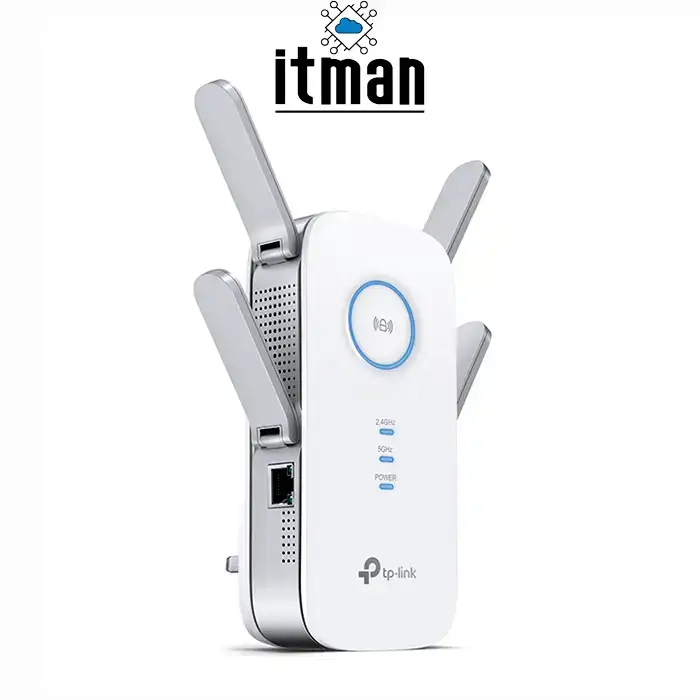
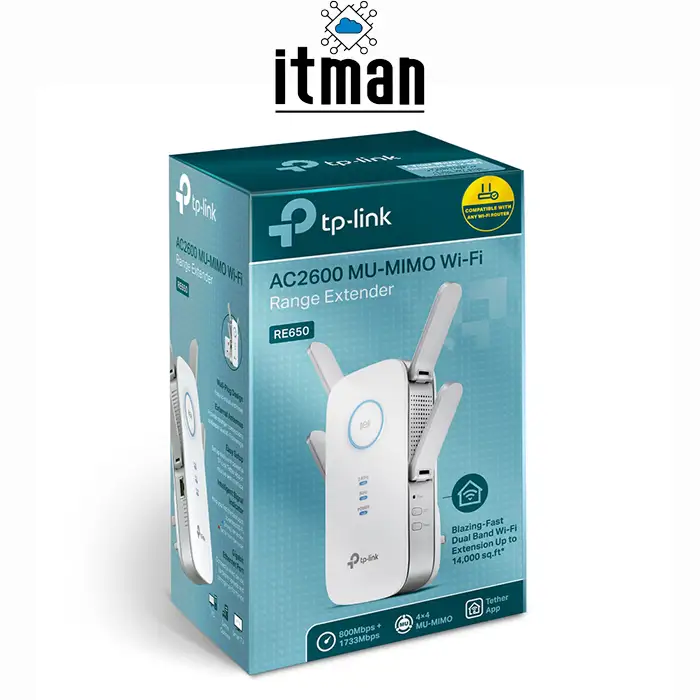
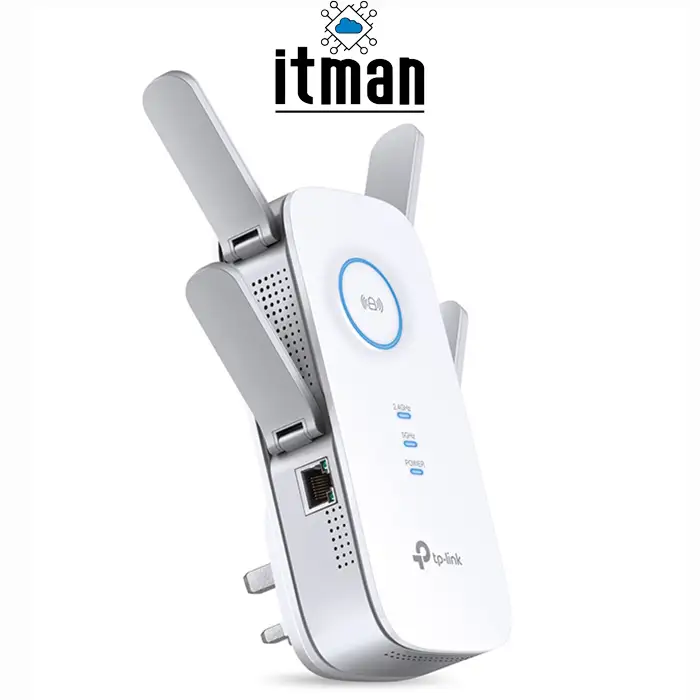
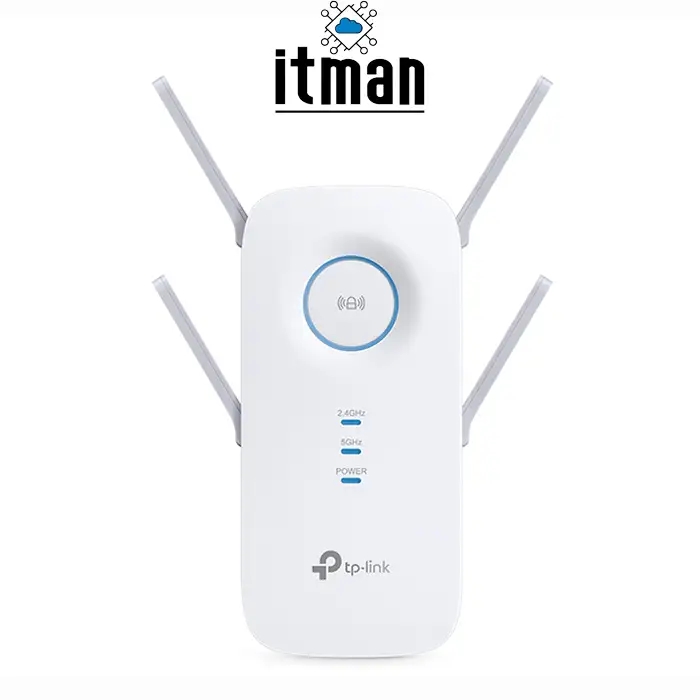
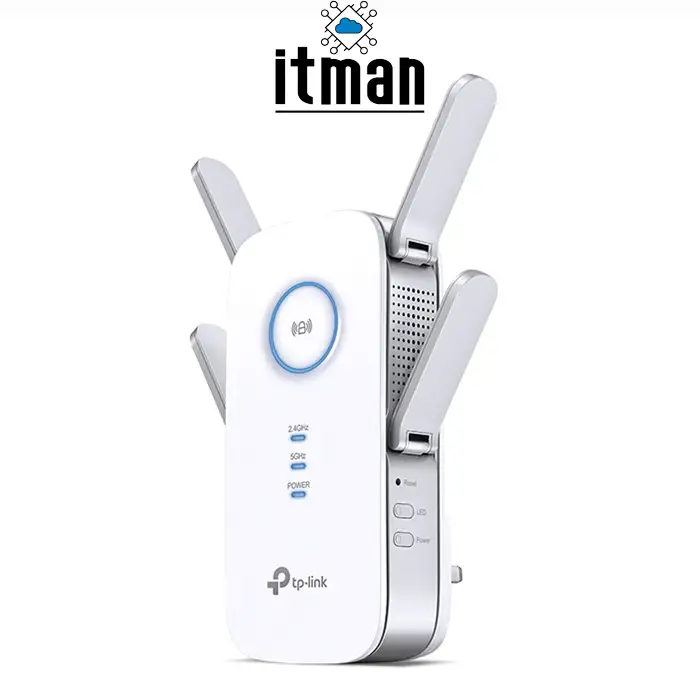
 The TP-Link RE650 is a powerful Wi-Fi range extender designed to improve wireless coverage and help eliminate Wi-Fi dead zones in homes, offices, and small business environments. If your existing router provides a strong connection in some areas but struggles to deliver reliable coverage in distant rooms, the TP-Link RE650 offers a practical solution by extending your existing wireless network. With AC2600 dual-band Wi-Fi, four external antennas, Beamforming technology, and a Gigabit Ethernet port, this device helps provide a more reliable wireless experience for everyday browsing, video streaming, online meetings, and connected devices.
TP-Link RE650 AC2600 Dual-Band Wi-Fi Range Extender
The TP-Link RE650 AC2600 Wi-Fi Range Extender supports wireless speeds of up to 800Mbps on the 2.4GHz band and 1733Mbps on the 5GHz band. Its dual-band design allows compatible devices to benefit from the appropriate frequency depending on their location, wireless capabilities, and network requirements. The four external antennas help extend coverage, while MU-MIMO technology allows the extender to communicate with multiple compatible devices more efficiently. Beamforming further improves wireless connectivity by directing Wi-Fi signals towards connected devices. Whether you need better coverage in a home office, meeting room, or another area with a weak signal, the TP-Link RE650 can help extend your existing wireless network without requiring a complete network replacement.
TP-Link RE650 Key Features
- AC2600 dual-band Wi-Fi with combined theoretical speeds of up to 2600Mbps
- Up to 800Mbps on 2.4GHz and 1733Mbps on 5GHz
- Four external antennas for extended wireless coverage
- MU-MIMO technology for improved communication with multiple compatible devices
- Beamforming technology for more targeted wireless signal transmission
- One Gigabit Ethernet port for connecting wired devices
- Access Point mode for creating a wireless network from a wired Ethernet connection
- TP-Link Tether app support for convenient network management
High-Speed Dual-Band Wi-Fi
One of the main advantages of the TP-Link RE650 is its AC2600 dual-band wireless capability. It operates on both 2.4GHz and 5GHz frequencies, offering flexibility for different network activities. The 2.4GHz band generally provides better reach through obstacles, while the 5GHz band can offer higher speeds over shorter distances when interference and signal conditions are favourable.
With theoretical wireless speeds of up to 800Mbps on 2.4GHz and 1733Mbps on 5GHz, the TP-Link RE650 is designed to support demanding everyday networking activities. These may include HD video streaming, web browsing, online collaboration, and connecting multiple wireless devices. Actual performance depends on the main router, internet connection, building layout, interference, and the distance between the extender and connected devices.
Four External Antennas for Extended Coverage
Weak Wi-Fi signals can make it difficult to work, stream content, or connect smart devices in rooms far from the main router. The TP-Link RE650 features four external antennas designed to help extend the reach of your existing wireless network.
For best results, place the extender where it can still receive a reliable signal from your main router, ideally between the router and the area with poor coverage. Installing a range extender in a location where the original signal is already extremely weak can limit its performance. Correct placement helps the TP-Link RE650 deliver a more useful connection to devices in previously underserved areas.
MU-MIMO and Beamforming Technology
The TP-Link RE650 incorporates MU-MIMO technology, which helps compatible wireless devices communicate more efficiently with the extender. This feature can be beneficial in environments where several devices access the network at the same time, although performance also depends on device compatibility and network conditions.
Beamforming technology helps direct wireless signals towards connected devices rather than distributing energy uniformly in every direction. Together, these technologies can contribute to a more consistent wireless experience for supported devices in suitable environments.
Gigabit Ethernet Port for Wired Connectivity
In addition to wireless connectivity, the TP-Link RE650 includes a Gigabit Ethernet port. This allows you to connect a compatible wired device, such as a desktop computer, smart TV, gaming console, or network-enabled equipment, to the extended network.
The Ethernet connection can be useful when a device does not have built-in Wi-Fi or when a wired connection is preferred. The available connection speed will depend on the extender’s wireless backhaul, the connected device, and the capabilities of the wider network.
Access Point Mode
The TP-Link RE650 supports Access Point mode, giving users another way to extend network connectivity. Instead of receiving an existing Wi-Fi signal wirelessly, it can use an Ethernet connection to provide wireless access to compatible devices.
This option is particularly useful when an Ethernet cable is already available in a room or office where additional Wi-Fi coverage is required. It provides greater flexibility for different installation scenarios without necessarily replacing the main router.
Easy Setup and Network Management
Setting up the TP-Link RE650 is designed to be straightforward. Users can configure the extender using the WPS function on compatible routers or follow the available setup instructions through a web browser. The TP-Link Tether app also provides a convenient way to manage supported network settings from a compatible mobile device.
After installation, users should check the signal strength and connection quality in the areas where they need improved coverage. Moving the extender to a more suitable location can make a noticeable difference to real-world performance.
Where Can You Use the TP-Link RE650?
The TP-Link RE650 is suitable for a variety of residential and small-office environments where the existing wireless network does not provide sufficient coverage. Common applications include:
- Extending Wi-Fi coverage to bedrooms, upper floors, and distant rooms
- Improving wireless access in home offices and study areas
- Providing connectivity in meeting rooms or small office spaces
- Connecting compatible wired devices through the Gigabit Ethernet port
- Supporting everyday streaming, browsing, and online communication
- Extending an existing wireless network without replacing the main router
The best results depend on the size and layout of the premises, the placement of the extender, and the quality of the original Wi-Fi signal.
TP-Link RE650 Specifications
| Specification | Details |
|---|---|
| Product Type | Wi-Fi Range Extender |
| Model | TP-Link RE650 |
| Wi-Fi Standard | IEEE 802.11a/b/g/n/ac |
| Wireless Class | AC2600 |
| 2.4GHz Speed | Up to 800Mbps |
| 5GHz Speed | Up to 1733Mbps |
| Antennas | Four external antennas |
| Ethernet Port | 1 × Gigabit Ethernet |
| Wireless Technologies | MU-MIMO, Beamforming |
| Operating Modes | Range Extender, Access Point |
| Management | TP-Link Tether app and web-based setup |
Wireless speeds are theoretical maximums, not guaranteed internet speeds. Specifications and available features may vary by hardware revision or regional version.
Why Choose the TP-Link RE650?
The TP-Link RE650 combines dual-band AC2600 wireless connectivity, four external antennas, MU-MIMO, Beamforming, and Gigabit Ethernet in a single range-extending device. It is a practical option for users who want to improve Wi-Fi coverage while keeping their existing router.
Before purchasing, consider your current router’s wireless capabilities, the area requiring coverage, and whether you can position the extender where it receives a strong signal. For larger premises or environments with particularly challenging walls and interference, a mesh Wi-Fi system or a wired access point may be a better solution.



















Reviews
There are no reviews yet.