










 ? Message us on
 Creating smooth, cinematic video has become a non-negotiable standard for content creators, filmmakers, and videographers in 2026. As cameras get more advanced, the need for motion stabilization that keeps pace with evolving frame rates, resolutions, and shooting styles becomes critical. This is where high-end three-axis gimbal stabilizers enter the picture. Among these, the DJI RS 4 Combo has quickly established itself as one of the most capable and versatile tools for DSLR and mirrorless camera shooters. Whether you are documenting travel stories, shooting short films, or building a professional portfolio for commercial work, the ability to capture stable, fluid movement separates amateur footage from polished professional output.
The increasing demand for creative freedom, especially for hybrid shooters who alternate between landscape, portrait, and dynamic action shots, requires a stabilizer that is not just mechanically strong but also intuitive and adaptable. The DJI RS 4 Combo addresses these needs with modern control interfaces, strong motor torque, and flexible shooting modes. In this article, we’ll break down its features, advantages, applications, comparison with other leading models, and present technical data in a clear and comprehensive format.
What Is the DJI RS 4 Combo?
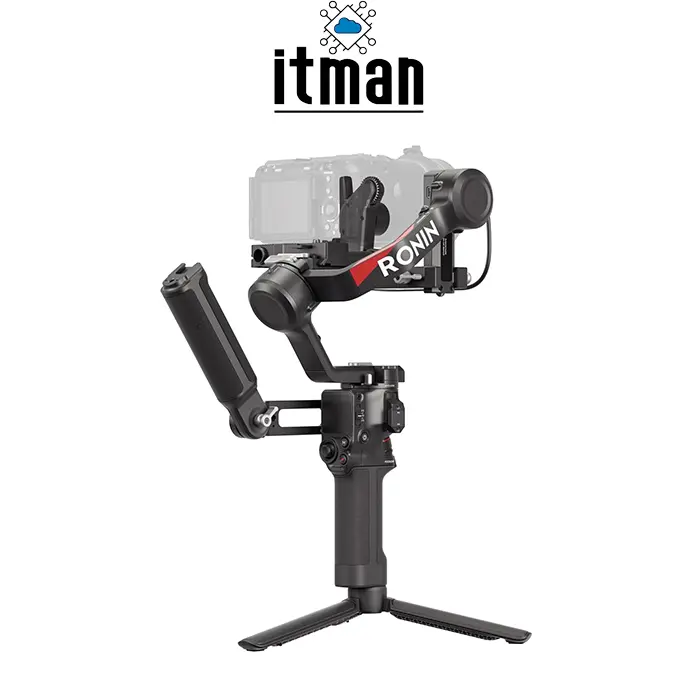
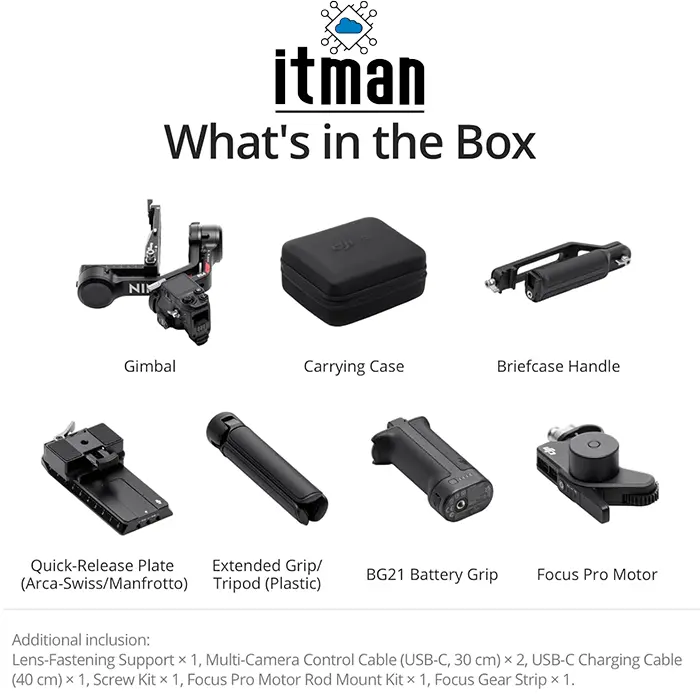
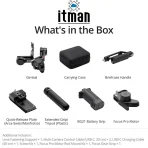
The DJI RS 4 Combo is a 3-axis handheld gimbal stabilizer designed for DSLR and mirrorless cameras from major brands like Canon, Sony, Panasonic, Nikon, and Fujifilm. As part of DJI’s RS series, it focuses on high payload performance, improved ergonomics, and native vertical shooting support—features that speak directly to both content creators and professionals. The “Combo” designation indicates that this package includes essential accessories such as a focus motor, quick-release plates, multi-camera control cables, and an extended battery system, making it a complete solution out of the box.
Unlike basic stabilization rigs that require frequent manual tuning and have limited functionality, the DJI RS 4 Combo offers a refined balance between precision, power, and usability. Its advanced motor design can handle heavier camera setups with ease, while integrated software features make complex motion shots and creative transitions easier to execute.
Key Features of the DJI RS 4 Combo
Three-Axis Stabilization
The core of the DJI RS 4 Combo is its three-axis stabilization system. This system compensates for unwanted motion along the pan, tilt, and roll axes. High-resolution IMU sensors detect movement thousands of times per second, which enables the gimbal’s motors to make rapid micro-adjustments to keep footage steady even when walking or running.
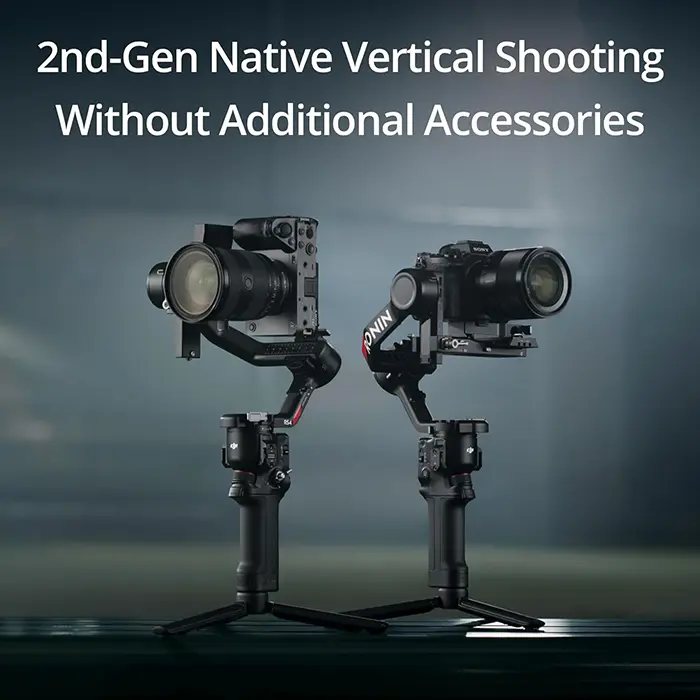
Native Vertical Shooting
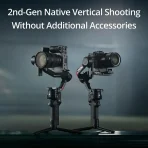
Content platforms like TikTok, Instagram Reels, and YouTube Shorts have made vertical video a standard format. The DJI RS 4 Combo supports native vertical shooting without awkward mounting or post-production cropping. This means creators can switch mental shooting modes on the fly and shoot natively in vertical orientation with true stabilization.
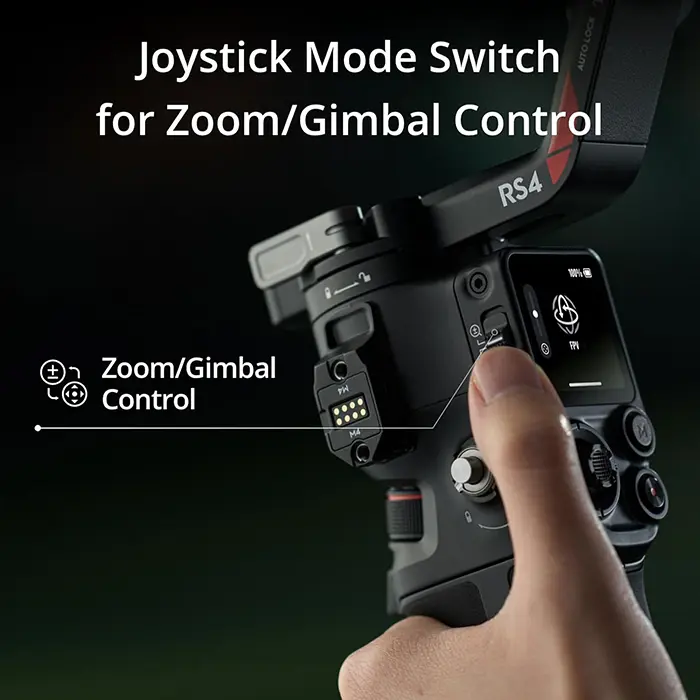
Two-Mode Switch Joystick
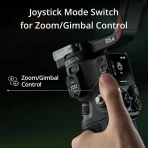
A standout control innovation of the DJI RS 4 Combo is the two-mode switch joystick interface. This switch lets shooters quickly toggle between standard and sports tracking modes. In standard mode, the gimbal emphasizes smooth, cinematic pans and tilts. In sports mode, the response is faster and more responsive—ideal for action sequences or moving subjects.
Strong Motor Torque
Industry professionals often demand a gimbal that can support larger cinema or hybrid camera setups. The DJI RS 4 Combo includes motors with high torque output, enabling the system to stabilize not only lightweight mirrorless rigs but also heavier DSLR setups with large lenses or accessories like external monitors and audio systems.
Quick Setup and Balancing
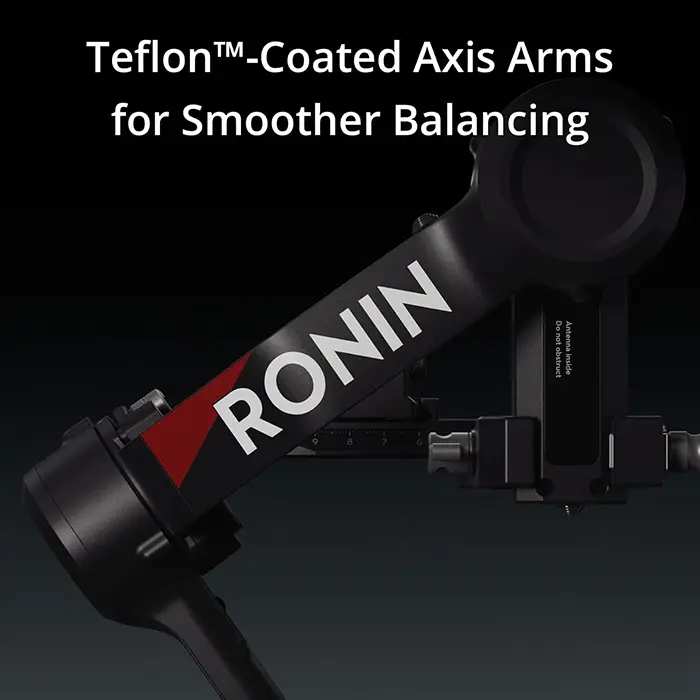
Balancing a camera on a gimbal can be one of the most time-consuming parts of a shoot. DJI has simplified this process on the DJI RS 4 Combo with intuitive mechanical adjustments and on-screen guides that help balance the camera quickly. A balanced setup improves motor efficiency and extends battery life.
Advanced Creative Tools
Integrated features such as time-lapse, motion-lapse, panorama, and dolly zoom are available through the gimbal’s interface and companion app. These tools let filmmakers create complex cinematic sequences without specialized equipment.
Practical Advantages of Using the DJI RS 4 Combo
Greater Footage Stability
If you’ve ever filmed handheld without a stabilizer, you are familiar with shaky frames and jarring motion. The DJI RS 4 Combo eliminates most of these artifacts, significantly improving the visual quality of footage during walking shots, run-and-gun scenarios, or even handheld pans.
Professional Workflow Integration
The Combo includes ports and control cables that allow direct communication between the gimbal and camera. This means lens focus, record start/stop, and other functions can be triggered from the gimbal, streamlining on-set operation and reducing accessory clutter.
Creativity On Demand
With features like native vertical shooting and motion-lapse capabilities, the DJI RS 4 Combo encourages creative experimentation. Whether shooting for social media or storytelling narratives, the ability to quickly alternate shot styles adds production flexibility.
Reduced Post-Production Time
The stronger the stabilization in-camera, the less time is needed in editing software to stabilize footage. This accelerates turnaround—especially valuable when deadlines are tight.
Real-World Applications for the DJI RS 4 Combo
- Event Videography: Weddings, seminars, and corporate events involve constant movement and dynamic environments. Gimbals help videographers follow subjects smoothly through spaces without distracting camera shake, preserving narrative continuity.
- Travel and Documentary Shooting: Travel vloggers and documentary filmmakers benefit from lightweight yet powerful stabilization. Walking tours, street scenes, and environmental storytelling all become significantly more engaging when footage flows naturally rather than jumps.
- Commercial and Promotional Content: For producers shooting product ads, real estate walkthroughs, or brand marketing videos, professional-level stabilization helps maintain viewer attention and enhances perceived production quality.
- Independent Filmmaking: Short films and indie projects often lack expensive stabilization rigs like motorized dollies or cranes. The DJI RS 4 Combo serves as a versatile tool for complex movements, mini tracking shots, and expressive camera paths without heavy gear.
Practical Tips for Using Your DJI RS 4 Combo
- Transition Smoothly Between Orientations: With native vertical shooting, plan your shots to incorporate both horizontal and vertical meaningfully. When transitioning, ease your movement to take advantage of stabilization responding gradually.
- Balance Properly Every Time: Even with motor strength, improper balance leads to motor strain and shorter battery life. Take a few extra minutes to confirm the tilt, roll, and pan axes are balanced before powering up.
- Explore Motion-Based Features: Do not overlook in-gimbal creative functions like motion-lapse. These can add dramatic sequences to your projects without time-consuming setups or extra gear.
Comparison: DJI RS 4 Combo Versus Other DJI Gimbals
Here is a comparison of DJI RS 4 Combo with three other notable gimbals from DJI’s lineup:
| Feature / Model | DJI RS 4 Combo | DJI RS 3 Pro | DJI RS 2 | DJI Ronin-S |
|---|---|---|---|---|
| Maximum Payload | ~4.5 kg | ~4.5 kg | ~4.5 kg | ~3.6 kg |
| Native Vertical Shooting | Yes | Yes | Yes | No |
| Two-Mode Switch Joystick | Yes | Yes | No | No |
| OLED Status Screen | Yes | Yes | Yes | Basic indicators |
| Focus Motor Included (Combo) | Yes | Yes | Yes | Depends on Kit |
| Battery Life (Hours) | ~12 Hours | ~12 Hours | ~12 Hours | ~12 Hours |
| Advanced Creative Modes | Yes | Yes | Yes | Limited |
| Weight (Without Camera) | Medium | Slightly heavier | Slightly lighter | Light |
In this table, the DJI RS 4 Combo aligns closely with higher-end stabilizers like the RS 3 Pro and RS 2 while introducing more accessible control features such as the two-mode joystick and expanded creative functions. Compared to the older Ronin-S platform, the RS series provides more modern software support and a more robust hardware design.
Full Technical Specifications: DJI RS 4 Combo
| Specification | Detail |
|---|---|
| Gimbal Type | 3-Axis Handheld Stabilizer |
| Compatible Cameras | DSLR / Mirrorless (Canon, Sony, Nikon, Panasonic, Fujifilm) |
| Maximum Payload | ~4.5 kg |
| Motor Torque | High torque for heavy setups |
| Shooting Modes | Standard, Sports, Time-lapse, Motion-lapse, Panorama |
| Connectivity | USB-C, Camera Control Cables Included |
| Native Vertical Shooting | Supported |
| Battery Runtime | ~12 hours |
| Charging | USB-C PD compatible |
| Dimensions (Folded) | Compact for transport |
| Weight (Gimbal only) | Medium (precise value depends on config) |
| Included Accessories | Quick-release plates, Focus motor, Multi-camera cables |
Frequently Asked Questions (FAQ)
1. Can the DJI RS 4 Combo support heavy cinema lenses?
Yes, the high torque motors in the DJI RS 4 Combo are designed to handle heavier lenses, but proper balancing is essential for peak performance.
2. Is the DJI RS 4 Combo compatible with RED cameras or larger cinema rigs?
While it can support some heavier setups within its payload, users should verify the combined weight and balance before professional use.
3. Does the gimbal require firmware updates?
Yes, DJI periodically releases firmware updates to improve stability and add creative features. Use the DJI app to update.
4. Can I control focus wirelessly with DJI RS 4 Combo?
The Combo includes a focus motor and cable, but wireless focus control depends on specific camera compatibility and accessories.
5. Is vertical shooting truly native, or an accessory add-on?
Vertical shooting is natively supported on the DJI RS 4 Combo without the need for additional adapters.
6. Can the gimbal be mounted on vehicles or sliders?
Yes, with appropriate accessories, the DJI RS 4 Combo can integrate into more complex rigs like sliders or vehicle mounts.
7. How long does balancing take for a typical setup?
With some practice, balancing can take about 3–5 minutes. Proper balancing yields better stabilization and battery life.
8. Does the gimbal have Bluetooth or Wi-Fi connectivity?
Connectivity options support communication with the smartphone app, but details vary by firmware and accessory.
9. Can I shoot time-lapse sequences directly from the gimbal?
Yes, the DJI RS 4 Combo offers built-in time-lapse and motion-lapse shooting modes controlled through the interface.
10. Is it necessary to use the DJI app with the gimbal?
While basic stabilization works out of the box, the app unlocks advanced features, calibration tools, and creative modes.















Reviews
There are no reviews yet.