











 ? Message us on
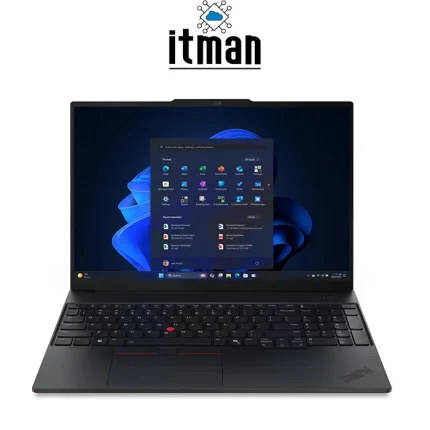
 For professionals who need a laptop that can keep up with demanding multitasking without moving into the size and cost of a workstation, the Lenovo ThinkPad E16 Gen3 Laptop is a strong option. This Lenovo Laptop combines Intel’s Core Ultra 7 258V processor with 32GB of high-speed LPDDR5X memory, a 512GB SSD and Intel Arc Graphics 140V.
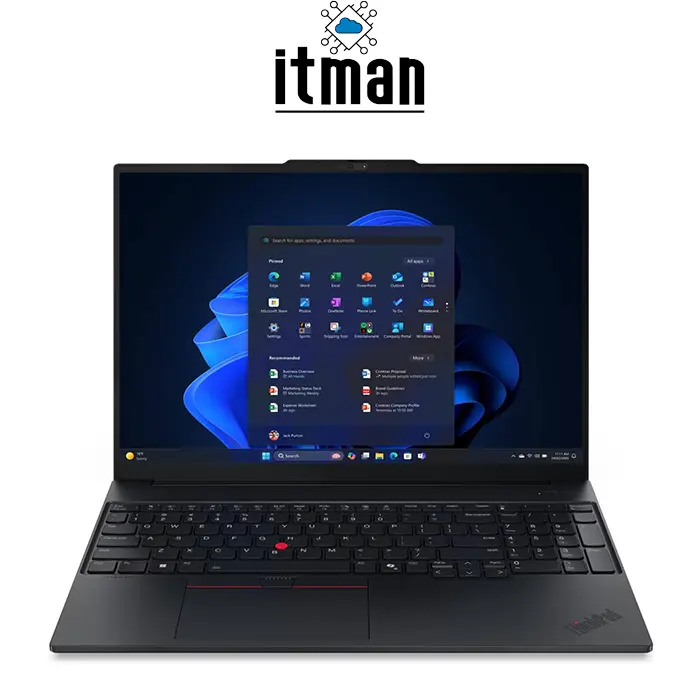
The result is a business laptop designed for users who work with multiple applications, large documents, browser tabs, communication platforms and productivity software throughout the day. Its 16-inch WUXGA IPS screen also provides more vertical workspace than conventional 16:9 laptops, making it particularly practical for spreadsheets, documents and professional applications. The model available from ITMan is identified by part number 22AY0013GQ and comes in black with an English (EU) keyboard and no operating system.
Lenovo ThinkPad E16 Gen3 Laptop: A Powerful Business Configuration
The Lenovo ThinkPad E16 Gen3 Laptop is built around the Intel Core Ultra 7 258V, a modern mobile processor designed to combine performance with improved power efficiency. Unlike entry-level business laptops that typically rely on modest processors and limited memory, this configuration comes with 32GB RAM from the start. That makes a significant difference when the laptop is used for serious multitasking. A user can have a large spreadsheet, dozens of browser tabs, email, Teams, accounting software, PDF files and other applications running simultaneously without the system being restricted by a small memory capacity. The processor also includes a dedicated NPU for compatible AI workloads, making this generation of ThinkPad more relevant to modern productivity applications.
Storage is provided by a 512GB SSD, giving the Lenovo ThinkPad E16 Gen3 Laptop fast system responsiveness and sufficient space for most professional documents and applications. The machine also offers the connectivity expected from a business-oriented computer, including USB-C/Thunderbolt connectivity, USB-A, HDMI and wired Ethernet. Its 16-inch body gives it more room for a comfortable keyboard and numeric keypad while maintaining a professional black ThinkPad appearance. With its combination of processing power, memory, graphics capability and large display, the 22AY0013GQ configuration is aimed at users who want considerably more than an entry-level office laptop.
Intel Core Ultra 7 258V: The Main Performance Advantage
At the center of this Lenovo ThinkPad E16 Gen3 Laptop is the Intel Core Ultra 7 258V. This processor features 8 cores and 8 threads and can reach a maximum frequency of up to 4.8GHz on its Performance cores. It also includes 12MB of cache, helping the system handle frequently accessed data efficiently.
What makes this processor particularly interesting is that it is not focused exclusively on traditional CPU performance. The Core Ultra platform also incorporates a dedicated Neural Processing Unit, or NPU, which can accelerate supported artificial intelligence workloads. This can be useful for applications that increasingly use AI-based functions such as background effects, image processing, content assistance and other local AI features.
For everyday professional use, the Core Ultra 7 258V provides more than enough headroom for demanding office applications, programming, business software, multitasking and general content creation. It also makes the Lenovo ThinkPad E16 Gen3 Laptop a better long-term proposition than configurations built around lower-tier processors.
32GB LPDDR5X RAM for Heavy Multitasking
One of the biggest strengths of this particular Lenovo ThinkPad E16 Gen3 Laptop is its 32GB memory configuration. Instead of having to upgrade from a basic 8GB or 16GB configuration, users receive a large amount of RAM from the beginning. The memory uses LPDDR5X technology and operates at a very high 8533MT/s speed on the Lunar Lake platform. This high bandwidth is beneficial not only for the CPU but also for the integrated Intel Arc graphics, which uses system memory rather than dedicated graphics memory.
Thirty-two gigabytes is particularly useful for developers, analysts, engineers and business users who routinely keep many applications open at the same time. It is also a sensible choice for users who want to keep the laptop for several years. One important consideration is that the memory is integrated and is not intended to be upgraded later, making the 32GB configuration especially valuable.
512GB SSD: Fast Storage for Everyday Professional Work
The 512GB SSD gives the Lenovo ThinkPad E16 Gen3 Laptop the responsiveness expected from a modern notebook. Applications can launch quickly, Windows installation and updates are handled more efficiently, and moving between files is substantially faster than with traditional mechanical hard drives.
For office documents, accounting files, presentations, software projects, photographs and general business data, 512GB offers a practical amount of internal storage. Users who work with very large video projects, extensive databases or multiple virtual machines may eventually benefit from additional external or network storage. The combination of a fast SSD and 32GB RAM is particularly important because both components contribute to the feeling of a responsive computer. The system does not have to rely heavily on slow storage when managing active applications.
Intel Arc Graphics 140V for More Than Basic Integrated Graphics
Graphics processing is handled by Intel Arc Graphics 140V. This is an integrated GPU, but it is considerably more capable than the basic graphics solutions traditionally found in many office laptops. For the Lenovo ThinkPad E16 Gen3 Laptop, the Arc 140V is suitable for everyday graphics acceleration, high-resolution media playback, multiple displays, light creative work, photo editing and casual gaming. It can also contribute to AI-related workloads alongside the CPU and NPU.
Because the graphics processor is integrated, it does not have a separate dedicated VRAM pool like a GeForce RTX graphics card. Instead, it uses the laptop’s system memory. This makes the 32GB LPDDR5X configuration particularly useful. The Arc 140V should not be confused with a dedicated gaming GPU, however. Users whose main priority is professional 3D rendering, demanding CAD workloads or high-end gaming should look at Lenovo’s dedicated-GPU models instead.
16-Inch WUXGA IPS Display: More Workspace for Professional Users
The display is one of the biggest practical advantages of the Lenovo ThinkPad E16 Gen3 Laptop. Its 16-inch screen uses a 16:10 aspect ratio rather than the older 16:9 format commonly found on laptops. The 1920 × 1200 WUXGA resolution produces approximately 141 pixels per inch on a 16-inch panel. Although it is not as pixel-dense as a 2560 × 1600 display, it provides a good balance between sharpness, readability and system efficiency. The additional 120 vertical pixels compared with a Full HD 1920 × 1080 screen are particularly useful for documents, websites, spreadsheets and programming interfaces.
The IPS panel offers wide viewing angles, while the anti-glare finish helps reduce distracting reflections when working under office lighting. With a 300-nit brightness rating and 60Hz refresh rate, the display is optimized for productivity rather than professional color grading or high-refresh gaming.
The 45% NTSC color coverage also indicates that this particular panel is aimed primarily at business and general-purpose computing. Users working with spreadsheets, presentations, coding, ERP systems, web applications and documents should find the display well suited to those tasks. Users whose work depends heavily on color accuracy may prefer one of Lenovo’s higher-end display configurations.
ThinkPad Design in a Larger 16-Inch Form
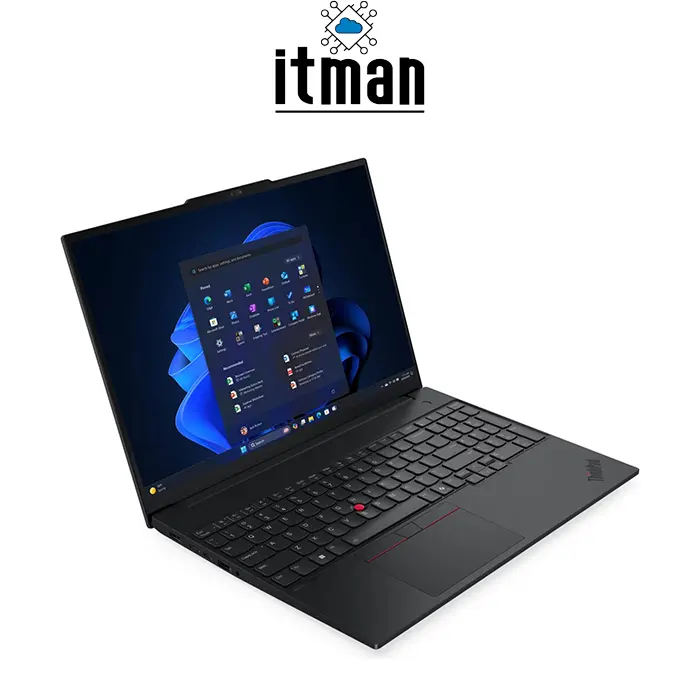
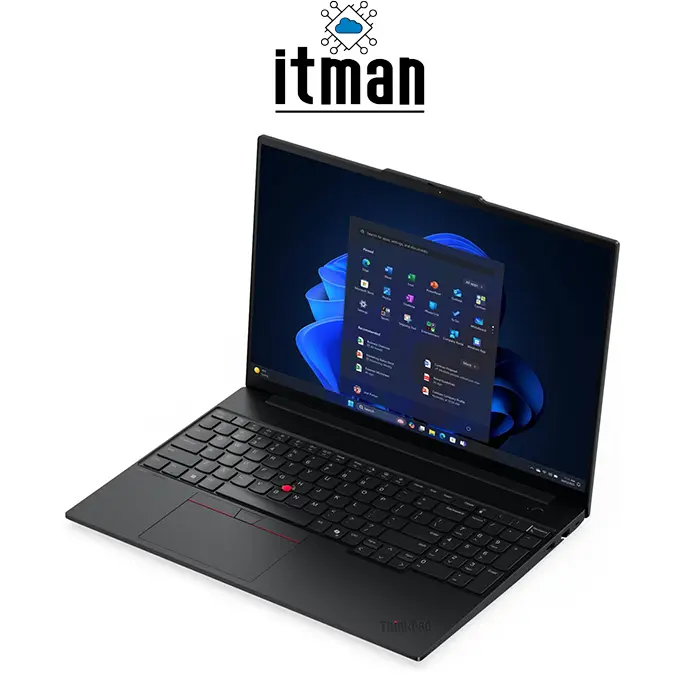
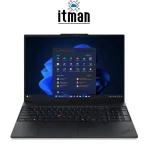
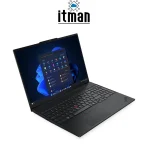
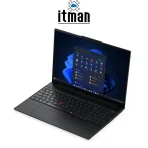
The Lenovo ThinkPad E16 Gen3 Laptop retains the recognizable professional appearance of the ThinkPad family. The black exterior gives it a conservative business aesthetic that fits naturally into an office, meeting room or university environment. The larger chassis also provides room for a full-size keyboard with a numeric keypad, something that can be extremely useful for accounting, finance and data-entry work. The familiar TrackPoint is also available alongside the touchpad.
At approximately 356 × 249mm, the laptop provides a substantial working area without becoming excessively bulky. Depending on configuration, thickness is around 21mm, while Lunar Lake configurations start at approximately 1.61kg. For a 16-inch business laptop, this is a reasonable combination of screen size and portability.
Battery and Mobility
Battery capacity can vary depending on the exact E16 Gen 3 configuration, with Lenovo offering different battery options including 48Wh and 64Wh variants. The Core Ultra 7 258V platform is designed with efficiency in mind, which can help reduce unnecessary power consumption during lighter workloads.
Actual battery life depends on brightness, wireless connectivity, workload and power settings. Office applications and web browsing will naturally consume less energy than intensive CPU or GPU workloads. Rapid charging support is also available on applicable configurations, allowing users to recover a useful amount of battery capacity without waiting for a complete recharge.
Who Is the Lenovo ThinkPad E16 Gen3 Laptop For?
The Lenovo ThinkPad E16 Gen3 Laptop is particularly well suited to professionals who spend a significant part of their day working from a laptop. Accountants can benefit from the large 16-inch workspace and numeric keypad, while programmers can take advantage of the additional vertical screen area and 32GB RAM.
It is also a practical option for managers, consultants, students, remote workers and business owners who need a reliable machine for multitasking. The Core Ultra 7 processor and Arc 140V graphics additionally make it more versatile than basic office notebooks.
Why This Configuration Makes Sense for Long-Term Use
A laptop with 32GB RAM and a Core Ultra 7 processor has considerably more headroom than a typical entry-level business configuration. As applications become heavier and AI functions become more common, having additional processing resources can extend the useful life of the machine. For this reason, the 22AY0013GQ configuration is particularly attractive for buyers who would rather purchase a capable laptop now than replace a lower-spec model after only a few years.
Ports and Connectivity
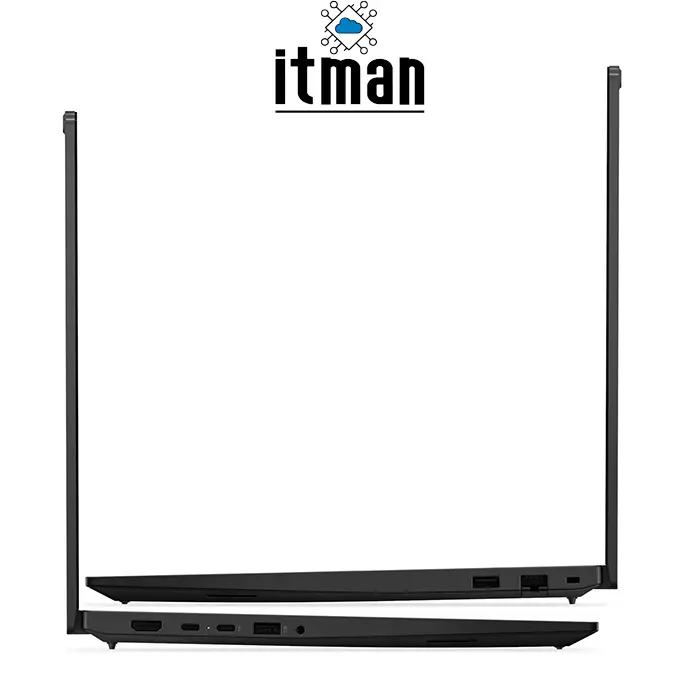
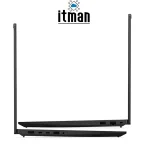
Connectivity is another area where the Lenovo ThinkPad E16 Gen3 Laptop remains focused on practical business use. Depending on the exact configuration, the platform provides USB-A ports, USB-C/Thunderbolt 4 connectivity, HDMI 2.1, Gigabit Ethernet and a 3.5mm audio combination jack.
The presence of RJ-45 Ethernet is especially useful in offices and professional environments where a stable wired connection is preferred. USB-C and Thunderbolt 4 can also simplify connections to modern docks, external displays and high-speed storage devices. HDMI provides a straightforward way to connect the laptop to a monitor, projector or television.
Lenovo ThinkPad E16 Gen3 Laptop vs Similar Lenovo Models
The Lenovo ThinkPad E16 Gen3 Laptop occupies an interesting position in Lenovo’s business notebook lineup. Compared with the smaller ThinkPad E14 Gen 7, the E16 prioritizes screen size and workspace. The E14 is easier to carry, while the E16 is more comfortable for long desk-based sessions.
The ThinkPad T16 generally sits higher in Lenovo’s business hierarchy and can offer additional premium features depending on configuration. Meanwhile, ThinkPad P-series models are more appropriate when workstation-class performance is required. For buyers who want a large professional display, strong CPU performance, 32GB RAM and a relatively portable chassis without moving to a workstation, the E16 Gen 3 is a balanced choice.
| Feature | Lenovo ThinkPad E16 Gen3 Laptop | ThinkPad E14 Gen 7 | ThinkPad T16 Gen 4 |
|---|---|---|---|
| Screen Size | 16-inch | 14-inch | 16-inch |
| Aspect Ratio | 16:10 | 16:10 | 16:10 |
| Resolution | 1920 × 1200 | Configuration dependent | Configuration dependent |
| Processor | Core Ultra 7 258V | Various Core Ultra options | Various Core Ultra options |
| RAM | 32GB LPDDR5X | Configuration dependent | Configuration dependent |
| Graphics | Intel Arc 140V | Integrated options | Integrated options |
| Storage | 512GB SSD | Configuration dependent | Configuration dependent |
| Keyboard | English (EU) | Region dependent | Region dependent |
| Operating System | No OS | Configuration dependent | Configuration dependent |
| Target User | Business & productivity | Mobile professionals | Premium business users |
Lenovo ThinkPad E16 Gen3 Laptop Specifications
| Specification | Details |
|---|---|
| Brand | Lenovo |
| Family | ThinkPad |
| Model | E16 Gen 3 |
| Part Number | 22AY0013GQ |
| Processor | Intel Core Ultra 7 258V |
| CPU Cores | 8 |
| CPU Threads | 8 |
| Maximum Frequency | Up to 4.8GHz |
| CPU Cache | 12MB |
| NPU | Intel AI Boost |
| Graphics | Intel Arc Graphics 140V |
| Graphics Type | Integrated |
| RAM | 32GB |
| RAM Technology | LPDDR5X |
| RAM Speed | 8533MT/s |
| Storage | 512GB SSD |
| Display | 16-inch WUXGA IPS |
| Resolution | 1920 × 1200 |
| Aspect Ratio | 16:10 |
| Refresh Rate | 60Hz |
| Brightness | 300 nits |
| Color Coverage | 45% NTSC |
| Display Surface | Anti-glare |
| Keyboard | English (EU) |
| Operating System | No OS |
| Color | Black |
| Ethernet | RJ-45 Gigabit Ethernet |
| Video Output | HDMI 2.1, USB-C/Thunderbolt |
| Audio | 3.5mm combo jack |
| Battery Options | 48Wh / 64Wh depending configuration |
| Weight | From approx. 1.61kg |
| Dimensions | Approx. 356 × 249mm |
| Product Code | 22AY0013GQ |
FAQ
Is the Lenovo ThinkPad E16 Gen3 Laptop good for business use?
Yes. Its Core Ultra 7 processor, 32GB RAM, large 16-inch display and business-oriented connectivity make it well suited to professional workloads.
What CPU is included in the Lenovo ThinkPad E16 Gen3 Laptop?
This configuration uses the Intel Core Ultra 7 258V with 8 cores and 8 threads and a maximum P-core frequency of up to 4.8GHz.
How much RAM does this Lenovo laptop have?
The 22AY0013GQ configuration comes with 32GB LPDDR5X memory.
Can the 32GB RAM be upgraded?
The Lunar Lake memory is integrated into the platform and is not user-upgradeable.
What GPU does the Lenovo ThinkPad E16 Gen3 Laptop use?
It uses Intel Arc Graphics 140V integrated graphics.
Is this laptop suitable for programming?
Yes. The Core Ultra 7 processor, 32GB RAM and 16:10 display make it particularly suitable for development environments, IDEs, databases and multitasking.
What is the screen resolution?
The specified display has a 1920 × 1200 WUXGA resolution.
Is the screen 120Hz?
No. This configuration uses a 60Hz display.
Does the laptop have an Ethernet port?
Yes. It includes RJ-45 Gigabit Ethernet connectivity.
Does it include Windows?
No. The specified 22AY0013GQ configuration comes with No OS.
Is the Lenovo ThinkPad E16 Gen3 Laptop good for gaming?
It can handle casual and lighter gaming, but it is primarily designed for business and productivity rather than demanding AAA gaming.
Does it support external monitors?
Yes. USB-C/Thunderbolt and HDMI provide options for connecting external displays.
What is the storage capacity?
This configuration includes a 512GB SSD.
What is the exact part number?
The exact part number is 22AY0013GQ.
Where can I buy the Lenovo ThinkPad E16 Gen3 Laptop?
The Lenovo ThinkPad E16 Gen3 Laptop 22AY0013GQ is available from ITMan for customers looking for this specific configuration.
Final Verdict
The Lenovo ThinkPad E16 Gen3 Laptop is designed for users who want business-class practicality without compromising on modern performance. The combination of Core Ultra 7 258V, 32GB LPDDR5X memory, 512GB SSD and Intel Arc Graphics 140V gives this configuration enough capability for demanding everyday productivity, multitasking and professional applications.
Its 16-inch WUXGA IPS display is another major advantage, particularly for users who work extensively with documents, spreadsheets, coding environments and browser-based applications. The 16:10 format gives useful additional vertical workspace, while the anti-glare IPS panel keeps the experience comfortable for typical office environments.
For professionals seeking a large-screen ThinkPad with substantial memory, modern Intel Core Ultra performance and practical connectivity, the Lenovo ThinkPad E16 Gen3 Laptop 22AY0013GQ is a well-balanced choice. ITMan offers this specific configuration for buyers who want a capable, modern business laptop without stepping into the significantly more expensive workstation segment.



















Reviews
There are no reviews yet.