











 ? Message us on
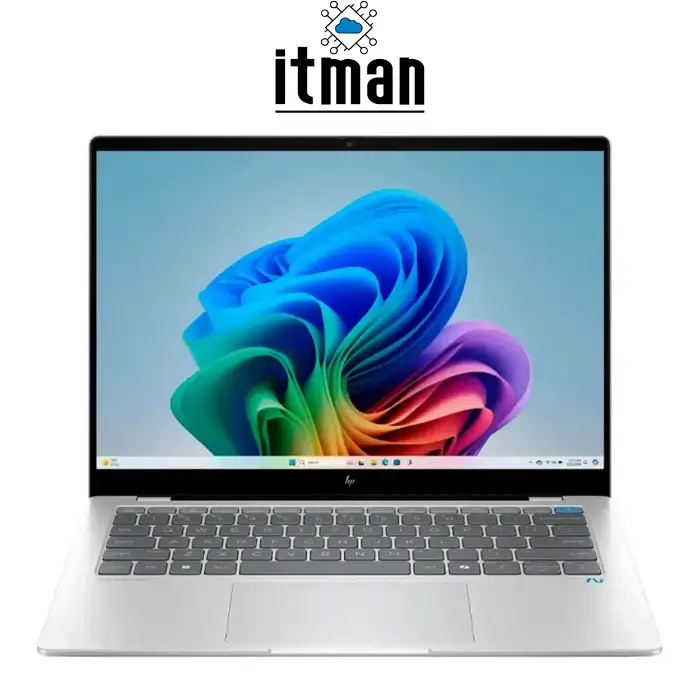
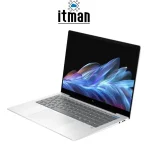
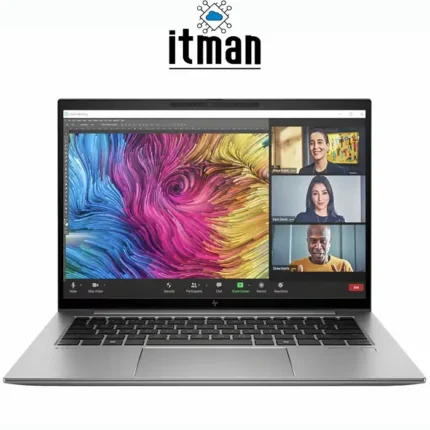
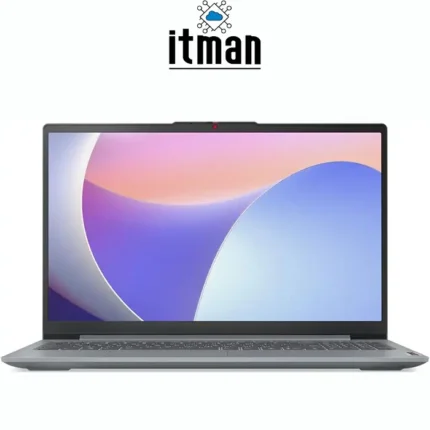
 The HP OmniBook X14 Laptop is a modern AI-focused notebook designed for users who need a combination of portability, long battery life, responsive everyday performance, and premium display quality. Powered by the Qualcomm Snapdragon X Plus processor and equipped with 16GB LPDDR5x memory, a 512GB NVMe SSD, and integrated Qualcomm Adreno graphics, this HP laptop is built around an efficient ARM-based platform. It is particularly well suited to business users, students, professionals, remote workers, and anyone who frequently works away from a desk. Windows 11 complements the hardware with a modern productivity environment, while the dedicated Qualcomm Hexagon NPU adds hardware acceleration for supported AI workloads.
HP OmniBook X14 Laptop
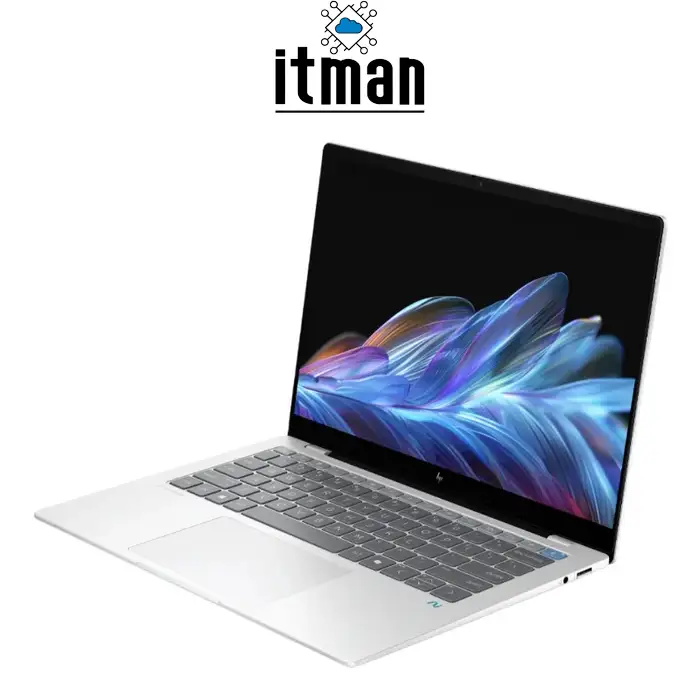
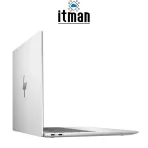
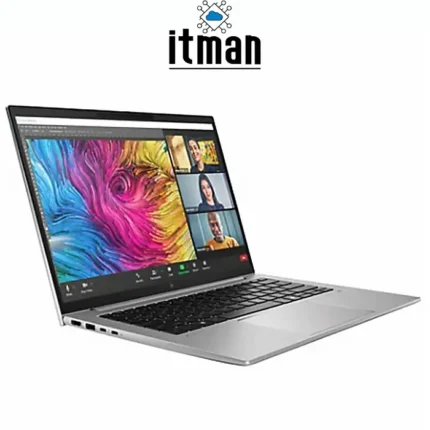
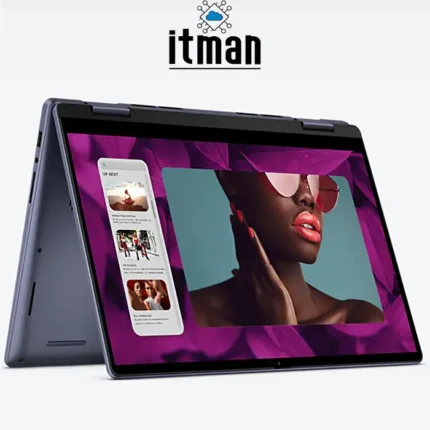
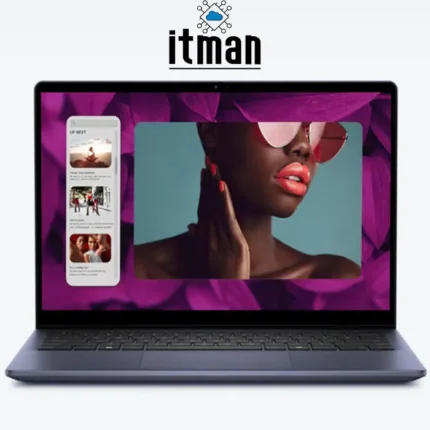
The HP OmniBook X14 Laptop represents a significant change from conventional Intel- and AMD-based ultraportable laptops. Instead of simply increasing processor power, HP combines the Snapdragon X Plus platform with fast onboard memory, PCIe NVMe storage, efficient integrated graphics, and dedicated AI processing. The Snapdragon X Plus X1P-42-100 configuration features eight CPU cores with speeds of up to 3.4GHz, while the Qualcomm Hexagon NPU delivers up to 45 NPU TOPS for supported AI tasks. The 14-inch chassis keeps the system highly portable at approximately 1.34 kg, while its slim profile, premium finish, high-resolution display, backlit keyboard, 5MP IR camera, modern wireless connectivity, and USB-C connectivity make it a capable everyday productivity machine.
Snapdragon X Plus Processor in the HP OmniBook X14 Laptop
At the center of the HP OmniBook X14 Laptop is the Qualcomm Snapdragon X Plus X1P-42-100 processor. This ARM-based processor features eight cores and can reach up to 3.4GHz, providing responsive performance for everyday multitasking, browser-based applications, Microsoft Office, video conferencing, cloud applications, media consumption, and other productivity workloads. One of its most important advantages is efficiency. Snapdragon X Plus is designed to provide strong performance without requiring the high power consumption commonly associated with more performance-oriented mobile processors.
The processor also integrates a Qualcomm Hexagon NPU capable of up to 45 NPU TOPS. This dedicated Neural Processing Unit can handle supported AI workloads separately from the CPU and GPU, helping improve efficiency when running AI-enhanced Windows features and compatible applications. This makes the HP OmniBook X14 Laptop especially relevant for users looking for a modern AI PC rather than a conventional notebook intended only for basic computing.
16GB LPDDR5x RAM for Fast Multitasking
The HP OmniBook X14 Laptop comes with 16GB of LPDDR5x-8448 MT/s onboard memory. This high-speed memory architecture provides considerably more bandwidth than older generations of laptop memory and works particularly well with the highly integrated Snapdragon platform. For normal productivity workloads, 16GB is a practical capacity for keeping multiple browser tabs, Office applications, communication software, cloud platforms, and background processes running simultaneously.
Because the memory is onboard, however, users should consider their future requirements before purchasing. It is not designed as a conventional replaceable SO-DIMM configuration. For the intended audience of this laptop, 16GB provides an effective balance between multitasking capability, energy efficiency, physical size, and system cost.
512GB PCIe NVMe SSD Storage
Storage is handled by a 512GB PCIe NVMe M.2 SSD, providing substantially faster access times than traditional SATA-based storage. Windows 11 can boot quickly, applications load with minimal delay, and large documents or local project folders can be accessed efficiently. The 512GB capacity also provides a useful balance for business and everyday use, leaving space for Windows, productivity applications, personal files, photographs, videos, and work documents without unnecessarily increasing the weight or power consumption of the laptop.
NVMe storage is particularly important in a lightweight productivity machine because overall responsiveness depends on more than CPU performance. Fast storage reduces waiting time when launching applications, opening files and performing system operations, contributing to the smooth everyday experience expected from the HP OmniBook X14 Laptop.
Qualcomm Adreno GPU
Graphics processing is provided by the integrated Qualcomm Adreno GPU. Rather than using a separate dedicated graphics card, the Adreno GPU is integrated into the Snapdragon platform, allowing the HP OmniBook X14 Laptop to maintain its slim dimensions and excellent power efficiency.
The Adreno GPU is well suited to Windows interface rendering, high-resolution video playback, streaming, presentations, web applications, light photo editing and general multimedia workloads. It can also handle lighter graphics workloads and selected games, but this laptop should not be confused with a gaming notebook equipped with an NVIDIA GeForce RTX GPU. Its priority is efficient graphics acceleration and mobility rather than maximum 3D rendering performance.
For professionals working mainly with documents, browsers, web platforms, conferencing applications and media, the integrated Adreno GPU offers a more appropriate balance between performance, heat output and battery consumption.
HP OmniBook X14 Laptop Display: 14-Inch 2.2K IPS Experience
One of the strongest features of the HP OmniBook X14 Laptop is its 14-inch display. Depending on the exact 14-fe1000 configuration, HP offers 2.2K IPS panels with a native resolution of 2240 × 1400 pixels. The 16:10 aspect ratio provides more vertical working space than a conventional 16:9 panel, which is particularly useful when browsing websites, editing documents, working with spreadsheets or reading long pages.
At 2240 × 1400 across a 14-inch diagonal, pixel density is approximately 189 pixels per inch. This relatively high pixel density produces noticeably sharper text, icons and interface elements than a standard 1920 × 1080 display of a similar size. Fine text remains clear, photographs show additional detail, and the additional vertical resolution improves productivity.
The IPS technology provides wide viewing angles, while available configurations support 100% sRGB coverage, making the screen suitable for multimedia consumption and general content work where good color reproduction is important. HP offers both touch and non-touch versions within this series, with brightness specifications varying by configuration. Therefore, the exact touch functionality and brightness should be confirmed against the individual product SKU.
The micro-edge design also reduces unnecessary bezel space and contributes to the compact footprint of the laptop. Low Blue Light and flicker-free characteristics further improve comfort during extended working sessions.
Slim, Lightweight and Premium Design
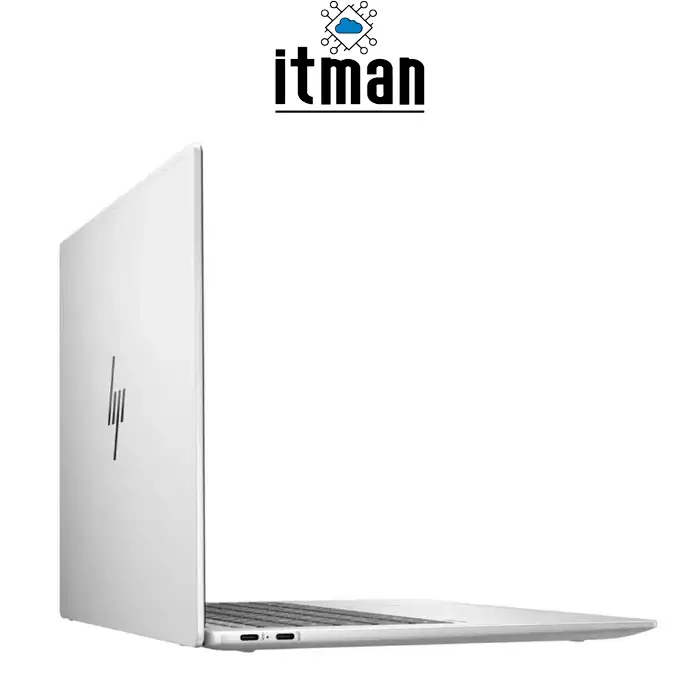
Portability is a major advantage of the HP OmniBook X14 Laptop. The chassis measures approximately 31.29 × 22.35 cm, with thickness around 1.43–1.44 cm depending on the measurement point. Weight starts at approximately 1.34 kg, making it easy to carry between home, office, university and client meetings.
The Glacier Silver configurations use a clean, understated design appropriate for both professional and personal environments. HP also uses an anodized, sandblasted finish on relevant configurations, giving the laptop a more refined appearance than basic entry-level notebooks.
Despite its compact dimensions, the laptop includes a full-size backlit keyboard, making it practical for users who regularly work in low-light environments.
Battery Life and Fast Charging
Battery efficiency is one of the main reasons to consider an ARM-based Windows laptop. The HP OmniBook X14 Laptop uses a 3-cell 59Wh lithium-ion polymer battery combined with the power-efficient Snapdragon X Plus platform.
HP rates certain configurations for up to 24 hours of local video playback, although actual runtime varies substantially according to display brightness, wireless connectivity, applications, workload, background activity and power settings. In practical use, the key advantage is the platform’s focus on long mobile operation rather than relying solely on a large battery.
The laptop also supports HP Fast Charge technology, capable of charging approximately 50% of the battery in around 30 minutes when the system is powered off. A 65W USB Type-C power adapter is used for charging.
What Is the HP OmniBook X14 Laptop Best Used For?
The HP OmniBook X14 Laptop is particularly suitable for business professionals, university students, managers, frequent travelers and remote workers. Its combination of a lightweight chassis, high-resolution display, 16GB RAM and Snapdragon X Plus processor makes it an excellent platform for email, Microsoft 365, web applications, video meetings, presentations, research, streaming and everyday multitasking.
Users whose work depends on specialized legacy Windows applications should check ARM compatibility before purchase. Windows on ARM has improved significantly, but compatibility with particular legacy applications, drivers and specialized peripherals can still vary. Conversely, users working primarily with modern Windows applications, browsers and cloud services can benefit significantly from the platform’s efficiency.
Ports and Connectivity
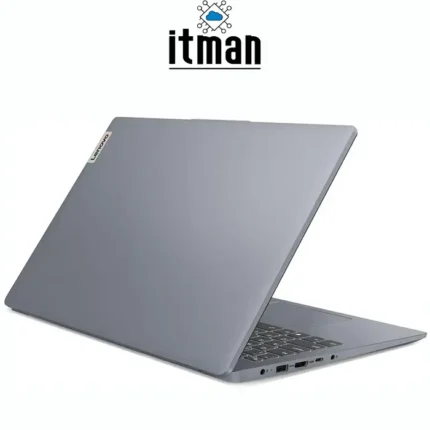
Despite its thin design, the HP OmniBook X14 Laptop provides a useful selection of modern connections. Relevant 14-fe1000 configurations include one USB Type-A port with up to 10Gbps signaling, one USB Type-C port supporting up to 10Gbps, and another USB Type-C connection supporting up to 40Gbps. The USB-C connections support USB Power Delivery and DisplayPort 1.4a functionality, allowing compatible external displays and accessories to be connected through USB-C.
A 3.5mm headphone/microphone combination jack is also included. There is no built-in RJ45 Ethernet port or full-size HDMI connector on typical configurations, so users requiring wired Ethernet or HDMI can use a compatible USB-C hub or adapter.
Wireless connectivity varies slightly by SKU, with the series offering modern Qualcomm FastConnect wireless solutions including Wi-Fi 6E or Wi-Fi 7 configurations and Bluetooth connectivity.
AI Features and the 45-TOPS NPU
A major reason the HP OmniBook X14 Laptop differs from older ultraportable PCs is its dedicated AI hardware. The Qualcomm Hexagon NPU delivers up to 45 NPU TOPS and is designed to process supported machine-learning workloads locally.
Instead of sending every AI-related workload through the CPU, compatible applications can use the NPU to perform certain tasks more efficiently. This architecture can help with AI-enhanced communication, image processing, productivity features and supported Windows AI functions while reducing the load placed on the main processor.
For buyers planning to keep their laptop for several years, the presence of dedicated NPU hardware is also important because software developers are increasingly adding local AI acceleration to productivity applications.
5MP IR Camera and Professional Video Conferencing
The HP OmniBook X14 Laptop is also designed around hybrid work. A 5MP IR camera with temporal noise reduction provides higher image detail than conventional 720p laptop webcams. The IR functionality supports compatible Windows authentication features, while integrated dual-array digital microphones help capture voice during online meetings.
HP combines the camera hardware with Poly Studio audio technology, dual speakers and HP Audio Boost. This makes the laptop particularly useful for Microsoft Teams, Zoom, Google Meet and other collaboration platforms without requiring external conferencing equipment for normal everyday use.
HP OmniBook X14 Laptop vs Similar HP Laptops
| Feature | HP OmniBook X14 Laptop | HP OmniBook X 14 Snapdragon X Elite | HP OmniBook Ultra Flip 14 | HP OmniBook 7 14 |
|---|---|---|---|---|
| Product Class | AI ultraportable | Higher-performance AI ultraportable | Premium convertible AI PC | Mainstream premium laptop |
| Processor Platform | Snapdragon X Plus | Snapdragon X Elite | Intel Core Ultra | Intel Core Ultra |
| CPU Architecture | ARM | ARM | x86 | x86 |
| Memory | 16GB LPDDR5x | Up to 32GB LPDDR5x | Configuration dependent | Configuration dependent |
| Storage | 512GB NVMe SSD | Up to 2TB NVMe SSD | NVMe SSD | NVMe SSD |
| Graphics | Qualcomm Adreno | Qualcomm Adreno | Intel integrated graphics | Intel integrated graphics |
| Dedicated NPU | Yes | Yes | Yes | Model dependent |
| Display Size | 14 inch | 14 inch | 14 inch | 14 inch |
| Primary Strength | Efficiency and mobility | Higher ARM performance | Convertible premium design | Broad software compatibility |
| Best For | Mobile productivity | Power users wanting ARM | Premium touch/convertible users | General Windows productivity |
The HP OmniBook X14 Laptop with Snapdragon X Plus occupies an attractive position for users who prioritize mobility, battery efficiency and AI acceleration without needing the more expensive specifications of higher-end models.
HP OmniBook X14 Laptop Technical Specifications
| Specification | Details |
|---|---|
| Brand | HP |
| Product Family | OmniBook X |
| Series | HP OmniBook X 14-fe1000 |
| Processor | Qualcomm Snapdragon X Plus X1P-42-100 |
| CPU Cores | 8 cores |
| Maximum CPU Frequency | Up to 3.4GHz |
| Processor Architecture | ARM |
| NPU | Qualcomm Hexagon NPU |
| NPU Performance | Up to 45 NPU TOPS |
| Graphics | Integrated Qualcomm Adreno GPU |
| RAM | 16GB LPDDR5x |
| Memory Speed | 8448 MT/s |
| Memory Configuration | Onboard, Dual-Channel Support |
| Storage | 512GB PCIe NVMe M.2 SSD |
| Display Size | 14 inch |
| Resolution | 2240 × 1400 (2.2K) on 14-fe1000 configurations |
| Display Technology | IPS |
| Aspect Ratio | 16:10 |
| Approx. Pixel Density | 189 PPI |
| Color Gamut | Up to 100% sRGB, configuration dependent |
| Touchscreen | Configuration dependent |
| Webcam | 5MP IR Camera |
| Microphones | Integrated Dual-Array Digital Microphones |
| Speakers | Dual Speakers with Poly Studio |
| Keyboard | Full-Size Backlit Keyboard |
| USB Type-A | 1 × up to 10Gbps |
| USB Type-C | 2 ×, including up to 40Gbps connection |
| Display Output | DisplayPort 1.4a through compatible USB-C |
| Audio Port | Headphone/Microphone Combo |
| HDMI | No dedicated full-size HDMI |
| Ethernet | No built-in RJ45 |
| Wireless | Wi-Fi 6E/Wi-Fi 7 depending on configuration |
| Bluetooth | Configuration dependent |
| Battery | 3-cell 59Wh Li-ion Polymer |
| Fast Charging | Approx. 50% in 30 minutes under supported conditions |
| Power Adapter | 65W USB Type-C |
| Operating System | Windows 11 Home |
| Dimensions | Approx. 31.29 × 22.35 × 1.43–1.44 cm |
| Weight | Starting around 1.34 kg |
| Color | Glacier Silver on relevant configurations |
Frequently Asked Questions About HP OmniBook X14 Laptop
1. Is the HP OmniBook X14 Laptop good for business use?
Yes. Its lightweight design, long-battery-focused Snapdragon platform, 16GB RAM, high-resolution screen, 5MP IR camera and Windows 11 environment make it particularly suitable for business and mobile productivity.
2. Does the HP OmniBook X14 Laptop have a dedicated graphics card?
No. It uses the integrated Qualcomm Adreno GPU. The graphics system is optimized for efficiency, multimedia and general productivity rather than demanding professional 3D rendering or high-end gaming.
3. Can the 16GB RAM be upgraded?
The LPDDR5x memory is onboard, so it should not be treated as user-upgradeable RAM. Buyers should choose the required memory capacity at the time of purchase.
4. Is the 512GB SSD fast?
Yes. The laptop uses PCIe NVMe M.2 SSD storage, providing fast Windows startup, application loading and file access.
5. Is Snapdragon X Plus an Intel processor?
No. Snapdragon X Plus is manufactured by Qualcomm and uses an ARM-based architecture rather than the x86 architecture traditionally used by Intel and AMD laptop processors.
6. Can the HP OmniBook X14 Laptop run normal Windows software?
It runs Windows 11 and supports a wide range of Windows applications. However, users who depend on specialized legacy software, drivers or peripherals should verify Windows on ARM compatibility before purchasing.
7. Is the HP OmniBook X14 Laptop suitable for gaming?
It can handle lighter games and compatible titles, but it is not designed as a dedicated gaming laptop. Users requiring demanding gaming performance should consider a laptop with a dedicated GPU.
8. Does the HP OmniBook X14 Laptop support external monitors?
Yes. Compatible external displays can be connected through USB-C using DisplayPort 1.4a functionality. A suitable USB-C adapter or dock can also provide additional display connectivity.
9. Does it have an HDMI port?
Typical HP OmniBook X 14-fe1000 configurations do not include a dedicated full-size HDMI port. HDMI displays can be connected using an appropriate USB-C adapter or docking station.
10. What is the advantage of the 45-TOPS NPU?
The Qualcomm Hexagon NPU provides dedicated hardware for supported AI workloads, allowing certain machine-learning operations to run without relying entirely on the CPU or GPU.
Conclusion
The HP OmniBook X14 Laptop is an excellent example of the new generation of Windows AI PCs, combining the Qualcomm Snapdragon X Plus processor, dedicated 45-TOPS Hexagon NPU, 16GB LPDDR5x memory, 512GB NVMe SSD and Qualcomm Adreno integrated graphics in a slim 14-inch chassis. Its high-resolution 2.2K display, lightweight construction, 59Wh battery, fast charging, modern USB-C connectivity and 5MP IR camera make it particularly attractive for mobile professionals and users who value efficiency.
Rather than competing directly with heavy gaming or workstation laptops, the HP OmniBook X14 Laptop focuses on portability, intelligent processing and efficient everyday performance. For users whose software is compatible with Windows on ARM, it offers a compelling combination of modern hardware and mobility.
ITMan offers the HP OmniBook X14 Laptop for customers looking for a lightweight, modern HP laptop with Snapdragon X Plus performance, 16GB LPDDR5x memory and fast NVMe storage.


















Reviews
There are no reviews yet.