











 ? Message us on
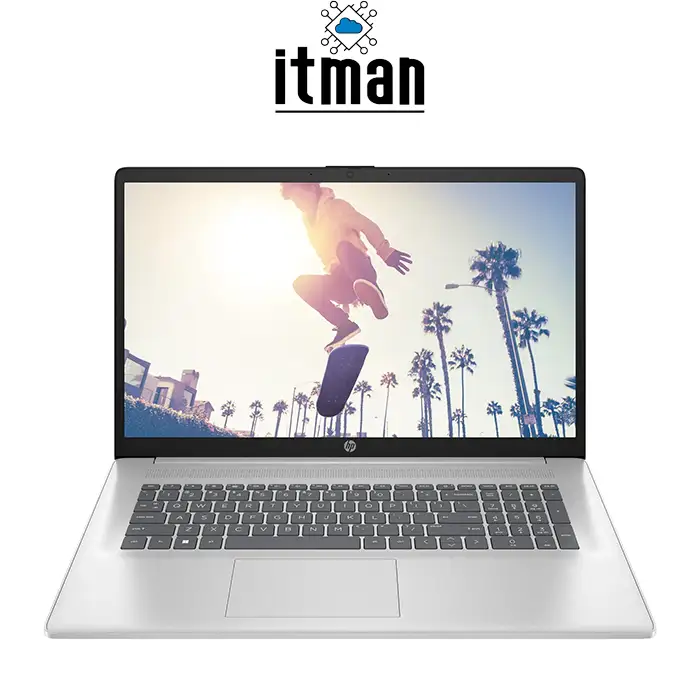
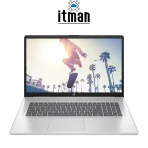
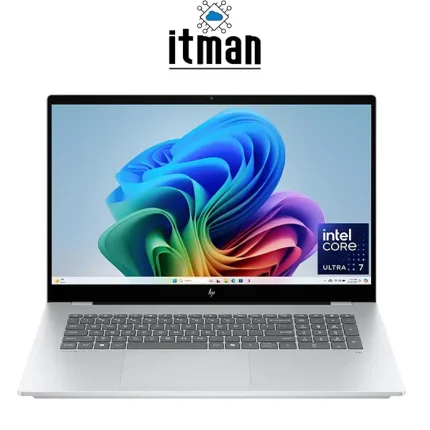
 The HP 17 Laptop is designed for users who want the comfort of a large 17.3-inch display combined with the performance of a modern Intel Core i7 processor. Equipped with a 13th Generation Intel Core i7 CPU, 16GB of RAM, a 512GB SSD, a Full HD display, and Windows 11, this configuration provides a practical balance between processing performance, screen space, storage capacity, and everyday usability. Its larger display makes it particularly attractive for office users, students, professionals, and home users who spend long hours working with documents, spreadsheets, web applications, video calls, and multimedia content.
This HP Laptop is offered as a Renew unit and does not carry a specific retail part number for this configuration. Therefore, the product is identified primarily by its core hardware specifications: 17.3-inch FHD display, Intel Core i7 13th Gen processor, 16GB RAM, 512GB SSD, and Windows 11. Unlike compact 14-inch or 15.6-inch notebooks, the HP 17 provides substantially more visible workspace, making multitasking and productivity more comfortable. The combination of a modern Core i7 processor and 16GB memory also means that the laptop is capable of handling significantly more demanding workloads than entry-level systems built around Core i3 processors or limited amounts of memory. Customers looking for this configuration can purchase the HP 17 Laptop from ITMan.
HP 17 Laptop with 13th Gen Intel Core i7 Processor
One of the most important specifications of the HP 17 Laptop is its 13th Generation Intel Core i7 processor. Intel’s 13th Gen mobile processor family is designed around a hybrid architecture in supported models, combining performance-oriented and efficiency-oriented cores to balance processing power and power consumption.
This makes a Core i7-based HP 17 suitable for demanding everyday workloads such as running multiple browser tabs, Microsoft Office applications, accounting software, online management systems, video conferencing, data processing, and light content creation simultaneously. Because this Renew configuration does not have a specific HP SKU, the exact Core i7 model may vary between available units and should be confirmed before purchase when the precise CPU model, core count, thread count, or maximum clock frequency is important.
16GB RAM for Smooth Multitasking
The 16GB RAM configuration is another major advantage of this HP 17 Laptop. For Windows 11, 16GB provides considerably more headroom than an 8GB configuration, particularly when several applications are open simultaneously. Users can work with multiple browser tabs, Word and Excel documents, communication applications, PDF files, cloud platforms, and background software without constantly running into the limitations associated with low-memory systems. It also makes the laptop a better long-term choice for professional and business workloads. The exact memory arrangement, such as whether the 16GB is installed as one module or across multiple modules, can depend on the specific Renew unit.
HP 17 Laptop with 512GB SSD Storage
Storage is provided by a 512GB solid-state drive, giving the HP 17 Laptop both useful capacity and the responsiveness expected from a modern computer. An SSD has no mechanical moving components and offers much faster access times than a traditional hard disk drive. This improves Windows startup times, application loading, file searching, software installation, and general system responsiveness. A 512GB capacity is suitable for Windows 11, productivity applications, documents, photographs, business data, and a reasonable collection of multimedia files while still providing significantly more usable storage than entry-level 128GB or 256GB systems.
Graphics Performance of the HP 17 Laptop
Graphics capability on this HP 17 Laptop depends on the graphics processor paired with the specific 13th Gen Intel Core i7 installed in the Renew unit. Many HP 17 configurations in this class rely on integrated Intel graphics rather than a dedicated gaming GPU. Integrated graphics are well suited to everyday visual workloads including Full HD video playback, streaming, web applications, office programs, presentations, basic photo editing, and multi-window desktop use.
They also offer the advantage of lower power consumption and reduced heat compared with high-performance discrete GPUs. However, buyers requiring gaming, professional 3D rendering, advanced CAD, or GPU-intensive video production should confirm the exact graphics specification before ordering, as the HP 17 Laptop should not automatically be considered a dedicated gaming laptop simply because it uses a Core i7 processor.
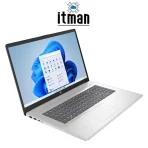
HP 17 Laptop 17.3-Inch Full HD Display
The 17.3-inch Full HD display is one of the defining features of the HP 17 Laptop. Its 1920 × 1080 resolution provides approximately 127 pixels per inch on a 17.3-inch panel, offering a good balance between image sharpness and comfortable scaling. Full HD resolution gives users considerably more usable desktop space than older 1600 × 900 or HD+ displays, allowing more information to remain visible when working with spreadsheets, websites, dashboards, documents, and multiple application windows.
The larger physical dimensions are particularly useful for users who primarily work at a desk but do not want to use a separate monitor. Text, interface elements, photographs, and videos can be viewed comfortably on the 17.3-inch screen, while the 16:9 aspect ratio works well for video playback and general productivity. It is also a practical size for split-screen work, such as keeping a browser on one side while editing a document on the other. The product specification confirms Full HD resolution, while characteristics such as exact panel technology, brightness, color gamut, and touch capability may differ according to the individual Renew unit and should be verified when those features are purchase-critical.
Design and Build of the HP 17 Laptop
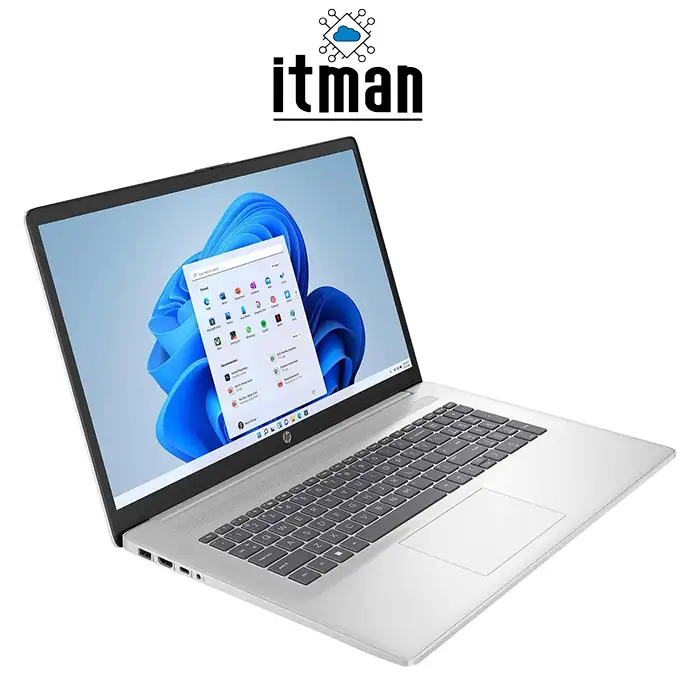
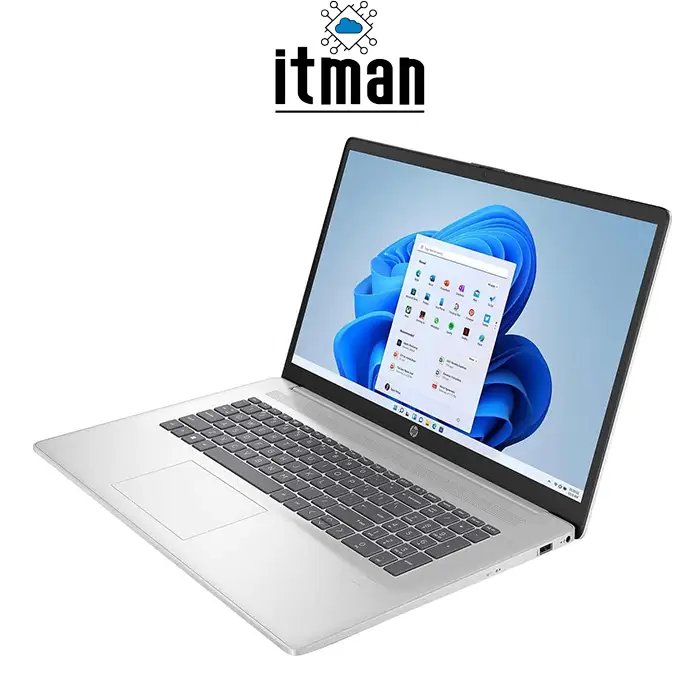
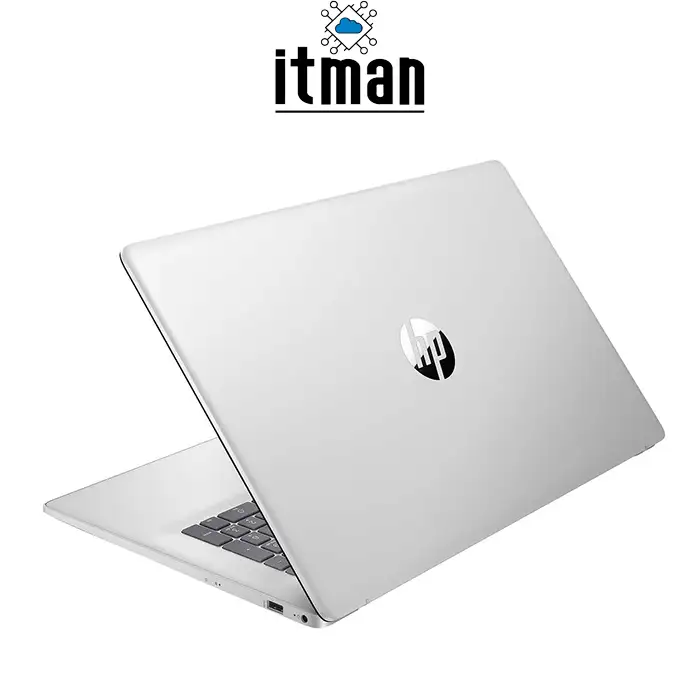
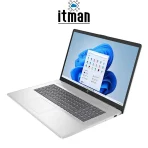
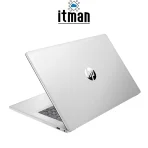
The HP 17 Laptop follows the practical design philosophy associated with HP’s large-screen consumer notebooks. Its chassis is built around the 17.3-inch display, providing a larger working surface and allowing room for a spacious keyboard layout. The larger body can be especially convenient for users who frequently enter numbers or work with spreadsheets, as HP 17 configurations commonly use a full-size keyboard layout with a numeric keypad.
The trade-off for the larger display is portability. A 17.3-inch laptop naturally occupies more desk and bag space than a 14-inch or 15.6-inch system. The HP 17 is therefore best viewed as a large-screen mobile workstation for everyday computing rather than an ultra-portable notebook. For users who frequently work from one office, home desk, reception area, shop, or study space, the additional screen area can be more valuable than minimizing overall dimensions.
Battery and Everyday Mobility
Battery performance on the HP 17 Laptop depends on the exact battery installed, its capacity, display brightness, processor workload, wireless activity, Windows power settings, and battery condition. This consideration is especially relevant for a Renew laptop because actual battery health can differ from that of a brand-new factory unit. The efficiency improvements associated with modern Intel mobile processors can help reduce power consumption during lighter tasks, but a 17.3-inch display also requires more energy than smaller screens under comparable conditions. Users who prioritize all-day operation away from a charger should therefore consider actual battery condition as well as the laptop’s original battery specification.
What Is the HP 17 Laptop Best Used For?
The HP 17 Laptop is particularly suitable for office productivity, home computing, studying, remote work, accounting, web-based business applications, browsing, online meetings, media consumption, and general professional use. The 17.3-inch display provides additional workspace, while 16GB RAM makes multitasking practical and the 512GB SSD keeps Windows and applications responsive. Its Core i7 processor also gives the system enough processing headroom for more demanding workloads than basic entry-level notebooks. For businesses, it can be a practical desktop-replacement laptop where users need a large display but still want the flexibility to move the computer between locations.
Ports and Connectivity on the HP 17 Laptop
HP 17 laptops typically provide a useful selection of connections for everyday peripherals, including USB ports for external drives and accessories, video output for connecting an external monitor or television, an audio connection, and wireless connectivity. However, because this Renew HP 17 Laptop does not have a fixed retail part number, the exact USB Type-A, USB Type-C, HDMI, audio, and networking configuration should be checked against the individual unit before purchase. This is particularly important for buyers who specifically require USB-C charging, DisplayPort functionality through USB-C, wired Ethernet, or a particular HDMI standard.
Why a 17.3-Inch Laptop Can Be Better for Productivity
Screen size can have a direct impact on everyday workflow. A larger display gives users more room to organize applications and reduces the need to constantly switch between windows. For spreadsheet users, additional screen space can make larger worksheets easier to navigate. For office work, users can place reference material alongside a Word document, compare two PDFs, or keep communication software visible next to a browser.
The HP 17 Laptop therefore works especially well as a desktop replacement. It retains the convenience of an integrated display, keyboard, battery, and wireless connectivity while providing a working area closer to that of a traditional desktop setup than smaller notebooks.
HP 17 Laptop and Windows 11
Windows 11 complements the hardware configuration of this HP 17 Laptop with a modern interface and productivity-oriented multitasking features. Features such as Snap Layouts are particularly useful on a 17.3-inch Full HD display because the available screen space can be divided between several applications. Combined with 16GB RAM and SSD storage, Windows 11 provides a responsive environment for everyday business and personal workloads.
The combination is also useful for Microsoft 365 applications, cloud-based platforms, browsers, communication software, and other modern Windows applications. Buyers should note that the exact Windows 11 edition supplied with an individual Renew unit should be confirmed where Home or Pro licensing is a specific requirement.
HP 17 Laptop vs Similar HP Laptops
| Feature | HP 17 Laptop | HP Laptop 15 | HP Pavilion 15 | HP Envy 17 |
|---|---|---|---|---|
| Display Size | 17.3-inch | 15.6-inch | 15.6-inch | 17.3-inch |
| Resolution | FHD 1920 × 1080 | Varies by configuration | Usually FHD or higher | FHD or higher depending on model |
| Processor Class | 13th Gen Core i7 | Varies | Core i5/Core i7 options | Higher-end Core configurations available |
| RAM | 16GB | Varies | Varies | Varies |
| Storage | 512GB SSD | Varies | SSD configurations | SSD configurations |
| Main Advantage | Large display + strong everyday performance | Better portability | Performance/design balance | Premium large-screen experience |
| Portability | Moderate to low | Better | Better | Moderate to low |
| Typical User | Office, home, business | General users | Productivity/multimedia | Premium productivity |
| Operating System | Windows 11 | Windows 11 options | Windows 11 options | Windows 11 options |
The HP 17 Laptop stands out primarily because it combines a large 17.3-inch Full HD display with 16GB RAM and a modern Core i7 platform. Compared with HP’s 15.6-inch laptops, it sacrifices some portability in exchange for additional workspace. Compared with premium large-screen families such as the HP Envy 17, its focus is more strongly centered on practical everyday productivity.
HP 17 Laptop Technical Specifications
| Specification | Details |
|---|---|
| Product | HP 17 Laptop |
| Product Condition | Renew |
| Part Number | No specific retail part number |
| Display Size | 17.3 inches |
| Display Resolution | 1920 × 1080 Full HD |
| Aspect Ratio | 16:9 |
| Approx. Pixel Density | 127 PPI |
| Processor | Intel Core i7, 13th Generation |
| Exact CPU Model | May vary by Renew unit |
| Memory | 16GB RAM |
| Storage | 512GB SSD |
| Graphics | Dependent on exact CPU/configuration; verify per unit |
| Operating System | Windows 11 |
| Keyboard | Full-size layout typical of HP 17 series; verify exact unit |
| Wireless Connectivity | Wi-Fi/Bluetooth depending on unit configuration |
| USB | Available; exact type/count varies by unit |
| HDMI | Configuration dependent; verify individual unit |
| Audio | Integrated audio; exact connection layout varies |
| Webcam | Configuration dependent |
| Battery | Internal rechargeable battery; capacity/health varies by unit |
| Optical Drive | Configuration dependent |
| Primary Use | Business, office, study, home and multimedia |
| Form Factor | Large-screen notebook / desktop replacement |
HP 17 Laptop FAQ
1. Is the HP 17 Laptop good for office work?
Yes. Its 17.3-inch FHD display, Core i7 processor, 16GB RAM, and SSD storage make this configuration particularly suitable for office productivity and multitasking.
2. Is the HP 17 Laptop new?
This specific product is offered as a Renew laptop rather than a standard factory-new retail configuration.
3. What generation is the processor?
The laptop uses a 13th Generation Intel Core i7 processor. The exact Core i7 model should be confirmed for the individual unit.
4. Does the HP 17 Laptop have a Full HD screen?
Yes. This configuration features a 17.3-inch Full HD display with a resolution of 1920 × 1080 pixels.
5. What is the pixel density of the 17.3-inch FHD screen?
A 17.3-inch 1920 × 1080 display has a pixel density of approximately 127 pixels per inch.
6. Is 16GB RAM enough for Windows 11?
For most office, study, browsing, communication, and general productivity workloads, 16GB provides ample memory for comfortable Windows 11 multitasking.
7. Does the HP 17 Laptop use SSD storage?
Yes. This configuration includes a 512GB SSD for faster booting, application loading, and file access.
8. Is the HP 17 Laptop suitable for gaming?
It is primarily a productivity laptop. Gaming capability depends heavily on the exact graphics processor installed, so the GPU specification should be confirmed before purchasing it specifically for gaming.
9. Can the HP 17 Laptop replace a desktop PC?
For many office and home users, yes. The large 17.3-inch screen makes it particularly practical as a desktop-replacement notebook.
10. Does it come with Windows 11?
Yes, this configuration is supplied with Windows 11. The exact edition should be verified if Windows 11 Home or Pro is specifically required.
Conclusion
The HP 17 Laptop is a strong option for users who value screen size, multitasking capability, and responsive everyday performance. Its 17.3-inch Full HD display provides approximately 127 PPI and gives users substantially more workspace than smaller laptops, while the 13th Gen Intel Core i7 processor delivers the processing capability required for modern productivity workloads.
With 16GB RAM, a 512GB SSD, and Windows 11, this configuration is particularly well suited to business users, office environments, students, remote workers, and home users looking for a large-screen laptop that can handle demanding everyday multitasking. Because this is a Renew product without a fixed retail part number, specifications that can vary between HP 17 configurations should be confirmed for the individual unit before purchase. The HP 17 Laptop is available from ITMan for customers looking for a practical large-screen Windows laptop with a modern Core i7 platform.


















Reviews
There are no reviews yet.